


Michael Anderson
Former journalist turned tech writer with a passion for helping professionals enhance productivity through AI.
Introduction
We have all sat through boring presentations. You know the kind. The slides are full of bullet points. The text is small. The speaker reads every word. You struggle to stay awake. You forget the information five minutes after the meeting ends. This happens because the human brain is not designed to memorize lists of text. Our brains are wired for stories and images. When you combine a story with strong visuals, something magical happens. The audience pays attention. They understand complex ideas faster. Most importantly, they remember your message.
Research shows that the human brain processes visuals much faster than text—up to 60,000 times faster. When you use visual storytelling, you are not just making pretty slides. You are helping your audience understand you. But here is the hard part. You have a topic. Maybe it is “Quarterly Sales” or “New HR Policy.” It feels dry. It feels boring. How do you turn that into a story? And not just one story, but the right story for your audience?
This guide is your answer. We have collected over 100 visual storytelling ideas. These ideas will help you take one topic and turn it into many different visual stories. You will learn how to think like a visual storyteller, use simple frameworks to organize your thoughts, choose the perfect visual metaphor for your message, and create slides faster using tools like Autoppt.
Autoppt is a great tool to keep in mind as you read. It offers a huge library of presentation templates and uses AI to generate presentations for you. When you find a storytelling idea in this list that you like, Autoppt can help you build the slides quickly so you can focus on your story, not on fixing margins and fonts.
Part 1: What Is Visual Storytelling?
The Definition of Visual Storytelling
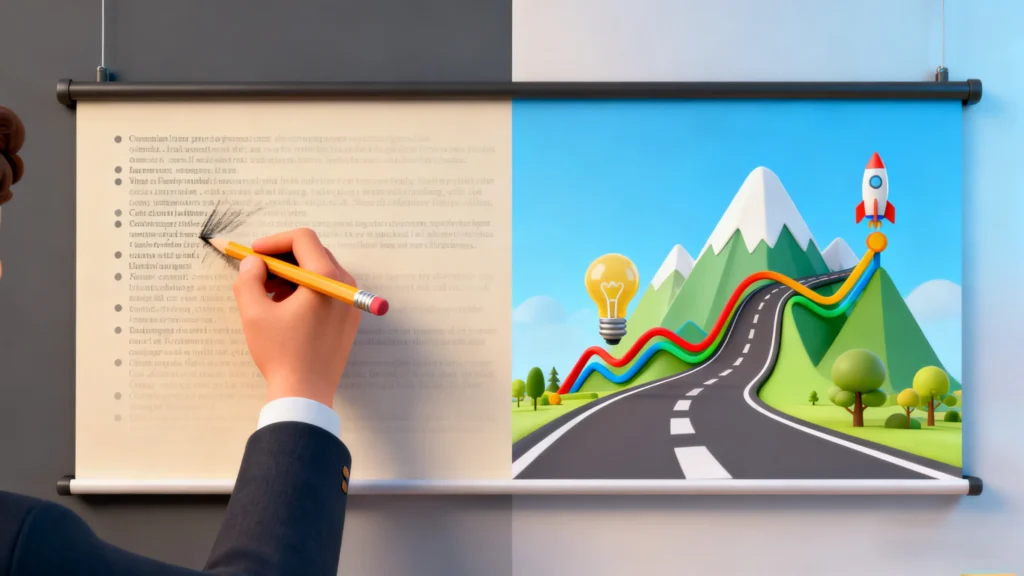
Visual storytelling is the art of using images, graphics, and videos to tell a narrative. It is not just about putting a picture next to some text. It is about using the visual to carry the meaning of the message. In a standard presentation, the text does the heavy lifting, and the image is decoration. In visual storytelling, the image is the story.
Think about a children’s book. The pictures tell you how the character feels, where they are, and what the danger is. The words just add detail. Business presentations should work the same way. If you project a slide with a picture of a stormy ocean, the audience immediately feels “danger” or “turbulence” before you even speak. That is visual storytelling.
When you use visual storytelling, the image explains the idea.
-
Text alone: “Our company revenue grew by 50% this year, but we faced obstacles in Q2.”
-
Visual Story: A chart showing a line going up a mountain. The line dips where there are rocks (obstacles), but reaches the peak (growth) at the end.
In the second example, the audience sees the struggle and the success. They feel the journey.
Why Visuals Improve Understanding and Memory
Science tells us why visuals are so powerful. The human brain is an image processor.
-
Speed: We see images instantly. Reading takes time to decode. According to research, the brain processes visual information 60,000 times faster than text. When you show a visual, the audience “gets it” in milliseconds. When you show a bullet point, they have to read, interpret, and process.
-
Memory: This is called the “Picture Superiority Effect.” We remember pictures better than words. When facts are paired with visuals, they become experiences. If you hear information, you might remember 10% of it three days later. If you add a picture, that recall can go up to 65%.
-
Emotion: A picture of a frustrated person creates empathy. A bullet point saying “customer satisfaction is low” does not feel the same. Visuals trigger emotions in the brain. Emotions are the glue that makes memories stick. If your audience feels something, they will remember your presentation.
Text-Heavy vs. Story-Driven Slides
The difference between a bad slide and a good story is often just the visual focus.
| Feature | Text-Heavy Slide | Story-Driven Slide |
| Focus | Information transfer | Emotional connection |
| Element | Bullet points | Metaphors and Images |
| Audience Reaction | Reading / Boredom | Watching / Feeling |
| Retention | Low | High |
| Example | List of “Project Risks” | Image of a storm cloud |
Visual storytelling moves beyond decoration. It transforms abstract data into something tangible. It bridges the gap between what you say and what the audience understands.
Part 2: How to Turn One Topic into Multiple Stories
The title of this article promises to help you turn one topic into multiple stories. How is that possible?
Imagine you are holding a diamond. If you turn it slightly, the light hits a different facet. The diamond is the same, but the view changes. You can do this with any topic. A single topic is not just one story. It is a collection of facts that can be arranged in many different ways.
This section will teach you the frameworks and the thinking process to find these different angles.
Step-By-Step Thinking Process
Step 1: Identify the Core Topic
Start with your main subject. This should be broad enough to have different angles. For example: “The New Marketing Strategy” or “Q3 Financial Results”.8
Step 2: Identify the Audience
Who are you talking to?
-
Executives: They care about results, money, and speed.
-
The Team: They care about work, process, and feelings.
-
Customers: They care about benefits and solutions.
Step 3: Choose the Angle (The “Lens”)
How do you want to frame this topic?
-
Is it a journey? (Timeline)
-
Is it a fight? (Problem/Solution)
-
Is it a choice? (Comparison)
Step 4: Select the Visual Metaphor
Once you have the angle, pick the picture that matches. If it is a journey, use a road. If it is a choice, use a fork in the road.
Example: Turning “Installing Security Software” into 4 Stories
Let’s look at a boring topic: “Installing New Security Software.” Here is how you can tell that single story in four different ways using visual metaphors.
Perspective 1: The Timeline (The History Story)
-
The Goal: To show progress over time.
-
The Story: “We used to be unsafe. Now we are installing the software. Soon we will be safe.”
-
The Visual: A road map or a timeline.
-
Start: A bumpy dirt road (the past/vulnerable state).
-
Middle: Construction trucks paving the road (the installation process).
-
End: A smooth, fast highway (the future secure state).
-
-
Best for: Project managers and stakeholders who need to know the schedule.
Perspective 2: The Problem & Solution (The Villain and Hero)
-
The Goal: To justify the cost or urgency.
-
The Story: “Hackers are attacking us. This software stops them.”
-
The Visual: A castle siege.
-
The Problem: Arrows flying at the castle walls (viruses/hackers).
-
The Solution: A new, strong shield covering the castle (the software).
-
-
Best for: Budget approval meetings where you need to show the danger of not acting.
Perspective 3: The Comparison (The Contrast Story)
-
The Goal: To show why the new way is better than the old way.
-
The Story: “Our old system is slow. The new one is fast.”
-
The Visual: A race.
-
Old System: A turtle or an old bicycle.
-
New System: A hare or a sports car.
-
-
Best for: User training to get them excited about the change.
Perspective 4: The Process (The How-To Story)
-
The Goal: To teach people how to use it.
-
The Story: “Here are the steps to install it.”
-
The Visual: A recipe or assembly line.
-
Step 1: Ingredients (the files).
-
Step 2: Cooking (the installation).
-
Step 3: The meal (the finished software).
-
-
Best for: Technical teams and workshops.
See? One topic, four completely different visual stories.
Questions to Ask Before Designing Slides
To help you find these stories, ask yourself these questions before you open PowerPoint:
-
What is the conflict? Every story has a conflict. Is it man vs. nature? Us vs. the competitor? Us vs. time?
-
Who is the hero? Is the hero the product? Is the hero the customer? Is the hero the team?
-
What is the transformation? Where do we start, and where do we end? Visual storytelling is all about change.
Part 3: 100+ Visual Storytelling Ideas
Here is the main event. We have collected and categorized over 100 visual storytelling ideas. These are metaphors, layouts, and concepts you can steal for your next presentation.
We have organized them into 8 categories:
-
Timeline & History Stories
-
Comparison & Contrast Stories
-
Problem–Solution Stories
-
Data & Insight Stories
-
People & Emotion Stories
-
Process & How-To Stories
-
Future & Vision Stories
-
Metaphor & Creative Stories
Read through them. When one catches your eye, stop and think: “How could I use this for my current project?”
Category 1: Timeline & History Stories
Use these when you need to show growth, history, a schedule, or a plan for the future. Humans understand time linearly, so these visuals are very intuitive.
-
The Winding Road
-
Visual: A road that curves like an “S” shape across the slide. It disappears into the horizon.
-
Story: “It was not a straight line to success. We had turns and corners.”
-
Use Case: Use this for honest stories about a project’s history or a “Founders Story.” It shows resilience.
-
The Mountain Climb
-
Visual: A steep mountain with camps at different heights.
-
Story: “We are at Base Camp 1 (Q1). We need to reach the Summit (Q4).”
-
Use Case: Ideal for annual goals. It implies that the work is hard (climbing) but the view from the top is worth it.
-
The Relay Race
-
Visual: Runners passing a baton on a track.
-
Story: “Phase 1 is done. Now the Design Team passes the baton to the Engineering Team.”
-
Use Case: Perfect for describing workflows, handoffs between departments, or supply chains.
-
The Growing Tree
-
Visual: Slide 1 is a seed. Slide 2 is a sapling. Slide 3 is a big tree with fruit.
-
Story: “Our investment started small, but look at it now.”
-
Use Case: A classic metaphor for business growth, investments, or compounding interest.
-
The Train Journey
-
Visual: A subway map or a train track with specific stations.
-
Story: “We are currently at Station A. The next stop is Testing. The final destination is Launch.”
-
Use Case: Great for rigid schedules where dates cannot change (the train leaves on time).
-
The Footprints in Sand
-
Visual: Footprints leading from the bottom left to the top right of the slide.
-
Story: “Let’s retrace our steps to see how we got here.”
-
Use Case: Use this for post-mortem reviews, audits, or looking back at a team’s legacy.
-
The Rocket Launch
-
Visual: A rocket on a launchpad (Preparation), liftoff (Launch), and in space (Orbit).
-
Story: “We are preparing for a major product launch.”
-
Use Case: Use this to create excitement for a new product, website, or campaign.
-
The Four Seasons
-
Visual: Spring (Planting/Planning), Summer (Growing/Working), Autumn (Harvesting/Sales), Winter (Reviewing/Resting).
-
Story: “Every business has cycles. We are in our harvest season.”
-
Use Case: Good for cyclical businesses (retail, agriculture) or long-term strategy.
-
The Construction Site
-
Visual: A building going up floor by floor.
-
Story: “We are building the foundation of this company.”
-
Use Case: Excellent for startups, restructuring, or describing a new team architecture.
-
The Sunrise
-
Visual: Night turning into dawn, then full sun.
-
Story: “It was a dark time for sales, but the sun is rising on a new quarter.”
-
Use Case: Use this for turnaround stories or recovering from a crisis.
-
The Evolution Chain
-
Visual: The classic “ape to human” graphic, but adapted for your product (e.g., Old Phone to Smart Phone).
-
Story: “We are evolving. We are not the same company we were ten years ago.”
-
Use Case: Showing product iterations or company maturity.
-
The River Flow
-
Visual: A river winding through a landscape.
-
Story: “The market is fluid. We must flow with the current, not against it.”
-
Use Case: Describing agile processes or adapting to market changes.
-
The Book Chapters
-
Visual: An open book with chapter titles on the pages.
-
Story: “We have closed Chapter 1. Now we begin Chapter 2.”
-
Use Case: Corporate anniversaries, mergers, or CEO changes.
-
The Hourglass
-
Visual: Sand running out of the top bulb.
-
Story: “Time is running out on this opportunity. We must act now.”
-
Use Case: Creating urgency in sales pitches or crisis management.
-
The Calendar
-
Visual: A simple calendar view with red circles on key dates.
-
Story: “These are the three days that will change our year.”
-
Use Case: Event planning, marketing launch schedules.
Category 2: Comparison & Contrast Stories
Use these when you need to show choices, differences, or before-and-after scenarios. The brain loves contrast—it is how we make decisions.
-
The Balance Scale
-
Visual: An old-fashioned scale. One side is heavy (Gold/Money), the other is light (Feather/Risk).
-
Story: “The benefits outweigh the costs.”
-
Use Case: Budget proposals, investment decisions, hiring decisions.
-
Apples vs. Oranges
-
Visual: A bright red apple next to a bright orange.
-
Story: “We cannot compare these two strategies. They are totally different.”
-
Use Case: Explaining why your product is different from a competitor (who might be cheaper but different quality).
-
The Mirror (Before and After)
-
Visual: A person looking in a mirror, seeing a better/stronger version of themselves.
-
Story: “This is who we are now. This is who we will be after the training.”
-
Use Case: HR training, personal development, or rebranding.
-
The Tug of War
-
Visual: Two teams pulling a rope in opposite directions.
-
Story: “There is a tension between Speed and Quality. We must find the middle ground.”
-
Use Case: Discussing trade-offs, resource allocation, or internal conflicts.
-
The Crossroads
-
Visual: A fork in the road with two signs pointing different ways.
-
Story: “We have a decision to make. Path A leads to risk. Path B leads to safety.”
-
Use Case: Strategy meetings, “Go/No-Go” decisions.
-
David vs. Goliath
-
Visual: A small figure (David) facing a giant shadow (Goliath).
-
Story: “We are a small startup, but we can beat the giant competitor.”
-
Use Case: Pitch decks for small companies taking on industry leaders.
-
The Bridge vs. The Wall
-
Visual: One image shows a wall (blocking). The other shows a bridge (connecting).
-
Story: “Do we want to build walls or bridges with our customers?”
-
Use Case: Customer service training, partnership proposals, international relations.
-
The Iceberg (Above vs. Below)
-
Visual: An iceberg. 10% is above water, 90% is hidden below.
-
Story: “You only see the price (above). You don’t see the value, support, and safety (below).”
-
Use Case: Explaining hidden costs, complex problems, or “invisible work”.
-
Old Tech vs. New Tech
-
Visual: A floppy disk next to a cloud icon.
-
Story: “Why are we still using floppy disk processes in a cloud world?”
-
Use Case: IT upgrades, digital transformation pitches.
-
The Tortoise and the Hare
-
Visual: A fast rabbit and a slow turtle.
-
Story: “Slow and steady wins this race. We don’t need to rush.”
-
Use Case: Arguing for quality over speed, or sustainable growth over fast burn.
-
Day vs. Night
-
Visual: A split screen. One side is bright sunshine (good outcome), the other is dark night (bad outcome).
-
Story: “The difference between using our service and not using it is like night and day.”
-
Use Case: Sales comparison slides, problem/solution contrast.
-
The Venn Diagram
-
Visual: Two overlapping circles.
-
Story: “We want to be right here, in the sweet spot where Quality meets Affordability.”
-
Use Case: Defining a niche, market positioning, or finding common ground.
-
The Grocery Cart
-
Visual: A full cart vs. an empty cart.
-
Story: “Here is what you get with the Pro Plan (full) vs. the Basic Plan (empty).”
-
Use Case: Pricing pages, tiered service offerings.
-
The Two Ladders
-
Visual: One ladder has missing rungs (hard to climb). The other is solid and new.
-
Story: “Do you want the hard way or the easy way?”
-
Use Case: Selling tools that make life easier.
-
The Prism
-
Visual: White light entering a prism and coming out as a rainbow.
-
Story: “We take raw data (white light) and turn it into clear insights (rainbow).”
-
Use Case: Data analytics companies, consultants, creative agencies.
Category 3: Problem–Solution Stories
Use these when you need to explain a conflict and how you will fix it. Every good story needs a villain (the problem) and a hero (the solution).
-
The Maze
-
Visual: A complex labyrinth viewed from above.
-
Story: “Our current tax process is a maze. Nobody knows the way out.”
-
Use Case: Describing confusing bureaucracy or bad user experience.
-
The Knot
-
Visual: A tangled ball of yarn or headphones.
-
Story: “Our supply chain is tangled. We need to untie it.”
-
Use Case: Logistics, IT cabling, complex code bases.
-
The Locked Door
-
Visual: A heavy door with a big padlock.
-
Story: “We are locked out of this market.” (Follow up with a Key slide).
-
Use Case: Identifying barriers to entry.
-
The Storm
-
Visual: Dark clouds, lightning, rough seas.
-
Story: “A crisis is coming. We need to batten down the hatches.”
-
Use Case: Risk management, economic downturn preparation.
-
The Puzzle
-
Visual: A jigsaw puzzle with one missing piece.
-
Story: “We have almost everything. We are just missing one key hire.”
-
Use Case: Recruitment, resource planning, completing a strategy.
-
The Heavy Backpack
-
Visual: A hiker struggling with a huge backpack.
-
Story: “Our software is too heavy. It slows the user down.”
-
Use Case: Software bloat, inefficient processes, excessive regulation.
-
The Leaking Bucket
-
Visual: A bucket with water pouring out of holes in the bottom.
-
Story: “We are adding new customers (water), but we are losing them just as fast (leaks).”
-
Use Case: Customer churn, budget waste.
-
The Fire
-
Visual: A house or forest on fire.
-
Story: “This is an emergency. We need to put out the fire immediately.”
-
Use Case: Crisis comms, urgent bug fixes.
-
The Wall
-
Visual: A brick wall blocking the path.
-
Story: “We have hit a wall in our development.”
-
Use Case: Stalled projects, writer’s block, reaching capacity.
-
The Anchor
-
Visual: A ship trying to move but held back by a heavy anchor.
-
Story: “Old regulations are dragging us down.”
-
Use Case: Legacy systems, bad habits, debt.
-
The Needle in a Haystack
-
Visual: A massive pile of hay.
-
Story: “Finding the right data in our system is impossible.”
-
Use Case: Search technology, data organization, hiring from a large pool.
-
The Band-Aid
-
Visual: A small bandage on a big crack in a wall.
-
Story: “This is just a quick fix. It is not a permanent solution.”
-
Use Case: Arguing for a full system overhaul instead of a patch.
-
The Monster
-
Visual: A cartoon monster or shadow looming over a city.
-
Story: “Inflation is the monster eating our profits.”
-
Use Case: Personifying abstract threats (inflation, cybercrime, burnout).
-
The Traffic Jam
-
Visual: Cars stuck bumper to bumper on a highway.
-
Story: “Our workflow is stuck. Nothing is moving.”
-
Use Case: Bottlenecks in manufacturing or approval processes.
-
The Broken Chain
-
Visual: A metal chain with one broken link.
-
Story: “We are only as strong as our weakest link.”
-
Use Case: Cybersecurity, team reliability, quality assurance.
Category 4: Data & Insight Stories
Use these to make numbers feel real and physical. Raw data is boring; visualized data is a story.
-
The Pizza (Pie Chart)
-
Visual: A literal pizza with slices taken out.
-
Story: “Who is eating the biggest slice of the budget?”
-
Use Case: Market share, budget allocation (fun/informal tone).
-
The Thermometer
-
Visual: A red thermometer filling up.
-
Story: “We are getting hotter. We are close to our fundraising goal.”
-
Use Case: Fundraising, sales targets, charity drives.
-
The Battery
-
Visual: A battery icon (green, yellow, red).
-
Story: “Our team energy is low. We need to recharge.”
-
Use Case: Burnout discussion, resource capacity.
-
The Speedometer
-
Visual: A car dashboard gauge with the needle in the red zone.
-
Story: “We are moving at 100mph. Is it too fast?”
-
Use Case: Velocity, growth rate, risk of crashing.
-
The Scoreboard
-
Visual: A digital sports scoreboard.
-
Story: “Here is the score: Us 5, Competitor 2.”
-
Use Case: Quarterly reviews, competitive analysis.
-
The Ruler
-
Visual: A measuring tape or ruler.
-
Story: “How do we measure success? Do we use inches or centimeters?”
-
Use Case: Setting KPIs, standardizing metrics.
-
The Funnel
-
Visual: Wide top, narrow bottom. Balls dropping in.
-
Story: “We pour leads in the top, and sales come out the bottom.”
-
Use Case: Sales pipelines, conversion rates, recruitment.
-
The Tip of the Iceberg
-
Visual: (Repeated from comparison, but works for data). A small number visible, big number hidden.
-
Story: “The reported cases are just the tip of the iceberg.”
-
Use Case: Incident reporting, fraud detection.
-
The Target (Bullseye)
-
Visual: An arrow hitting the center of a target.
-
Story: “We missed the target last month. Here is how we aim better.”
-
Use Case: Goal setting, accuracy reports.
-
The Equalizer
-
Visual: Audio bars going up and down.
-
Story: “We need to adjust our levels. More marketing, less spending.”
-
Use Case: Balancing a portfolio or budget mix.
-
The Magnifying Glass
-
Visual: Zooming in on one tiny part of a bar chart.
-
Story: “Let’s look closer at this specific number.”
-
Use Case: Deep dives, anomaly detection.
-
The Domino Effect
-
Visual: Dominoes falling in a line.
-
Story: “If this one number drops, everything else falls too.”
-
Use Case: Economic impact, cascading failure.
-
The Gold Medal
-
Visual: A podium with 1st, 2nd, and 3rd place.
-
Story: “We are number one in the market.”
-
Use Case: Industry rankings, employee awards.
-
The Scale of the Universe
-
Visual: Comparing a marble (us) to a beach ball (the market).
-
Story: “We have a lot of room to grow. We are tiny compared to the opportunity.”
-
Use Case: Total Addressable Market (TAM) slides.
-
The Heartbeat
-
Visual: An ECG medical line (up and down spikes).
-
Story: “The company is alive and healthy. The pulse is strong.”
-
Use Case: Financial health, server uptime/status.
Category 5: People & Emotion Stories
Use these for team building, HR, and leadership topics. These stories build culture and connection.
-
The Orchestra
-
Visual: A conductor and musicians with different instruments.
-
Story: “We all play different instruments, but we play one song.”
-
Use Case: Explaining the role of leadership (conductor) and diverse teams.
-
The Rowing Team
-
Visual: People in a boat rowing in perfect rhythm.
-
Story: “If one person stops rowing, we go in circles.”
-
Use Case: Team alignment, shared goals.
-
The Puzzle Pieces
-
Visual: Hands putting puzzle pieces together.
-
Story: “You fit perfectly into this team. We are incomplete without you.”
-
Use Case: Onboarding, welcoming new hires.
-
The Superhero Team
-
Visual: A group of heroes with capes standing together.
-
Story: “We have different superpowers. You have strength; she has speed.”
-
Use Case: Highlighting individual strengths in a team.
-
The Campfire
-
Visual: People sitting around a fire at night.
-
Story: “Let’s share our stories and learn from each other.”
-
Use Case: Retreats, storytelling workshops, open feedback sessions.
-
The Gardener
-
Visual: Watering a plant.
-
Story: “A manager’s job is not to yell at the plant. It is to water it and help it grow.”
-
Use Case: Leadership training, mentorship programs.
-
The Coach
-
Visual: A coach with a clipboard on the sidelines.
-
Story: “I am not here to play the game for you. I am here to help you win.”
-
Use Case: Defining the manager’s role vs. the maker’s role.
-
The Hive
-
Visual: Bees working together on a honeycomb.
-
Story: “We are busy, organized, and productive. Everyone has a job.”
-
Use Case: Operations teams, productivity discussions.
-
The Chain of Hands
-
Visual: Paper dolls or people holding hands.
-
Story: “We support each other. If one falls, we hold them up.”
-
Use Case: Support networks, mental health initiatives.
-
The Chef
-
Visual: A chef tasting soup.
-
Story: “We need the right mix of skills (ingredients) to make this team work.”
-
Use Case: Diversity and inclusion, hiring strategy.
-
The Brain
-
Visual: A glowing brain or a network of neurons.
-
Story: “We are the intelligence of the company.”
-
Use Case: R&D departments, strategy teams.
-
The Face
-
Visual: Close up of an eye or a smile.
-
Story: “Focus on the customer. Look them in the eye.”
-
Use Case: Customer service empathy training.
-
The Helping Hand
-
Visual: One hand pulling another person up a cliff.
-
Story: “Mentorship is key. Lift others up.”
-
Use Case: Mentorship programs, career ladders.
-
The Empty Chair
-
Visual: A meeting table with one empty chair.
-
Story: “The customer is not in the room. What would they say if they were?”
-
Use Case: Customer-centric design meetings (Amazon famously uses this).
-
The Family
-
Visual: A diverse group of people at a dinner table.
-
Story: “We may argue, but we are a family.”
-
Use Case: Resolving team conflict.
Category 6: Process & How-To Stories
Use these for training, operations, and strategy. Processes are boring until you visualize them.
-
The Recipe
-
Visual: Ingredients on a table + a finished cake.
-
Story: “To get this result, you need these inputs in this order.”
-
Use Case: Standard Operating Procedures (SOPs).
-
The Assembly Line
-
Visual: A factory belt with robots.
-
Story: “It is a step-by-step process. Efficiency matters.”
-
Use Case: Manufacturing, content production pipelines.
-
The Gears
-
Visual: Cogs turning each other.
-
Story: “Marketing turns Sales. Sales turns Support. If one gear stops, the machine stops.”
-
Use Case: Cross-departmental collaboration.
-
The GPS Route
-
Visual: A navigation screen showing “Turn Left in 100m.”
-
Story: “Here are the directions to get to our goal. Recalculating…”
-
Use Case: Strategic pivots, roadmap presentations.
-
The Blueprint
-
Visual: An architectural drawing (blue paper with white lines).
-
Story: “We need a plan before we start building.”
-
Use Case: Software architecture, product design.
-
The Flight Checklist
-
Visual: A pilot checking items before takeoff.
-
Story: “Safety first. Check these 5 things before launching.”
-
Use Case: Launch protocols, QA testing.
-
The Staircase
-
Visual: Steps going up to a door.
-
Story: “You cannot jump to the top. Take one step at a time.”
-
Use Case: Career growth, mastery of a skill.
-
The Filter (Funnel)
-
Visual: Filtering dirty water to make it clean.
-
Story: “We filter out the bad ideas to keep the good ones.”
-
Use Case: Innovation management, brainstorming selection.
-
The Cycle
-
Visual: Arrows going in a circle (Recycle symbol).
-
Story: “It is a continuous improvement loop. Plan, Do, Check, Act.”
-
Use Case: Agile methodology, sustainability reports.
-
The Swiss Army Knife
-
Visual: A multi-tool with many blades.
-
Story: “This tool does everything. It is the only process you need.”
-
Use Case: All-in-one software solutions.
-
The Maze Solved
-
Visual: A red line drawn through a maze directly to the exit.
-
Story: “We have found the shortcut.”
-
Use Case: Efficiency hacks, new streamlined processes.
-
The Traffic Light
-
Visual: Red, Yellow, Green lights.
-
Story: “Red means stop. Yellow means caution. Green means go.”
-
Use Case: Project status reports, decision frameworks.
-
The Ripple Effect
-
Visual: A drop of water hitting a pond, rings spreading out.
-
Story: “One small change here creates big waves over there.”
-
Use Case: Change management, demonstrating impact.
-
The Relay (Process)
-
Visual: (Similar to history, but focused on the baton). Passing the baton.
-
Story: “The handoff is the most dangerous part of the race.”
-
Use Case: Improving communication between teams.
-
The Ladder
-
Visual: Climbing a ladder.
-
Story: “Level 1, Level 2, Level 3.”
-
Use Case: Maturity models, certification levels.
Category 7: Future & Vision Stories
Use these for pitches, mission statements, and inspiration. Vision is about seeing what isn’t there yet.
-
The Telescope
-
Visual: A pirate or astronomer looking through a spyglass.
-
Story: “I can see what is coming on the horizon.”
-
Use Case: Market forecasting, trend analysis.
-
The North Star
-
Visual: A bright star in a night sky.
-
Story: “This is our guiding light. When we are lost, we follow this mission.”
-
Use Case: Mission statements, company values.
-
The Lighthouse
-
Visual: A lighthouse beaming in a storm.
-
Story: “We provide safety and direction in a chaotic market.”
-
Use Case: Consulting firms, advisory services.
-
The Open Door
-
Visual: A door opening to a bright light.
-
Story: “A new opportunity is waiting for us.”
-
Use Case: New market entry, mergers.
-
The Bridge to Tomorrow
-
Visual: A futuristic bridge crossing a fog.
-
Story: “We are bridging the gap between today and the future.”
-
Use Case: Innovation strategy, digital transformation.
-
The Seedling
-
Visual: A tiny green plant in dirt.
-
Story: “This idea is small now, but it will grow into a forest.”
-
Use Case: Seed funding pitches, incubation projects.
-
The New World
-
Visual: A ship landing on a new beach.
-
Story: “We are pioneers exploring a new market.”
-
Use Case: Expansion strategy, launching in a new country.
-
The Crystal Ball
-
Visual: A glowing orb.
-
Story: “Let’s predict the future trends. Here is what we see.”
-
Use Case: Future of work presentations, economic outlooks.
-
The Dream Cloud
-
Visual: A thought bubble above a person’s head.
-
Story: “Imagine a world where…”
-
Use Case: Visionary pitches (“The Dream” slide).
-
The Blank Canvas
-
Visual: An easel with white paper and paints.
-
Story: “We can create whatever we want. We are the artists.”
-
Use Case: Creative brainstorming, greenfield projects.
-
The Horizon Line
-
Visual: A sun setting/rising over a flat line.
-
Story: “Beyond the horizon lies the unknown.”
-
Use Case: Long-term strategic planning (5+ years).
-
The Road Ahead
-
Visual: View from a car windshield on an open highway.
-
Story: “The road is open. Put the pedal to the metal.”
-
Use Case: Execution phase, post-launch strategy.
-
The Rocket Ship (Future)
-
Visual: A rocket flying toward a planet (Mars).
-
Story: “We are going to Mars (The Moonshot).”
-
Use Case: “Big Hairy Audacious Goals” (BHAGs).
Category 8: Metaphor & Creative Stories
Use these when you need to be memorable and fun. These break the pattern of corporate boredom.
-
The Box of Chocolates
-
Visual: An open box of candy.
-
Story: “You never know what you’re going to get.”
-
Use Case: Discussing risk, random sampling, or hiring challenges.
-
The Zoo
-
Visual: Different animals (Lion, Monkey, Elephant).
-
Story: “Our office is a zoo today.”
-
Use Case: Humorously discussing chaos or diverse personalities.
-
The Umbrella
-
Visual: A bright umbrella in the rain.
-
Story: “We cover you when things go wrong.”
-
Use Case: Insurance, warranties, customer support guarantees.
-
The Chess Board
-
Visual: Moving a knight or queen.
-
Story: “We need to think three moves ahead.”
-
Use Case: Competitive strategy, negotiation tactics.
-
The Key
-
Visual: An antique key.
-
Story: “This insight unlocks the whole problem.”
-
Use Case: The “Aha!” moment in a presentation.
-
The Lightbulb
-
Visual: A filament bulb glowing yellow.
-
Story: “We had a bright idea.”
-
Use Case: Innovation, ideation sessions.
-
The Shark Tank
-
Visual: Sharks swimming in water.
-
Story: “The competition is dangerous. We need to be careful.”
-
Use Case: Threat analysis, market landscape.
-
The Magic Wand
-
Visual: A wand with sparkles.
-
Story: “If I could fix one thing instantly, it would be this.”
-
Use Case: Wishlist exercises, prioritizing features.
-
The Oxygen Mask
-
Visual: Airplane safety card image.
-
Story: “Put your own mask on before helping others.”
-
Use Case: Wellness training, leadership burnout.
-
The Juggler
-
Visual: A clown juggling 5 balls.
-
Story: “We are keeping too many balls in the air.”
-
Use Case: Resource constraints, prioritizing tasks.
Part 4: Turning Ideas into Slides
Now you have the ideas. How do you actually make the slides? If you are not a graphic designer, drawing a “Bridge to Tomorrow” or a “Rocket Launch” can feel difficult. This is where many people give up and go back to bullet points.
Do not give up. You have tools to help you.
-
Choose Your Layout
Once you pick your metaphor (e.g., The Mountain Climb), stick to it.
-
Don’t: Put a picture of a mountain on the left and then write 20 bullet points on the right.
-
Do: Use the mountain as the chart. Put text labels at the bottom (Base Camp), the middle (The Climb), and the top (The Summit). The text should describe what happens at that stage.
-
Guide Attention with Visuals
Visuals are not just for looking at; they are for directing the eye.
-
Arrows: Use arrows to show the flow.
-
Color: Use bright colors for the most important part (the hero) and gray for the background (context).
-
Size: Make the main point the biggest object on the slide.
-
Use Autoppt to Speed Up
This is where a tool like Autoppt becomes your best friend. You do not need to draw these visuals from scratch.
-
Templates: Autoppt has a massive library of ready-made slides. If you want a “Timeline,” search for it. If you want a “Funnel,” search for it. You will find professional designs that already look great. You just need to change the text.
-
AI Generation: This is the magic feature. You can literally tell Autoppt: “Create a presentation about our sales growth using a mountain climbing metaphor.” The AI can generate the structure and suggest visuals for you.
Using a tool like Autoppt turns a 4-hour design task into a 15-minute task. It frees you up to focus on your story, while the tool handles the pixels.
-
Keep It Simple
Remember the golden rule of visual storytelling: Less is More.
-
One idea per slide.
-
Big visuals.
-
Small text.
-
Let the speaker (you) tell the details. Let the slide show the feeling.
Conclusion
You started this article looking for a way to make your topics interesting. You learned that the secret is Visual Storytelling. You learned that one topic can be told in many ways—as a Journey, a Battle, a Comparison, or a Puzzle. You now have a list of 100+ visual ideas to choose from. You never have to use a boring bullet point slide again.
Your Next Step:
-
Pick an upcoming presentation.
-
Look at your main topic.
-
Scroll through the list of 100 ideas above.
-
Pick one metaphor.
-
Head over to Autoppt to build that story in minutes.
You will be amazed at how much better your slides look, and how much more your audience remembers. Go tell your story!
FAQ: Quick Visual Storytelling Tips
Q: What if I am not creative?
A: You don’t have to be! Use the list above. Creativity is just connecting two things (like “Business” and “Gardening”). We did the connecting for you.
Q: Can I use too many visuals?
A: Yes. Don’t mix metaphors. Don’t use a “Rocket” on slide 1 and a “Sinking Ship” on slide 2 unless you are contrasting them. Stick to one main theme per section.
Q: How does Autoppt help me write the story?
A: Autoppt’s AI can write the outline for you. If you type “Presentation on Q4 Marketing Strategy,” it will give you the slide titles and bullet points. Then you can apply the visual metaphors to those slides.
Q: Is visual storytelling professional enough for serious business?
A: Absolutely. The biggest consulting firms and best TED speakers use visual metaphors. “Data” is dry. “Data telling a story” is expensive and valuable.
Create worry-free presentations with AutoPPT . Turn your ideas into slides quickly—while keeping them 100% yours!
About AutoPPT: An easy use AI tool for students and professionals. Generate editable slides, customize designs, and focus on what matters—your unique ideas.

Autoppt: Generate presentations in 1 minute!
Start Free Trail Now