


Michael Anderson
Former journalist turned tech writer with a passion for helping professionals enhance productivity through AI.
Introduction
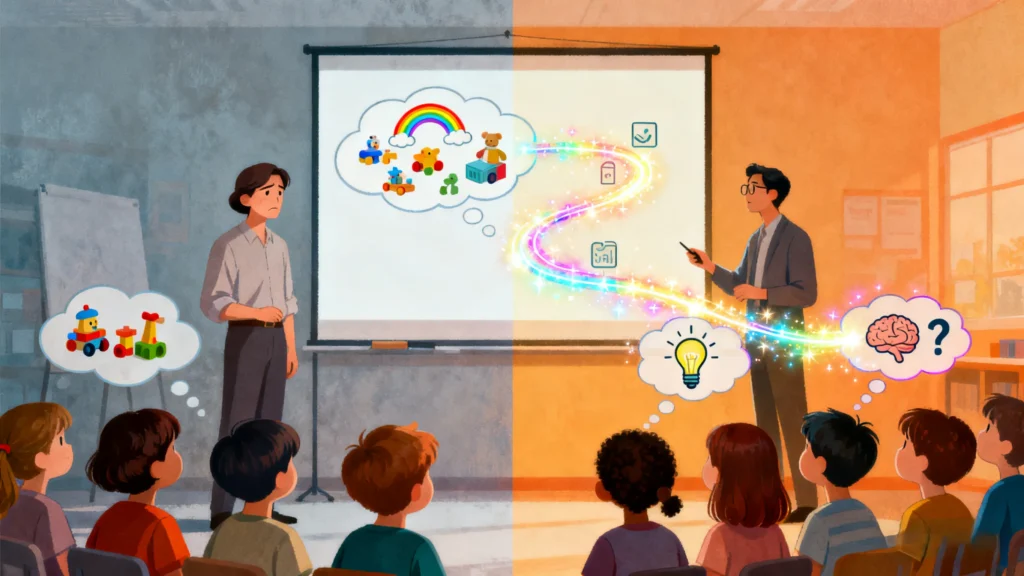
Ever stood before a group of children, armed with what you thought was a fascinating presentation, only to see their eyes glaze over within minutes? It’s a familiar scene for many educators, parents, and presenters. The wiggling, the whispering, the thousand-yard stares—it can feel like you’re fighting a losing battle against a mysterious force. But what if the solution wasn’t about being a better entertainer, but about understanding the unique and wonderful wiring of a child’s brain?
The truth is, creating a presentation that captivates children isn’t an art; it’s a science. It requires us to work with their developing minds, not against them. This guide will walk you through five simple, research-backed strategies that can transform your next presentation from a struggle into a memorable, engaging experience. By combining a little cognitive science with the right tools, you can create presentations that not only hold their attention but also spark their curiosity and make learning stick.
The Goldfish Myth & The Toddler Reality: Understanding a Child’s Attention Clock
You may have heard the popular claim that the average human attention span is now just 8.25 seconds—shorter than that of a goldfish. While this startling statistic highlights how we capture initial interest in a world full of distractions, it doesn’t tell the whole story, especially when it comes to children. This 8-second window refers to transient attention, the initial hook needed to grab focus. However, once engaged, a child’s ability to maintain sustained attention on a single task is much longer and develops predictably with age.
Childhood development experts have a reliable rule of thumb: a child can typically focus on a task for about 2 to 3 minutes per year of their age. This means that while a 4-year-old might engage for 8 to 12 minutes, a 10-year-old can often stay focused for 20 to 30 minutes. It’s crucial to remember that a child’s distractibility isn’t a sign of defiance; it’s a natural, biological part of their development. Their brains are still building the networks needed to filter out irrelevant information and maintain prolonged focus.
Your goal isn’t to fight this biological clock but to respect it. Structure your presentation in short, manageable segments that align with their age-appropriate attention span.
| Child’s Age | Average Sustained Attention Span |
| 2 years old | 4-6 minutes |
| 4 years old | 8-12 minutes |
| 6 years old | 12-18 minutes |
| 8 years old | 16-24 minutes |
| 10 years old | 20-30 minutes |
| 12 years old | 24-36 minutes |
| 14 years old | 28-42 minutes |
| 16+ years old | 32-50+ minutes |
Design for Developing Eyes: Creating Visually Delicious Slides
Unlike adults, who have developed the ability to filter out distractions, a child’s brain is more like a sponge; it tends to absorb all the information in its environment, whether it’s relevant or not. This makes visual design one of the most critical elements of your presentation. Every color, font, and image either helps or hinders their ability to learn. Since visual aids can improve learning by up to 400%, getting your slides right is a powerful step toward engagement.
-
Keep it Simple: The golden rule is one idea per slide. A cluttered slide overwhelms a child’s developing working memory. Use clean layouts with plenty of “white space”—the empty areas around text and images. This breathing room helps draw their eyes to the most important information and makes the content feel more approachable.
-
Choose Colors Wisely: Children are naturally drawn to bright, warm colors. Color psychology can be a powerful tool; warm colors like reds and oranges can stimulate brain activity and excitement, while cool colors like blues and greens are calming and can enhance concentration. The key is to use a simple, consistent palette of 2-3 colors to avoid creating a visual distraction.
-
Make Text Readable: Typography for children has its own set of rules. Use large font sizes (14 to 24 point) and generous spacing between lines to make text easy to follow. For early readers, choose friendly, simple fonts that feature a single-story ‘a’ and ‘g’ (like the ones they learn to write), and avoid overly decorative or “cute” fonts that can be difficult to decipher. Always ensure there is high contrast between your text and the background (e.g., dark text on a light background) for maximum readability.
Getting this right can feel like a full-time design job. A powerful shortcut is to use a tool like AutoPPT, which offers a vast library of professionally designed, kid-friendly templates. With categories like “Children Learning Theme” and “Cute Rabbit Theme,” you can select a visually perfect foundation in seconds, ensuring your colors, fonts, and layouts are already optimized for young eyes.
Turn ‘Sit Still and Listen’ into ‘Get Up and Do’: The Power of Interaction
If a child’s attention span is a ticking clock, interaction is the reset button. Every time you shift the activity from passive listening to active doing, you effectively restart that clock. This “pattern interrupt” is not just about making the presentation “fun”—it’s a core structural necessity for holding attention beyond a few minutes.
-
Ask, Don’t Just Tell: Transform your audience from passive listeners into active thinkers by peppering your presentation with questions. Go beyond simple recall questions (“What color is the frog?”) and stretch their thinking with higher-order questions that encourage creativity and analysis (“What do you think the frog will do next?” or “Why do you think the frog is feeling sad?”). Give them plenty of time to think before answering; silence is where learning happens.
-
Incorporate Movement: Children learn with their whole bodies. Weaving in simple physical movements can re-energize a room instantly. If you’re telling a story about a lion, ask everyone to roar and show their claws. Talking about growing trees? Have them start as a small seed on the floor and slowly stretch up to the sky. These actions connect the content to muscle memory, reinforcing the lesson while providing a much-needed physical outlet.
-
Gamify It: A little friendly competition can be highly motivating. Turn a review of key concepts into a simple quiz game with a point system. Use “spot the difference” slides to sharpen observation skills or create a “what happens next?” poll where children can vote on the outcome of a story. These game-like elements make information more memorable and give you real-time feedback on their understanding.
You can easily build these interactive moments into your presentation. With AutoPPT, you can create a slide with a question, followed by a slide with the answer. Or, design a “Choose Your Adventure” slide where kids can vote on what happens next. The platform’s flexible editor makes it easy to create these simple, interactive sequences that keep children on the edge of their seats.
The Secret Ingredients: Storytelling and a Sprinkle of Silliness
Facts and figures are quickly forgotten, but a good story can stick with a child for a lifetime. Our brains are wired for narrative; stories provide a “mental map” that helps us organize information, understand cause and effect, and connect emotionally with the content.
Instead of presenting a list of concepts, weave them into a simple narrative. A great story doesn’t have to be complicated. It just needs a clear beginning, middle, and end, often following a simple structure: introduce a character, present them with a problem, and guide them to a solution. This framework helps children follow along and makes abstract ideas feel concrete and relatable.
And don’t be afraid to be silly! Humor is a powerful tool for learning. It releases endorphins, reduces anxiety, and builds a strong rapport with your audience. Use funny voices for different characters, tell a simple knock-knock joke related to your topic, or share a relatable, humorous anecdote. When children are laughing, they are learning.
Making Big Ideas Bite-Sized: How to Explain Almost Anything
Presenting a complex topic to a child can feel like trying to fit a whale into a bathtub. If you present it all at once, it’s overwhelming and nothing gets absorbed. The key is “chunking”—breaking down big, complex ideas into a series of small, digestible pieces.
Start by giving them the big picture before diving into details. Then, use analogies and metaphors to connect new, abstract concepts to something they already understand. For example, explaining a family member’s illness can be simplified by comparing the body to a car that “sometimes needs extra care or fixing”. Always use simple, clear, and age-appropriate language, and be prepared to define any words that might be unfamiliar.
This “chunking” process can be the hardest part of creating a presentation. That’s where AI can be a game-changer. With AutoPPT’s AI Presentation Generator, you can upload a complex document or simply type in a broad topic like “The Solar System.” The AI will automatically analyze the information and structure it into a series of simple, logically sequenced slides, doing the heavy lifting of “chunking” for you. This frees you from the difficult task of structuring and allows you to focus on what matters most: refining the message and adding your own creative, personal touches.
Conclusion: Become a Presentation Superhero
Engaging children is not about magic; it’s about empathy and understanding. By respecting their natural attention clock, designing with their developing brains in mind, making learning an active experience, wrapping facts in stories, and simplifying complex ideas, you can create presentations that truly connect. These science-backed strategies are your new superpowers.
And in a world where time is short, having the right tools is essential. By leveraging smart technology to handle the heavy lifting of design and structure, you can free yourself up to focus on the heart of your message and the young minds you’re trying to reach. Now go ahead—combine these strategies with your passion and become the presenter every child will remember.
Create worry-free presentations with AutoPPT . Turn your ideas into slides quickly—while keeping them 100% yours!
About AutoPPT: An easy use AI tool for students and professionals. Generate editable slides, customize designs, and focus on what matters—your unique ideas.

Autoppt: Generate presentations in 1 minute!
Start Free Trail Now