


Maggie Tsui
Co-founder, CEO of Autoppt. An office software enthusiast committed to improving workplace productivity. I love sharing tips and tools that make daily tasks easier and faster.
Introduction
Every salesperson knows the feeling. You have a big meeting coming up, and you want to impress the prospect. You open a blank presentation file, or maybe you open an old deck from last month, and you start copy-pasting.
Two hours later, you are still fixing fonts, aligning images, and rewriting the same introduction you have written a hundred times.
This is the “customization trap.” We know that personalized decks sell better, but building them one by one is impossible when you have five meetings a week. You need a way to make every prospect feel special without spending all your time on slide design.
This guide explores how to scale your sales presentations efficiently. We will look at smart workflows, modular design, and how tools like Autoppt can help you generate professional materials in minutes.
What Does “Customizing at Scale” Really Mean?
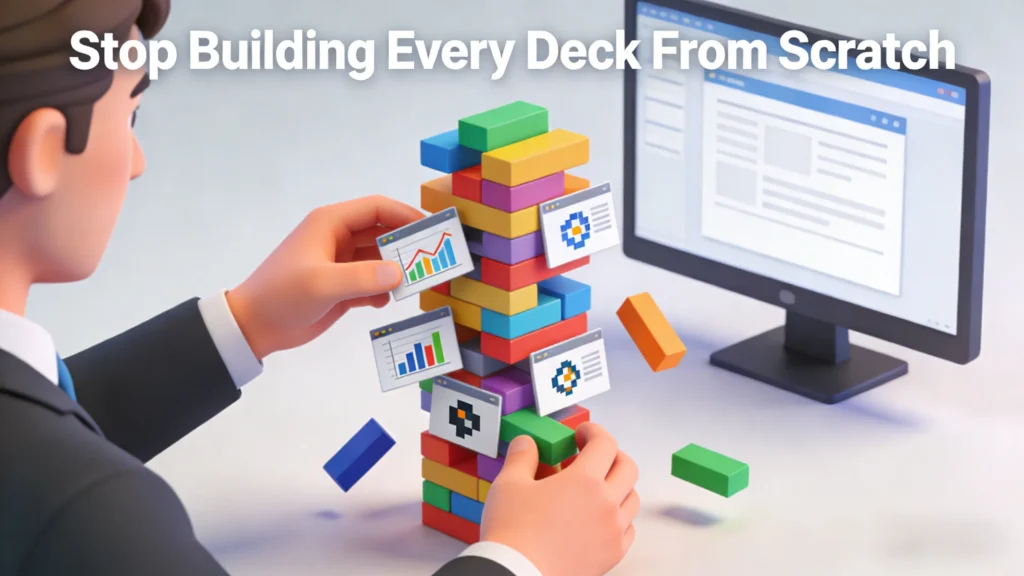
Customizing at scale means creating unique, relevant presentations for many different leads without building each one from scratch. It is about using a strong foundation and changing only the specific parts that matter most to that individual buyer. This approach lets you send out ten high-quality, personalized pitches in the time it usually takes to manually create just one.
To understand this better, think of a sandwich shop. They don’t bake a new loaf of bread for every single customer. They have the bread (the foundation) ready. They customize the filling (the content) based on what the customer wants.
In sales, “customizing at scale” works the same way. You stop reinventing the wheel. Instead, you build a system where 80% of your presentation is pre-set, high-quality material, and 20% is highly tailored content that speaks directly to the client’s needs.
The 80/20 Rule of Presentation Scaling
If you try to change 100% of your slides for every client, you will burn out. Effective scaling relies on the 80/20 rule:
-
The Fixed 80%: This is your company story, your core value proposition, your product features, and your pricing models. These things rarely change. They should be polished, locked, and ready to go.
-
The Custom 20%: This is where you win the deal. This includes the prospect’s logo, their specific pain points, market data relevant to their industry, and a solution slide that addresses their unique goals.
By focusing your energy only on that 20%, you make the client feel special without wasting hours on the standard information.
Why Tailored Presentations Convert Better
Buyers want to feel understood, not just sold to. When you tailor a presentation, you show that you did your homework on their specific pain points and goals. Research consistently shows that personalized decks hold attention longer and build trust faster. This connection makes the prospect feel valued, significantly increasing the chances they will say “yes” to a deal.
Generic presentations are often ignored because they feel like spam. When a prospect sees a standard “Company Overview” deck that looks identical to what you sent their competitor, they tune out. They assume you offer a generic solution.
However, a tailored presentation creates a psychological bridge. It signals: “I am not just a vendor; I am a partner who understands your business.”
The Impact on the Buyer’s Journey
-
Higher Engagement: When a slide mentions the client’s specific competitor or a recent news event in their industry, they lean in. They stop looking at their phone and start looking at the screen.
-
Faster Consensus: In B2B sales, you aren’t just selling to one person; you are selling to a committee. A tailored deck that speaks to the Finance Director’s budget concerns and the CTO’s technical concerns helps your champion sell internally for you.
-
Perceived Value: A customized deck implies a customized solution. Even if your software or product is standard, the way you frame it makes it feel bespoke to their needs.
Common Challenges When Customizing at Scale
The biggest hurdle is time; there are rarely enough hours in the day to manually edit every single slide for every lead. Sales reps also struggle with messy formatting when combining slides from different decks. Without a clear system, version control becomes a nightmare, often leading to teams using outdated information or old pricing that hurts credibility.
Scaling is difficult because it involves moving parts. Here are the specific roadblocks teams face when they try to speed up:
-
The “Frankendeck” Problem
This happens when a sales rep takes three slides from a marketing deck, two slides from an old pitch, and one slide they made themselves. The fonts are different, the colors don’t match, and the formatting is broken. It looks unprofessional and distracts the buyer from the message.
-
Information Overload
When you try to customize, the temptation is to add more. Reps often dump every piece of data they have into the deck hoping something sticks. This results in 50-slide monsters that bore the prospect. Scaling requires knowing what to leave out just as much as what to put in.
-
Design Bottlenecks
If every customized deck needs to go through a graphic designer, you will never scale. Designers are often overworked. Sales teams need to be able to create good-looking slides autonomously without breaking brand guidelines.
Step-by-Step Methods for Fast Customization
To customize quickly, stop treating every deck as a new project and start using a systematic approach. Start by building a “Master Deck” containing all possible slides you might need. Next, identify specific “customization slots” like logos and data points. Finally, use a modular approach where you swap out case studies based on the client’s industry, creating a tailored feel in minutes.
Here is a workflow you can implement immediately to speed up your process:
Step 1: Build a “Master Kitchen Sink” Deck
Create one massive presentation that contains every approved slide your company has. This should include:
-
5 variations of the “About Us” slide.
-
Case studies for every industry you serve.
-
Detailed feature breakdowns.
-
Different pricing tables.
When you need a new deck, you open this Master file, click “Save As,” and delete the slides you don’t need. It is much faster to delete than to create.
Step 2: Create “Placeholder” Slides
In your template, create slides that are specifically designed to be broken. Use big, bold text that says [INSERT CLIENT LOGO HERE] or [INSERT CLIENT PAIN POINT].
This serves two purposes:
-
It reminds the sales rep to actually customize that part.
-
It creates a visual container so they know exactly where the custom info goes without messing up the layout.
Step 3: Modular “Blocks”
Think of your presentation in blocks, not single slides.
-
The Trust Block: 3 slides about your history and awards.
-
The Problem Block: 2 slides validating the client’s struggle.
-
The Solution Block: 4 slides on your product.
If you are pitching to a healthcare client, you swap in the “Healthcare Problem Block.” If you are pitching to retail, you swap in the “Retail Problem Block.” The rest of the presentation stays the same.
Tools That Help You Personalize Faster
You cannot scale manually; you need the right technology stack to do the heavy lifting for you. CRM tools help by pulling client data directly into your slides to avoid typing errors. AI presentation generators can instantly draft structure and content. Additionally, slide library software allows your team to find and insert pre-approved, beautifully designed slides without asking a designer for help.
Technology is the secret weapon for scaling. Here is how different tools fit into the process:
-
AI Slide Generators
AI tools have changed the game. Instead of staring at a white screen, you can type a prompt like, “Create a 10-slide sales deck for a logistics company focusing on fuel savings.”
The AI will generate the outline, the text, and even the design layout. This gets you 90% of the way there in seconds. You then spend your time refining the message rather than drawing boxes.
-
Slide Libraries and Asset Managers
These tools live inside PowerPoint or your browser. They give you a sidebar where you can drag and drop pre-made slides. This is perfect for the “Modular Block” strategy mentioned earlier. You don’t have to hunt through folders; the best slides are right there at your fingertips.
-
CRM Integration
Advanced sales teams connect their CRM (like Salesforce or HubSpot) to their presentation tools. This allows the deck to automatically populate with the client’s name, company size, and industry industry data the moment the file is opened.
How to Use Templates to Speed Up Customization
Templates act as the reliable skeleton for your sales narrative, ensuring consistency across the entire team. A good template ensures that fonts, colors, and layouts stay consistent, no matter how many changes you make. By using a professional base, you only need to focus on tweaking the text and images for your buyer, saving hours of design work while maintaining a polished look.
Many people think “template” means “boring.” But in sales, a template is a productivity tool.
The Anatomy of a High-Performance Template
A good sales template isn’t just a background image. It includes:
-
Multiple Layout Options: A slide for big photos, a slide for bullet points, and a slide for data charts.
-
Icon Sets: A library of icons that match your brand so you don’t have to Google “handshake icon” and get a blurry image.
-
Image Placeholders: Boxes that automatically crop and resize any photo you drop into them.
Leveraging Resources like Autoppt
This is where having a resource library becomes critical. Autoppt offers a vast collection of professionally designed PPT templates that are ready for business use. Instead of trying to design a timeline or a pricing table from scratch, you can browse Autoppt’s library, download a template that fits your style, and simply plug in your text.
Using high-quality templates means you never have to worry about whether your slide looks “good.” You know it looks good—you just have to make sure the words are right.
Best Practices for Team Workflows
Effective scaling requires a clear division of labor between marketing and sales teams. Marketing should own the “Master Deck” and update core assets, while sales focuses on the final personalization for the client. Regular check-ins ensure everyone is using the latest versions, and storing files in a central cloud location prevents version conflicts and confusion.
To make this work across a whole company, you need rules.
Role Clarity
-
Marketing’s Job: They are the “Guardians of the Brand.” They ensure the Master Deck is up to date, the product screenshots are current, and the templates are beautiful. They do not build individual decks for every meeting.
-
Sales’ Job: They are the “Storytellers.” They take the blocks Marketing provided and assemble the story for the specific prospect. They add the personalization.
The “Version 1.0” Rule
Store your Master Deck in a cloud folder (like Google Drive or OneDrive) that is “Read Only” for most people. This prevents a sales rep from accidentally deleting a slide from the master file. They must download a copy to edit it.
Feedback Loops
Sales reps are on the front lines. If they notice that the “Pricing Slide” is confusing customers, they need a way to tell Marketing. Set up a simple feedback channel (like a Slack channel or a monthly meeting) where Sales can say, “We need a better slide for X,” and Marketing can build it.
How Autoppt Helps You Scale
We have discussed the theory, but how do you actually apply this today? Autoppt is designed to bridge the gap between “fast” and “high quality.”
When you are trying to customize at scale, you usually run into two problems: running out of creative ideas and running out of time. Autoppt helps with both.
-
AI-Powered Generation for Speed
If you have a sudden meeting and no deck prepared, Autoppt’s AI presentation generator acts as your instant assistant. You provide the topic and key points, and the AI builds a structured, visually appealing presentation for you.
-
Scenario: You are pitching a construction firm. You tell Autoppt, “Create a pitch deck for construction safety software.” The AI generates slides with relevant headings, bullet points, and layouts. You then only need to tweak the details.
-
A Library of Business Templates
Sometimes you don’t need a whole new deck; you just need one great slide to explain a complex idea. Autoppt provides a massive library of downloadable PPT templates.
-
Need a roadmap? Download it.
-
Need a SWOT analysis? It’s there.
-
Need a 3-tier pricing table? Grab it.
By combining Autoppt’s AI tools with our template resources, you can assemble a custom, professional-grade presentation in 15 minutes that looks like it took a week to design. This allows you to focus on what you do best: talking to your customer and closing the deal.
Conclusion
Customizing sales presentations at scale is not about working harder; it is about working smarter. It is about moving away from the “blank page” panic and moving toward a system of modular blocks, smart templates, and AI assistance.
Remember the key takeaways:
-
Use the 80/20 Rule: Keep 80% of your deck standard and focus your effort on the 20% that matters to the client.
-
Build a Master Deck: Have a central repository of all your best slides.
-
Leverage Technology: Use tools like Autoppt to generate drafts and access professional layouts instantly.
Next Step: Take a look at your current sales deck today. Identify three slides that are generic and think about how you could turn them into “customizable blocks” for your next meeting. If you need a fresh look, try generating a new outline with Autoppt to see how much time you can save.
Create worry-free presentations with AutoPPT . Turn your ideas into slides quickly—while keeping them 100% yours!
About AutoPPT: An easy use AI tool for students and professionals. Generate editable slides, customize designs, and focus on what matters—your unique ideas.

Autoppt: Generate presentations in 1 minute!
Start Free Trail Now