


Michael Anderson
Former journalist turned tech writer with a passion for helping professionals enhance productivity through AI.
Introduction
Have you ever dreamed of making your own comic book but felt stopped by the need for drawing skills or the huge amount of time it takes? You’re not alone. But now, artificial intelligence is changing everything. AI is making it possible for anyone to create stunning comics from just an idea.
This guide is for you—the aspiring comic creator, the writer who wants to see their story in pictures, the teacher making lessons more exciting, or the marketer creating a unique campaign. We’ll look at the 15 best AI comic generators in 2026, comparing free and paid options to help you find the perfect tool for your project.

What to Look for in an AI Comic Generator in 2026
The world of AI tools is moving fast. What seemed amazing a year ago is now a basic feature. When you’re choosing an AI comic generator in 2026, here are the most important things to look for to make sure you get a tool that’s both powerful and easy to use.
-
Storytelling Tools, Not Just an Image Maker. There’s a big difference between a simple AI image generator and a true AI comic creator. An image generator gives you art for your panels, but a storytelling platform helps you build the actual comic. Look for features like script-to-panel conversion, automatic panel layouts, and easy ways to add speech bubbles. These tools are for writers and beginners who want a smooth workflow from start to finish.
-
Character Consistency. This is the biggest challenge in AI comics. Nothing breaks a story faster than a character who looks different in every panel. In 2026, any serious comic generator must have a good way to keep characters consistent. Look for tools that let you train the AI on your character, use a character reference image, or provide a library of consistent characters.
-
Export Quality for Web and Print. Think about where your comic will be seen. For webtoons, a high-quality PNG or JPEG file is usually fine. But if you plan to print your comic, you’ll need much higher resolution. Check for options to export as a PDF or even a layered file like a PSD, which gives you more control for final edits and lettering.
-
Pricing: Credits vs. Subscriptions. Most tools use one of two pricing models. Some offer a monthly subscription that gives you a certain number of “credits” to generate images. Others let you buy credit packs as you go. Subscriptions are often better if you plan to create comics regularly, while credit packs are great for a single project. Always test the free trial or free tier first.
-
Privacy and Commercial Use. This is a huge deal. Can you legally sell the comics you make? Some tools, like Adobe Firefly, are trained on licensed images and are designed to be safe for commercial use . For other tools, you must read the terms of service. Find out if you own the rights to your creations and if the company uses your art to train its AI.
The 15 Best AI Comic Generators of 2026
Here are our top picks for the best AI comic generators available today. We’ve tested them for their storytelling features, ease of use, and overall quality.
-
Dashtoon — Best Overall for Webtoon Creators

Dashtoon is more than just a generator; it’s a complete system for creating, publishing, and even selling your webtoons. It’s the best all-in-one choice for anyone serious about making a webcomic.
-
Key Features:
-
Excellent script-to-comic and storyboard-to-comic modes.
-
Maintains amazing character consistency using a character library or your own trained models.
-
Offers a wide variety of art styles, from anime to noir.
-
Built-in tools for inpainting, upscaling, and adding text bubbles.
-
Publish directly to the Dashtoon app to reach a global audience.
-
-
Pricing: Free plan with up to 100 images per day; paid plans are available for heavy users.
-
Pros:
-
A full ecosystem, from creation to monetization.
-
Very user-friendly, even for beginners.
-
-
Cons:
-
The best features are focused on the vertical webtoon format.
-
Monetization requires sharing revenue with the platform.
-
-
Quick Tip: Use the “Storyboard2Comic” feature with rough sketches to guide the AI for better panel composition.
-
Adobe Firefly — Best for Commercial and Professional Use

Adobe Firefly is the safest bet for professionals and businesses. Because it’s trained on Adobe’s licensed content, it’s designed to be commercially safe, which gives you peace of mind if you plan to sell your work.
-
Key Features:
-
Designed to be safe for commercial use, reducing legal risks .
-
Excellent integration with Adobe Photoshop and Express for further editing.
-
“Firefly Boards” feature works as an AI storyboard generator.
-
Maintains character consistency by using an uploaded reference image.
-
-
Pricing: Free plan with 25 monthly credits (with watermark); paid plans start around $5/month.
-
Pros:
-
Great for users already in the Adobe ecosystem.
-
Strong focus on legal and ethical AI image generation.
-
-
Cons:
-
Free plan includes a watermark on all images.
-
Image quality can sometimes have distortions or artifacts.
-
-
Quick Tip: Use Firefly to generate your base panels, then bring them into Adobe Express to quickly add professional-looking layouts and text.
-
ComicsMaker.ai — Best for Hobbyists and Beginners

ComicsMaker.ai is a fantastic starting point for anyone new to making comics with AI. It’s easy to use, has a generous free plan, and includes powerful features that help you learn the ropes without feeling overwhelmed.
-
Key Features:
-
Simple page designer for arranging panels.
-
ControlNet feature turns your rough sketches into polished art.
-
Pose creator helps you make dynamic action scenes.
-
Character training lets you teach AI to draw your own characters.
-
-
Pricing: Free plan with 100 credits/month; paid plans start at $10/month for 3,000 credits.
-
Pros:
-
You retain full ownership of your comics and can use them commercially .
-
Great balance of powerful features and ease of use.
-
-
Cons:
-
The free tier can be slow once your initial credits are used.
-
The AI model is based on AI Horde, so quality can vary.
-
-
Quick Tip: Publish your finished comics to the public gallery to earn extra free credits each month.
-
AI Comic Factory — Best Free and Open-Source Option

Originally a free project on Hugging Face, AI Comic Factory is a simple and powerful tool that lets you create a full comic page from a single text prompt. It’s perfect for quickly visualizing an idea or just having fun.
-
Key Features:
-
Generates a multi-panel comic page from one prompt.
-
Offers a wide range of styles, like Japanese manga, American classic, and more.
-
Lets you edit prompts for each panel to refine the story.
-
Paid plans add character consistency and faster generation.
-
-
Pricing: Free to use; paid plans with more features start at [needs verification].
-
Pros:
-
Genuinely free and easy to get started with.
-
Great for rapid prototyping and brainstorming.
-
-
Cons:
-
Character consistency requires a paid plan.
-
Fewer advanced editing tools compared to other platforms.
-
-
Quick Tip: Keep your initial prompt focused on a simple story. You can then edit the individual panel prompts to add more detail.
-
Midjourney — Best for Highest Artistic Quality

Midjourney isn’t a comic maker, but it is arguably the most powerful AI image generator in the world. Artists use it to create breathtaking panel art with a unique, professional look that other tools can’t match.
-
Key Features:
-
Produces images with incredible artistic quality and detail.
-
Niji Modeis specifically tuned for creating beautiful anime and manga styles. -
The
--crefparameter is a powerful feature for keeping characters consistent . -
Huge variety of styles possible through detailed text prompts.
-
-
Pricing: No free trial; plans start at $10/month.
-
Pros:
-
Unmatched image quality and artistic flair.
-
Excellent for creating cover art or key promotional images.
-
-
Cons:
-
Requires using the Discord app, which can be confusing for new users.
-
It only makes images, so you need other software (like Canva) to assemble your comic.
-
-
Quick Tip: Use a 2:3 or 3:4 aspect ratio (
--ar 2:3) to create vertically oriented panels perfect for webtoons.
-
Stable Diffusion — Best for Ultimate Control and Customization
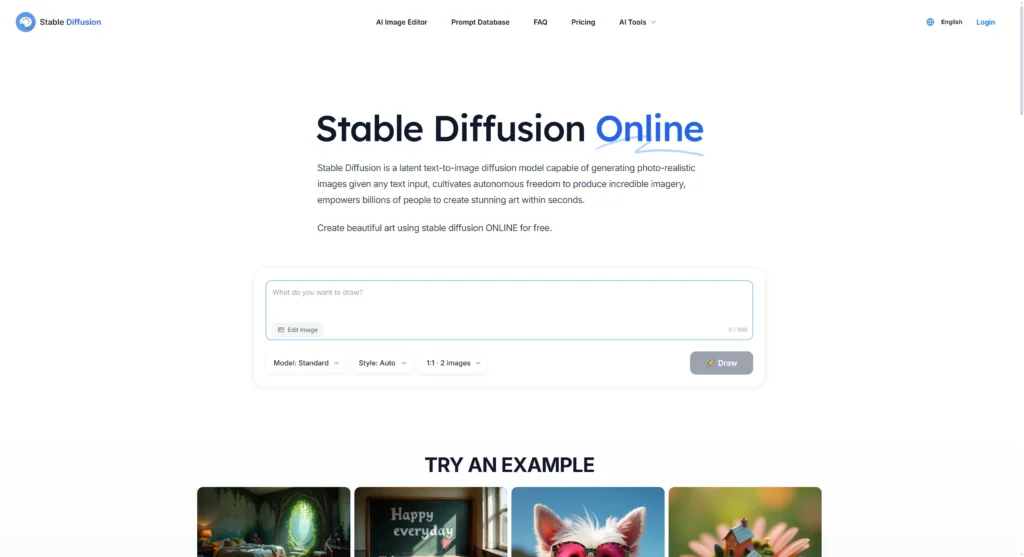
Stable Diffusion is not a single tool but an open-source AI model. This is the “do-it-yourself” option for tech-savvy creators who want total control. It has a steep learning curve but offers endless possibilities.
-
Key Features:
-
Completely free and open-source.
-
Infinite customization with thousands of community-made models (LoRAs) for specific styles and characters.
-
ControlNet gives you precise control over poses and composition.
-
Can be run locally on your own computer for total privacy.
-
-
Pricing: Free (but may require a powerful computer or paid cloud services).
-
Pros:
-
Unbeatable control and flexibility.
-
Massive community support with tons of free models and tutorials.
-
-
Cons:
-
Very technical and difficult for beginners to set up.
-
Requires a multi-step workflow with different apps for scripting, generating, and layout.
-
-
Quick Tip: Start with a cloud-based service that runs Stable Diffusion, like Segmind or Mage.space, before trying to install it on your own computer.
-
Canva — Best for Easy Assembly and Design
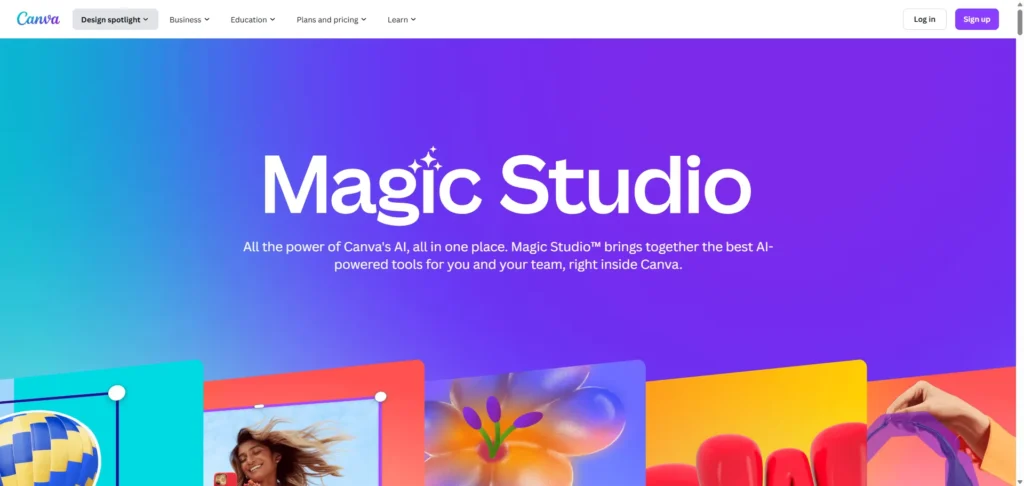
Canva is the king of user-friendly design, and it’s a perfect tool for finishing your comic. While its AI image generator (“Magic Media”) is decent, Canva’s real strength is helping you assemble panels, add text, and create a polished layout with ease.
-
Key Features:
-
Huge library of comic strip templates and design elements.
-
Magic Media AI can generate characters and images from text.
-
Simple drag-and-drop interface.
-
Excellent tools for adding and styling text and speech bubbles.
-
-
Pricing: Free plan is very generous; Canva Pro unlocks more AI features and assets for about $15/month.
-
Pros:
-
Extremely easy to use for layout and lettering.
-
Great for collaborating with a writer or editor.
-
-
Cons:
-
AI image generators are not as powerful or specialized as other tools on this list.
-
Not a dedicated comic creation platform.
-
-
Quick Tip: Use a more powerful tool like Midjourney to create your art, then use Canva’s free version to do all your layout and lettering.
-
Leonardo.AI — Best for Training Custom Models

Leonardo.AI is a powerful AI art platform that gives artists incredible control. Its standout feature is the ability to train your own AI models, which is perfect for creating a comic with a truly unique and consistent art style.
-
Key Features:
-
Train custom AI models on your own artwork or character designs.
-
Real-time “Canvas Editor” lets you edit images with AI assistance.
-
Generates very high-quality images.
-
Free tier includes a generous daily amount of tokens.
-
-
Pricing: Free plan with 150 daily tokens; paid plans start at $10/month.
-
Pros:
-
Fantastic for artists who want to infuse AI with their personal style.
-
User-friendly interface for such a powerful tool.
-
-
Cons:
-
The sheer number of features can have a learning curve.
-
The free version has slower performance.
-
-
Quick Tip: To train a character model, upload 10-15 images of your character from different angles and with different expressions for the best results.
-
Getimg.ai — Best All-in-One Creative Toolkit

Getimg.ai is more than just a comic generator; it’s a full creative suite. It offers tools for making images, short videos, and editing photos, making it a great choice for creators who work across different media.
-
Key Features:
-
Image generator with access to models from Google, OpenAI, and more.
-
AI video generators can create short clips from text or images.
-
Powerful editing tools like AI Restyler, background remover, and image extender.
-
API available for developers.
-
-
Pricing: Free plan for personal use (40 credits/day); paid plans with commercial rights start at $10/month.
-
Pros:
-
A versatile toolkit for many different creative projects.
-
The “AI Improve” feature helps you write better prompts.
-
-
Cons:
-
Not specifically focused on comics, so it lacks dedicated storytelling tools.
-
Commercial use requires a paid plan.
-
-
Quick Tip: Use the “Image Extender” feature to turn a standard image into a wide, panoramic panel for establishing shots.
-
NightCafe Studio — Best for Community and Collaboration
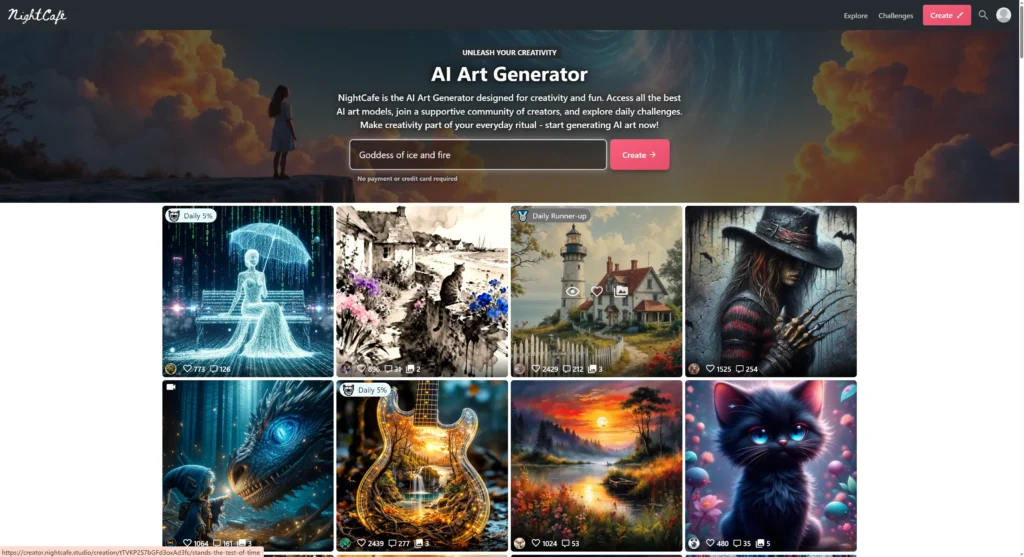
NightCafe is an AI art generator that’s built around a fun and active community. It’s less of a professional tool and more of a social platform where you can create art, share it, and get inspired by others.
-
Key Features:
-
Vibrant community with daily art challenges and chat rooms.
-
Access to many different AI models, including Stable Diffusion and DALL-E 3.
-
Generous free tier with 5 daily credits and more ways to earn them.
-
Fine-tune models with your own photos to create caricatures or consistent characters.
-
-
Pricing: Free plan with daily credits; subscriptions start at $6/month for 100 monthly credits.
-
Pros:
-
Fun, social, and great for learning and inspiration.
-
Easy to use on both the web and mobile.
-
-
Cons:
-
Not designed for sequential comic creation.
-
Credit costs can add up quickly for advanced features.
-
-
Quick Tip: Participate in daily challenges to earn extra credits and learn new prompting techniques from other users.
-
Fotor — Best Photo-Editor-Turned-AI-Generator

Fotor is a popular online photo editor that has added a full suite of AI image generation tools. It’s a convenient option for users who are already familiar with Fotor’s editing interface.
-
Key Features:
-
AI art generator integrated with a full photo editor.
-
Can generate images from text or transform existing photos.
-
Offers various styles, including “Comic” and “Anime.”
-
Includes other AI tools like background remover and object remover.
-
-
Pricing: Free plan with watermarks; Pro plans start at $3.33/month to remove watermarks and unlock HD exports.
-
Pros:
-
Combines AI generation and post-editing in one place.
-
Simple and easy for casual users.
-
-
Cons:
-
Free exports have a watermark.
-
AI image quality can be inconsistent.
-
-
Quick Tip: Use Fotor’s “AI Replace” tool to easily change a character’s clothing or an object in the background of a generated panel.
-
PixAI.art — Best for Anime/Manga Model Variety
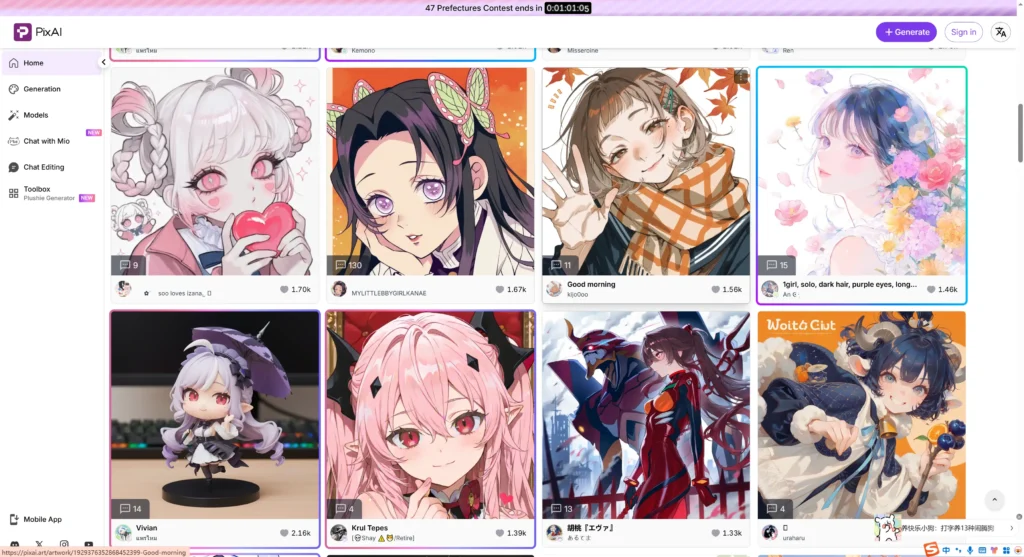
PixAI.art is a playground for anime and manga fans. It’s a community-driven platform with a huge library of user-trained AI models, letting you find a specific art style for almost any niche.
-
Key Features:
-
Massive market of community-created AI models (LoRAs) for different anime styles.
-
Powerful editing tools like inpainting and outpainting.
-
You can train your own character and style models online.
-
“Animate” feature can create short videos from static images.
-
-
Pricing: Free plan with generous daily credits; memberships for more credits start around $6/month.
-
Pros:
-
An incredible variety of anime and manga art styles.
-
Very generous with free credits, making it great for experimentation.
-
-
Cons:
-
Quality can vary a lot between different community models.
-
The interface can be cluttered and confusing for new users.
-
-
Quick Tip: Browse the “Model Market” and sort by “Most Used” to find high-quality, reliable models for your art style.
-
Clip Studio Paint — Best for Professional Artists Augmenting Their Workflow
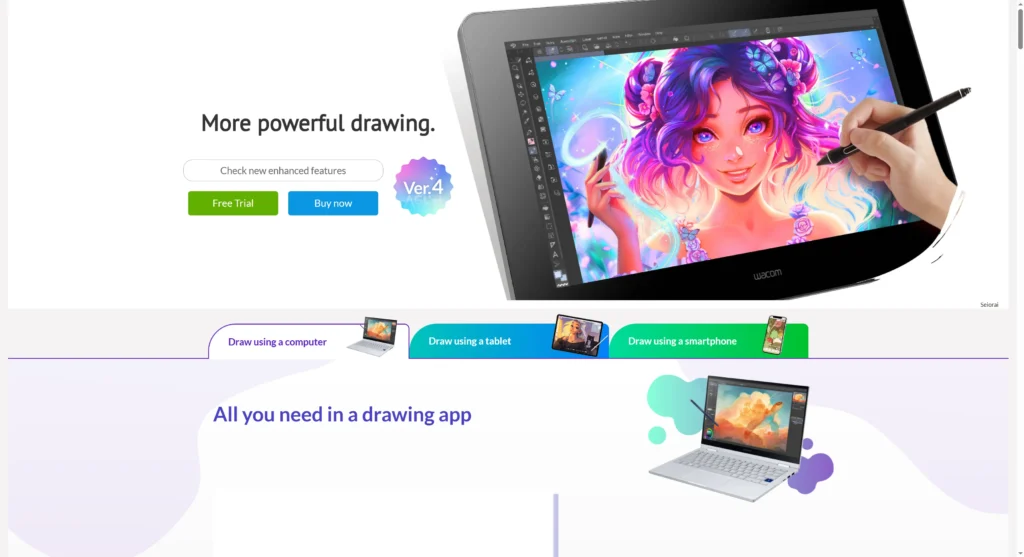
Clip Studio Paint is the software of choice for millions of professional comic and manga artists. Its AI features are not for generating comics from scratch; they are smart tools designed to speed up the manual drawing process for artists.
-
Key Features:
-
AI-powered 3D model posing from photos or live camera feeds.
-
“Colorize” feature that automatically suggests colors for your line art.
-
“Smart Smoothing” to clean up and upscale low-resolution images.
-
Industry-leading tools for inking, paneling, and lettering.
-
-
Pricing: No free plan, but a free trial is available. One-time purchase for around $50 or a monthly subscription starting around $1/month.
-
Pros:
-
The ultimate tool for professional comic artists.
-
AI features are designed to assist, not replace, the artist’s workflow.
-
-
Cons:
-
Not an AI comic generator; you still need to draw.
-
It has a significant learning curve for beginners.
-
-
Quick Tip: Use the AI Hand Scanner with your computer’s camera to automatically pose the 3D model’s hands, saving you time on drawing one of the trickiest parts of the human body.
Comparison of the Best AI Comic Generators
| Tool | Best For | Key AI Feature | Free? | Starting Price | Export Format |
| Dashtoon | Webtoon creators | Script-to-comic | Yes | Free | [Needs verification] |
| Adobe Firefly | Professionals | Commercially safe | Yes | $5/mo | PNG, JPG, MP4 |
| ComicsMaker.ai | Beginners | Sketch-to-image | Yes | $10/mo | PDF, CBZ |
| AI Comic Factory | Free use | Prompt-to-page | Yes | Free | |
| Midjourney | Artists | Highest quality | No | $10/mo | PNG |
| Stable Diffusion | Tech-savvy users | Full control | Yes | Free | PNG, JPG |
| Canva | Layout & lettering | Comic templates | Yes | Free | PDF, PNG, JPG |
| Leonardo.AI | Custom styles | Model training | Yes | $10/mo | PNG |
| Getimg.ai | General creators | All-in-one toolkit | Yes | $10/mo | PNG, JPG, MP4 |
| NightCafe Studio | Community | Social creation | Yes | $6/mo | JPG |
| Fotor | Casual users | Photo editor AI | Yes | $3.33/mo | JPG, PNG, PDF |
| PixAI.art | Anime fans | Model variety | Yes | $6/mo | PNG |
| Clip Studio Paint | Pro artists | AI-assisted drawing | No | $50 (one-time) | PSD, PDF, PNG |
How I Tested These Tools
To create this guide for 2026, I spent several weeks in October and November 2025 testing over 20 different AI comic generators. My process focused on real-world creative tasks to see how each tool performed. I used a simple 4-panel script to test script-to-panel features and checked how well the AI interpreted the narrative. For character consistency, I generated a character and then tried to place them in three different scenes to see if they remained recognizable. I also prompted each tool to create images in American superhero, black and white manga, and 3D cartoon styles to test their versatility. Finally, I used the free tiers of each service to understand their limits before hitting a paywall.
Top Picks
-
Best overall: Dashtoon, for its complete ecosystem from creation to monetization, especially for webtoon creators.
-
Best free: AI Comic Factory, as it provides a robust, no-strings-attached way to generate full comic pages from a simple prompt.
-
Best for writers/script-to-panel: LlamaGen.ai, due to its unique focus on turning raw text into comic panels with minimal prompt engineering.
-
Best for print-quality exports: Midjourney (as part of a workflow), for its unmatched artistic quality and high-resolution output, which is essential for professional print projects.
3 Mini-Tutorials to Get You Started
Here are three quick guides to help you start creating right away.
-
Turn a Short Script into a 6-Panel Comic (using Dashtoon)
-
Sign up for Dashtoon and open Dashtoon Studio.
-
Select the “Script-to-Comic” mode.
-
Paste your script, formatted with panel descriptions (e.g., “Panel 1: A hero stands on a rooftop.”).
-
Choose a character from the library and select an art style like “Cyberpunk Anime.”
-
Click “Generate” and watch the AI create your panels.
-
Use the editor to add speech bubbles and download your comic.
-
Create a Consistent Character (using Midjourney)
-
In Discord, type
/imaginefollowed by a detailed prompt for your character’s headshot (e.g.,a young woman with short pink hair and green eyes, anime style, clean line art --ar 2:3 --niji 6). -
Upscale your favorite result. Click the image, right-click, and select “Copy Link” to get the image URL.
-
Create a new prompt for a different scene:
/imagine a character sitting in a coffee shop, rainy day --cref --cw 100. -
The
--crefcommand tells Midjourney to use your first image as a character reference. -
The
--cw 100tells it to copy the face, hair, and clothes as closely as possible. -
Repeat for different scenes to build your story.
-
Assemble and Letter Your Comic for Free (using Canva)
-
Generate your individual panel images using a tool like AI Comic Factory or Midjourney and save them.
-
Go to Canva.com and search for “Comic Strip” templates. Choose a layout that fits your story.
-
Upload your panel images into Canva.
-
Drag and drop each image into the template frames.
-
Go to “Elements” and search for “Speech Bubble.” Drag bubbles onto your panels.
-
Use the “Text” tool to add dialogue, then download your finished page as a PNG or PDF.
Frequently Asked Questions (FAQ)
-
Can I use these tools if I can’t draw at all?
Absolutely! Tools like Dashtoon and AI Comic Factory are designed for non-artists. You provide the story and prompts, and the AI handles all the drawings for you.
-
Are comics made with AI safe to sell?
It depends on the tool. Adobe Firefly is designed to be commercially safe. For others, you must read the terms of service to check if you retain full ownership of the intellectual property.
-
How do I keep my character looking the same in every panel?
Look for tools with “character consistency” features. This could be a character reference URL (Midjourney), a character library (Dashtoon), or custom model training (Leonardo.AI).
-
What’s the difference between an AI comic generator and Midjourney?
Midjourney only creates images. A true AI comic generator also provides storytelling tools like panel layouts, script import, and speech bubble placement to help you build a full comic.
-
Can AI write the story for my comic too?
Some tools offer plot suggestions, but for a full script, you’re better off using a dedicated AI writing tool like ChatGPT first, then bringing the script to a comic generator.
-
Will AI replace human comic artists?
Not likely. AI is becoming a powerful assistant that speeds up workflows. It helps with tedious tasks, allowing human artists to focus more on creativity, storytelling, and unique artistic vision.
Conclusion
AI is revolutionizing comic creation, making it faster and more accessible than ever before. The best tools are moving beyond simple image generation to become complete storytelling platforms. Whether you are a writer, an artist, or just a hobbyist with a story to tell, there has never been a better time to start making comics. We recommend starting with a free tool to experiment and find a workflow that matches your creative style.
Once you’ve created your amazing comic panels and character designs, you’ll often need to present them—whether for a pitch, a portfolio, or a class project. If you turn comic assets into presentations, Autoppt helps you make slide decks fast with AI-ready templates for comics and storyboards.
Create worry-free presentations with AutoPPT . Turn your ideas into slides quickly—while keeping them 100% yours!
About AutoPPT: An easy use AI tool for students and professionals. Generate editable slides, customize designs, and focus on what matters—your unique ideas.

Autoppt: Generate presentations in 1 minute!
Start Free Trail Now