


Michael Anderson
Former journalist turned tech writer with a passion for helping professionals enhance productivity through AI.
The First Impression is Digital: Why Your App Icon Matters More Than Ever
In a digital marketplace crowded with millions of apps, your icon is more than just a tiny piece of art—it’s your first handshake with a potential user. It’s a silent ambassador for your brand, communicating your app’s purpose, quality, and personality in a single glance. A great icon can drive downloads and foster brand recognition; a poor one can be a one-way ticket to obscurity. This first impression has never been more critical, and now, it’s being revolutionized by generative artificial intelligence.
The growth of the generative AI market is nothing short of explosive. Projections show the global market size soaring from $55.51 billion in 2026 to over $1 trillion by 2034, growing at a compound annual growth rate (CAGR) of 44.20%. The design sub-sector is a significant part of this wave, with the generative AI in design market expected to reach nearly $14 billion by 2034. This isn’t a distant future; it’s happening now. A 2025 survey found that 27% of white-collar workers frequently use AI at work, with 28% of marketers specifically using AI tools to generate design elements.
AI icon makers are at the forefront of this transformation, democratizing design for everyone. These tools empower developers, startups, and marketers to create professional-grade icons in minutes, not weeks, and for a fraction of the cost of hiring a traditional designer. This acceleration saves invaluable time and resources, allowing creators to focus on building their products rather than getting bogged down in lengthy design cycles.
What we’re witnessing is a fundamental shift in the creative process. Early AI image generators were often seen as novelties, producing fascinating but frequently flawed results that required significant human intervention to be usable. Today, these tools have matured into indispensable workflow partners. They are no longer just “magic buttons” but integrated assistants that handle ideation, iteration, and production. This evolution is evident in tools that plug directly into professional software like Adobe Illustrator , offer API access for custom developer workflows , and prioritize production-ready outputs like scalable vector files and consistent icon sets. As a result, proficiency with these platforms is quickly becoming a core competency for modern creative and technical professionals, augmenting their skills and allowing them to focus on high-level strategy while AI manages the generative heavy lifting.
How to Choose the Right AI Icon Maker in 2026: A Buyer’s Guide
Before diving into the list of top tools, it’s crucial to understand how to evaluate them based on your specific needs. Not all AI icon generators are created equal. The right choice depends on your budget, technical requirements, and creative goals. Here is a framework to help you make an informed decision.
-
Output Format: Vector (SVG) vs. Raster (PNG)
The most critical technical consideration is the file format. Icons can be generated as either vector or raster graphics, and the difference is significant.
-
Vector Graphics (SVG): These are the professional standard for logos and icons. Built on mathematical formulas, vector images can be scaled to any size—from a tiny favicon to a massive billboard—without any loss of quality. They remain perfectly crisp and clear at all resolutions.
-
Raster Graphics (PNG, JPG): These images are made of pixels. While they are perfect for photos and detailed digital images, they lose quality when resized. A PNG icon that looks great on a phone screen will become blurry and pixelated if you try to use it in a large-format print.
Tools that offer true vector SVG output, such as Recraft and Adobe Firefly (via Illustrator), are built for professional use cases where scalability is essential. Platforms that primarily export in PNG or JPG, like IconifyAI and Appicons.ai, are better suited for rapid prototyping or digital-only applications where the icon will be used at a fixed size.
-
Style Control and Brand Consistency
A great icon maker must do more than just generate a pretty picture; it must create an asset that aligns with your established brand identity. This requires features that allow for precise control over the visual output. Look for tools that let you input specific brand colors (for example, using HEX codes, a feature available in Recraft) or generate consistent styles across an entire set of icons.
Some advanced platforms, like Recraft and IconCraft, are particularly strong in this area, offering features specifically designed to create cohesive icon sets or to generate new icons based on a reference image of your existing brand style. This is a notable weakness of many generalist image generators like Midjourney, which excels at creating stunning one-off artistic pieces but often struggles to maintain character and style consistency across multiple generations.
-
Ease of Use vs. Granular Control
The market for AI icon makers is split between platforms designed for absolute beginners and those offering deep customization for experienced users.
-
Beginner-Friendly Tools: Platforms like Iconik AI and Canva are designed with a “no design skills required” philosophy. They feature intuitive interfaces, guided workflows, and pre-made templates that make it easy for anyone to create a decent-looking icon quickly.
-
Pro-Level Tools: In contrast, tools like Midjourney and the advanced settings within Recraft offer a much higher degree of creative freedom but come with a steeper learning curve. Achieving precise results on these platforms often requires a good understanding of prompt engineering—the art of crafting detailed text descriptions to guide the AI.
Your choice here depends on your priorities. If you need a good icon fast with minimal effort, choose a beginner-friendly tool. If you have a specific creative vision and are willing to invest time in learning the tool, a pro-level platform will offer greater flexibility.
-
Pricing Models: Subscriptions, Credits, and Freemium
AI icon generators use several different pricing models, and understanding them can help you manage your budget effectively.
-
Subscription: This model involves a recurring monthly or annual fee for access to the tool’s features. This is common for comprehensive platforms like Midjourney and Canva Pro.
-
Credit-Based (Pay-as-you-go): With this model, you purchase a bundle of “credits,” and each icon generation consumes one or more credits. This is a popular model for specialized icon makers like IconifyAI, Appicons.ai, and IconCraft. It’s ideal if you only need a few icons and don’t want a recurring subscription.
-
Freemium: Many tools offer a free tier that allows you to test the platform’s capabilities. However, these free plans almost always come with limitations, such as watermarks on images, public visibility of your creations, lower resolution outputs, or a requirement to provide attribution. Recraft and Icons8 are good examples of platforms with robust but limited free tiers.
-
Licensing and Commercial Use
This is a critical legal point that should not be overlooked. Before using any AI-generated icon for your business, you must understand the licensing terms. Who owns the final image? Can it be used in a commercial project?
Most paid tools and premium plans, such as those from IconifyAI and Appicons.ai, grant you full ownership and commercial rights to the icons you create. However, free tiers often come with significant restrictions. For example, Midjourney and Recraft’s free plans make all generated images public by default, which may not be suitable for proprietary brand assets. Other free tools, like Icons8, allow commercial use but require you to include a link back to their website as attribution. Always read the terms of service carefully before publishing an AI-generated icon.
The Top 15 AI App Icon Makers of 2026: A Detailed Comparison
Based on a comprehensive market review, this list balances specialized icon generators with powerful, all-in-one design platforms to provide a holistic view of the best tools available in 2026. Each tool has been evaluated based on its output quality, feature set, ease of use, and overall value.
A. The Professional’s Toolkit (Vector & High-Fidelity)
-
Recraft AI

-
Best For: Professional designers and product teams needing scalable vector icon sets.
-
Key Features: Recraft stands out for its native SVG vector generation, allowing for infinitely scalable icons. Its one-click icon set creation ensures perfect consistency across multiple designs. The platform supports brand style matching through reference images and specific color palettes via HEX codes. It features an infinite canvas with advanced editing tools and a community library of styles, all powered by its proprietary V2 and V3 models.
-
Pricing: A generous free tier offers 30 credits daily for non-commercial projects with public images. The Pro plan, starting from around $10 per month (billed annually), unlocks a commercial license, private images, and more credits.
-
Pros & Cons:
-
Pros: Produces superior vector output, excels at creating consistent icon sets, and is highly customizable.
-
Cons: The free plan is not suitable for commercial projects, the platform can have a learning curve, and some users report occasional UI quirks or performance issues on mobile.
-
-
Our Verdict: Recraft is the market leader for professional-grade, AI-generated iconography. Its dedicated focus on vector workflows and brand consistency makes it an essential tool for serious design projects that demand scalability and precision.
-
Adobe Firefly (via Illustrator)

-
Best For: Designers and studios have already invested in the Adobe Creative Cloud ecosystem.
-
Key Features: Seamlessly integrated into Adobe Illustrator, the “Text to Vector Graphic” feature generates fully editable vector icons, subjects, and scenes directly on new layers. It can intelligently match the style of your active artboard to ensure consistency and even supports partner models like GPT Image for expanded capabilities.
-
Pricing: Included with an Adobe Creative Cloud subscription that contains Illustrator (individual app plans start around $22.99 per month). It operates on a system of generative credits.
-
Pros & Cons:
-
Pros: Offers an unparalleled workflow for existing Adobe users, produces true and fully editable vectors, and is trained on commercially safe content.
-
Cons: It is locked within the Adobe ecosystem, making it a costly option if you only need an icon generator. The AI outputs can sometimes be distorted or fail to match the prompt perfectly.
-
-
Our Verdict: For Adobe loyalists, Firefly is a powerhouse. The deep integration with Illustrator removes all friction, making it the most fluid solution for designers who want to generate and immediately refine vector assets within their familiar professional environment.
-
Midjourney

-
Best For: Artists and creatives seeking highly artistic and stylized icons for inspiration and concept development.
-
Key Features: Midjourney is renowned for generating images of exceptionally high artistic quality, detail, and photorealism. Accessed via Discord or a dedicated web app, it offers extensive parameters for fine-tuning prompts, such as aspect ratio (
--ar) and stylization (--stylize), giving users significant creative control. -
Pricing: There is currently no free trial. Paid plans start at $10 per month, which provides enough GPU time for approximately 200 image generations.
-
Pros & Cons:
-
Pros: Unmatched artistic quality and cinematic feel, with a massive and active community that provides endless inspiration.
-
Cons: It does not produce native vector (SVG) files. It also struggles with maintaining consistency across icon sets, and images are public by default on lower-tier plans. The prompt-based interface has a steep learning curve.
-
-
Our Verdict: Midjourney should be treated as an inspiration engine, not a final production tool for icons. It is the perfect platform to brainstorm stunning visual concepts and unique styles, but you will need to recreate the final design in a vector-editing program like Figma or Illustrator to make it a usable asset.
B. The Rapid Prototypers (Fast, Easy & Affordable)
-
IconifyAI

-
Best For: App developers and startups needing unique, high-quality raster icons quickly and affordably.
-
Key Features: Founded in 2023, IconifyAI is built for speed, generating icons in under a minute. It offers 11 distinct styles, including metallic, clay, and photorealistic. A key benefit is that users receive full commercial rights and ownership of their creations. The tool also automatically extracts a color palette to aid in branding.
-
Pricing: IconifyAI uses a credit-based, pay-as-you-go system. Plans start at $17 for 80 credits ($0.21 per icon), with larger packs bringing the cost down to as low as $0.08 per icon. There is no free tier.
-
Pros & Cons:
-
Pros: Extremely fast generation, affordable pricing, a great variety of styles, and grants full ownership of the icons.
-
Cons: It only exports raster images (PNG/JPG) with no vector support. Customization options are limited compared to more professional tools.
-
-
Our Verdict: IconifyAI hits the sweet spot for indie developers and bootstrapped startups. It offers a no-fuss, fast, and cost-effective way to get a unique, production-ready raster icon without needing any design skills.
-
Appicons.ai

-
Best For: Mobile developers looking for a straightforward, credit-based icon generation service.
-
Key Features: This AI-driven tool is specifically geared toward creating icons for iOS, Android, and desktop applications. A standout feature is its use of GPT to enhance user prompts, helping non-designers achieve better results. It also integrates with the free online editor Photopea for quick tweaks. The company, Appgen LTD, was founded in 2022.
-
Pricing: It uses a credit-based system with one-time payments. Plans start at $10 for 100 credits, and all options include unlimited previews and full commercial use rights.
-
Pros & Cons:
-
Pros: Simple and intuitive workflow, the GPT prompt enhancement is a helpful feature for beginners, and the credit packs are affordably priced.
-
Cons: It only outputs PNG files with no SVG support. The range of design styles may feel less diverse than some competitors.
-
-
Our Verdict: Appicons.ai is a solid and reliable choice for developers who need a quick, professional-looking icon for their app store presence. The prompt enhancement feature is a clever touch that adds real value for users without a design background.
-
IconCraft

-
Best For: Users who want to generate new icons based on reference images or existing brand logos.
-
Key Features: IconCraft excels at maintaining brand consistency. Users can upload a custom logo to generate on-brand variations, provide a style reference to mimic specific design trends, or get AI suggestions based on an app description. It is specifically designed for creating iOS and Android icons.
-
Pricing: A free trial is available for 1 credit. Paid plans are one-time credit purchases, starting at $8.99 for 25 credits and going up to $16.99 for 70 credits.
-
Pros & Cons:
-
Pros: Excellent for maintaining brand consistency by using existing assets as a guide, and its interface is very user-friendly.
-
Cons: The credit-based system can become costly if extensive iteration is needed, and it only exports PNG files.
-
-
Our Verdict: IconCraft’s ability to work from your existing brand assets is its standout feature. This makes it the perfect tool for creating new icons that feel like a natural and cohesive extension of an already established visual identity.
C. The All-in-One Design Platforms
-
Canva
-
Best For: Marketers, small businesses, and non-designers who need icons as part of a broader content creation workflow.
-
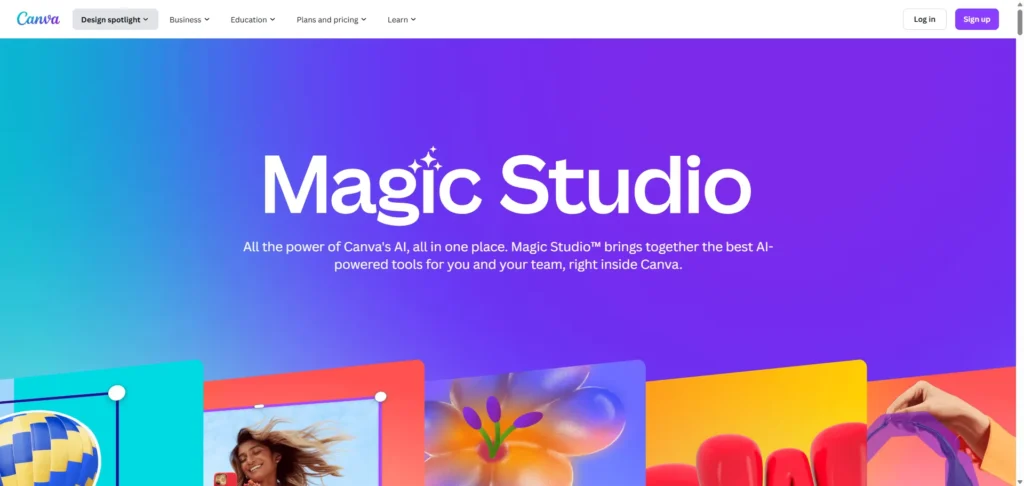
Key Features: Canva is a comprehensive design platform with a massive library of templates and elements. Its AI features, branded as “Magic Studio,” include an AI vector generator and an AI logo generator. Users can create everything from social media posts to presentations and websites, all in one place.
-
Pricing: Canva offers a robust and generous free version. Canva Pro, which unlocks premium templates, more AI credits, and features like Brand Kit, is available for $120 per year for one person.
-
Pros & Cons:
-
Pros: Incredibly easy to use, excellent for creating a wide range of marketing materials, and has a very generous free tier.
-
Cons: The AI-generated icons can sometimes feel generic, and the tool is less powerful for creating unique, complex icons from scratch compared to specialized generators.
-
-
Our Verdict: Canva is the Swiss army knife of online design. While its dedicated AI icon generation may not be the most powerful on the market, its true strength lies in its all-in-one platform. You can create an icon, drop it into a presentation, and design a social media post for it without ever leaving the app.
-
Fotor

-
Best For: Individuals and marketers looking for a simple photo editor with added AI generation capabilities.
-
Key Features: Fotor is primarily a photo editor that has expanded to include a suite of AI tools. It offers an AI image generator with various styles and supports the creation of icons and logos. It also includes useful AI-powered photo editing features like an image enhancer and background remover.
-
Pricing: There is a free plan with limited credits and watermarked downloads. Pro plans start from around $3.33 per month (billed annually), offering more credits and advanced features.
-
Pros & Cons:
-
Pros: A good suite of AI photo editing tools and cross-platform availability (web, desktop, and mobile).
-
Cons: The free plan is very limited, the interface can feel disjointed, and the quality of AI-generated images is not as high as top-tier competitors.
-
-
Our Verdict: Fotor is a decent option if your primary need is photo editing but you want to dabble in AI icon creation. It serves as a good all-rounder but doesn’t excel as a specialized icon generator.
-
Designs.ai

-
Best For: Marketers and small businesses in need of a full suite of AI-powered creative tools, including logos, videos, and copy.
-
Key Features: Designs.ai is an all-in-one creative platform featuring a Logo Maker, Video Maker, Image Maker, and more. The Logo Maker is notable for its ability to generate complete brand kits and social media assets. It supports vector exports, including SVG, PNG, JPG, and PDF formats.
-
Pricing: A free trial is available with 50 credits. Paid plans begin at $19 per month.
-
Pros & Cons:
-
Pros: A comprehensive suite of creative tools beyond just icons, generates full brand kits automatically, and supports vector formats.
-
Cons: The generated designs can sometimes feel generic or templated. The logo maker offers limited deep customization, and customer support is email-only.
-
-
Our Verdict: Designs.ai is a “jack of all trades, master of none.” It provides excellent value if you need AI assistance across multiple creative formats like video and text, but its dedicated logo and icon tool is less powerful than specialized competitors on this list.
D. The Niche & Specialized Players
-
Icons8

-
Best For: Designers and developers who prioritize a vast library of consistent, human-designed icons and want to enhance them with AI.
-
Key Features: Icons8 is a massive, professionally curated library of over a million icons organized into more than 45 consistent styles. It’s not purely an AI generator but a hybrid platform that supercharges its asset library with AI tools, including an AI icon generator called Mega Creator, a Smart Upscaler, and a Background Remover. It also offers plugins for Figma and other design software. The company was founded in 2012, with AI features added more recently.
-
Pricing: A free tier is available with limitations (lower resolution and attribution required). Paid plans start at $15 per month for 100 icon downloads without attribution.
-
Our Verdict: Icons8 is a hybrid powerhouse. It offers the best of both worlds: a massive, high-quality library of professionally designed assets and a suite of AI tools to customize and generate new ones. It is the perfect choice for teams that value consistency and quality above all else. Its free AI icon maker, Mega Creator, is a standout for being no-signup and watermark-free.
-
LogoAI

-
Best For: Startups and entrepreneurs who want to quickly generate not just a logo, but a complete set of initial branding materials.
-
Key Features: Founded in 2011, LogoAI is an AI-powered logo maker that extends its capabilities to automate brand identity creation. It generates matching stationery, social media content, and brand guidelines alongside your logo. The platform also includes a dedicated AI Icon Generator for more specific needs.
-
Pricing: The platform uses one-time payments. A basic logo file starts at $29, while a full brand kit costs $99.
-
Pros & Cons:
-
Pros: Its primary strength is its focus on building a complete brand identity, not just a single logo. The one-time payment model is very attractive for new businesses.
-
Cons: Generated designs can sometimes feel generic, and the platform offers limited options for advanced customization.
-
-
Our Verdict: LogoAI is an excellent choice for entrepreneurs who are thinking bigger than just an icon. It automates the entire initial branding process, making it a highly efficient and valuable tool for getting a new venture off the ground quickly.
-
Looka

-
Best For: Entrepreneurs who value beautiful design presets and want a guided, intuitive logo creation experience.
-
Key Features: Launched in 2016, Looka’s AI-powered platform generates hundreds of logo options based on user preferences for style, color, and symbols. It also offers a comprehensive Brand Kit with over 300 branded templates for everything from business cards to social media posts.
-
Pricing: Logo generation is free to try. A one-time purchase for a basic, low-resolution logo file is $20. The full Brand Kit is a subscription service starting at $96 per year.
-
Pros & Cons:
-
Pros: AI consistently generates elegant and well-proportioned designs. The interface is very user-friendly and guides you through the process.
-
Cons: Customization options are somewhat limited; for example, you cannot freely drag and drop elements. Some user reviews have cited issues with the subscription billing process.
-
-
Our Verdict: Looka’s key differentiator is its design taste. The AI appears to have a strong grasp of fundamental design principles like spacing, font pairing, and color theory, resulting in polished logos that often look more professional than those from other generators, even with limited manual customization.
-
Brandmark.io
-
Best For: Budget-conscious startups looking for a comprehensive branding package with a simple, one-time payment.
-
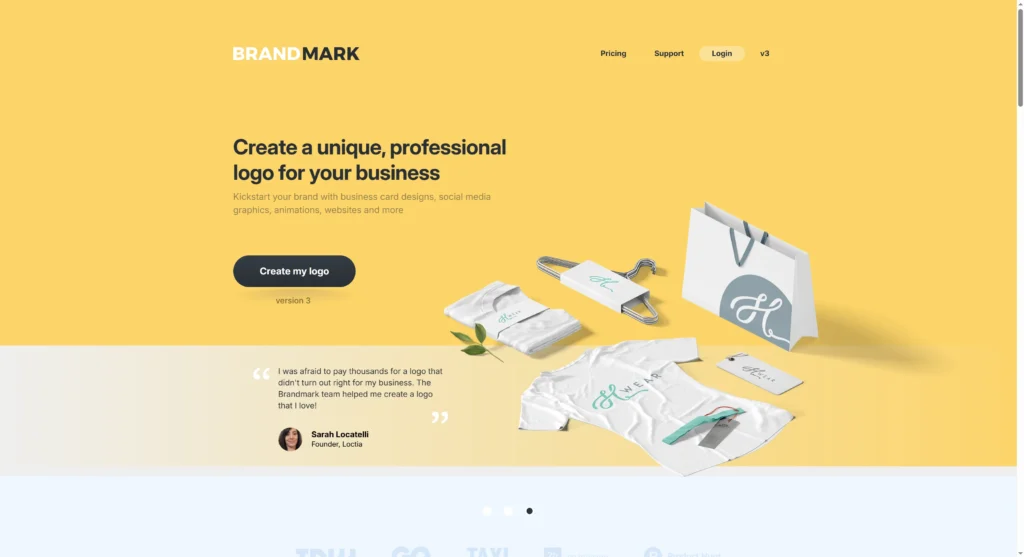
Key Features: Founded in 2017, Brandmark.io positions itself as an advanced AI logo design tool that provides a full suite of branding assets. This includes business cards, social media graphics, letterheads, and a brand guide. It also offers several free AI tools to help with font and color ideas.
-
Pricing: The platform uses a one-time payment model. Plans start at $25 for a basic logo file and go up to $175 for an enterprise package that includes more assets and design support.
-
Pros & Cons:
-
Pros: Offers excellent value with a one-time payment for a full branding kit. It also includes unlimited revisions and full copyright with all purchases.
-
Cons: The editing capabilities can feel limited for complex or highly specific customizations. The AI may produce generic results that require human refinement to feel truly unique.
-
-
Our Verdict: Brandmark.io offers one of the best “bang for your buck” deals on the market. The one-time fee for a complete set of branding tools is an incredible value for new businesses operating on a tight budget.
E. The Emerging & Experimental
-
Artbreeder

-
Best For: Creative exploration and generating unique, often surreal, concepts for characters, objects, and scenes.
-
Key Features: Artbreeder is a collaborative, machine-learning art website that allows users to “breed” new images by mixing existing ones and adjusting their “genes.” It features unique tools like Splicer and Collage and is powered by models like StyleGAN and BigGAN, which are different from the diffusion models used by many other tools.
-
Pricing: A free version is available with limitations. Paid plans, which offer more credits and higher-resolution downloads, start at $7.49 per month (billed annually).
-
Pros & Cons:
-
Pros: Uniquely powerful for creating novel and unexpected visuals, making it an excellent tool for pure ideation and artistic exploration.
-
Cons: It is not a dedicated icon maker. The outputs can be surreal and sometimes “creepy,” and it offers less control over precise, clean outcomes compared to other tools.
-
-
Our Verdict: Artbreeder is a creative playground, not a production line. It’s not the tool you use to create a clean, minimalist shopping cart icon. It’s where you go to discover what a “cyberpunk phoenix made of data streams” might look like, providing fantastic inspiration for more illustrative or gaming-related app icons.
-
Runware (formerly Picfinder)
-
Best For: Developers who need low-cost API access to a massive library of AI models for custom image generation workflows.
-
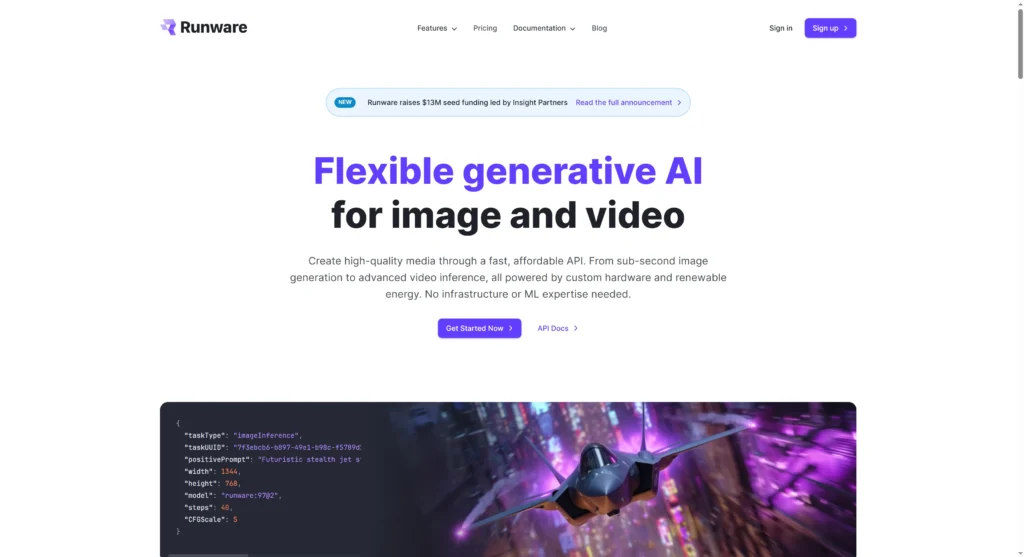
Key Features: Runware is an API-first platform that evolved from Picfinder, a tool known for its real-time image generation speed. It provides developers with access to over 300,000 different AI models, including popular ones like FLUX and SDXL, as well as tools for background removal and upscaling.
-
Pricing: It operates on a pay-as-you-go API access model. The costs are extremely low, with some models generating images for as little as $0.0006 per image. A free tier is available that offers approximately 1000 free image generations.
-
Our Verdict: Runware is a powerful dark horse for developers. It is not a user-friendly web application for creating icons but rather a robust, low-cost engine that can be integrated into custom applications and workflows. If you are building a product that requires generative icon capabilities, Runware’s API is a top contender.
At a Glance: Feature Comparison of the Best AI Icon Makers
To help you make a quick decision, this table summarizes the key features of the top AI icon makers in 2026. Use it to compare the tools based on what matters most to you, whether it’s vector support, pricing, or the ability to create consistent sets.
| Tool | Best For | Vector (SVG) Support | Generates Icon Sets | Free Tier Available | Starting Price |
| Recraft AI | Professional Designers | Yes | Yes | Yes (Limited) | $10/mo |
| Adobe Firefly | Adobe CC Users | Yes | Yes (via workflow) | Yes (with credits) | ~$23/mo |
| Midjourney | Artistic Inspiration | No | No | No | $10/mo |
| IconifyAI | App Developers | No | No | No | $17 (one-time) |
| Appicons.ai | Mobile Developers | No | No | No | $10 (one-time) |
| IconCraft | Brand Consistency | No | Yes | Yes (1 credit) | $8.99 (one-time) |
| Canva | Marketers & Non-Designers | Yes | Yes | Yes (Generous) | Free / $120/yr |
| Fotor | Casual Users | No | No | Yes (Limited) | Free / ~$3.33/mo |
| Designs.ai | All-in-One Marketing | Yes | Yes (via Brand Kit) | Yes (Limited) | $19/mo |
| Icons8 | Asset Libraries & Consistency | Yes | Yes | Yes (with attribution) | Free / $15/mo |
| LogoAI | Startups & Branding | Yes | Yes (via Brand Kit) | No | $29 (one-time) |
| Looka | Entrepreneurs | Yes | Yes (via Brand Kit) | No (Free to try) | $20 (one-time) |
| Brandmark.io | Budget-Conscious Startups | Yes | Yes (via Brand Kit) | No (Free to try) | $25 (one-time) |
| Artbreeder | Creative Exploration | No | No | Yes (Limited) | Free / ~$7.49/mo |
| Runware | Developers (API Access) | Varies by model | Varies by model | Yes (~1000 images) | Pay-as-you-go |
How to Create Your First App Icon with AI: A 4-Step Guide
Getting started with an AI icon maker is surprisingly simple. While each tool has a slightly different interface, the core workflow is generally the same. Here is a basic four-step guide to take you from idea to icon in minutes.
Step 1: Define Your Core Concept
Before you start writing a prompt, take a moment to brainstorm. What is the single most important object, idea, or feeling your app icon needs to communicate? Is it a rocket ship for a productivity app, a shopping cart for e-commerce, or a meditating figure for a wellness app? Simplicity is key. A strong icon focuses on one clear, recognizable concept.
Step 2: Craft a Detailed Prompt
This is where you guide the AI. A well-crafted prompt is the secret to getting a great result. Don’t just write “shopping cart.” Instead, provide details about the style, color, and composition. A good prompt should include:
-
Subject: The main object (e.g., “a gold coin”).
-
Action/Context: What the subject is doing (e.g., “with a growing plant sprout”).
-
Style: The visual aesthetic (e.g., “flat design,” “minimalist,” “3D icon”).
-
Format: Specify that it’s a vector or app icon.
-
Color Palette: The desired colors (e.g., “on a dark navy blue background”).
-
Details: Other important elements (e.g., “clean lines,” “professional”).
Example Prompt: “App icon for a finance app, a minimalist gold coin with a growing plant sprout, flat design, vector, on a dark navy blue background, clean lines, professional.”
Step 3: Generate and Iterate
Once you enter your prompt, the AI will generate several variations. It’s rare for the very first result to be perfect, so iteration is a crucial part of the process. Review the options and select the one that comes closest to your vision. Then, use the tool’s features—such as the “Vary” button in Midjourney or the “Recraft” button in Recraft—to generate new versions based on your selection. Continue to tweak your prompt, adjust colors, and regenerate until you are satisfied with the result.
Step 4: Export in the Right Format
After you’ve finalized your design, the last step is to export it correctly. For professional use, always download your icon as an SVG (Scalable Vector Graphic) if the option is available. This will ensure your icon looks perfectly crisp on every screen size, from a small phone display to a high-resolution desktop monitor. If SVG is not an option, download the highest-resolution PNG file available, and make sure it has a transparent background.
The Future is Automated: AI Icon Design Trends to Watch in 2026
The world of AI-driven design is evolving at a breakneck pace. As we look toward 2026, several key trends are set to redefine how we create visual assets, moving us further into an era of seamless human-AI collaboration.
Trend 1: Hyper-Personalization and Vibe Coding
The future of prompting is moving beyond simple text descriptions. We are already seeing the emergence of “vibe coding,” where designers can guide AI using broader inputs like mood boards, brand guideline documents, or even natural language conversations. Instead of describing every detail, a designer might soon be able to say, “Generate a set of icons that match the vibe of this website,” and the AI will analyze the site’s colors, typography, and style to produce a cohesive set.
Trend 2: The Rise of AI Agents and Multi-Tool Workflows
Designers are increasingly assembling their own “AI Agents”—custom workflows that chain multiple specialized AI tools together to automate complex creative tasks. A typical workflow in 2026 might involve using ChatGPT for initial brainstorming and concept development, Midjourney to generate a variety of high-fidelity visual styles, and then Adobe Photoshop’s Generative Fill for final refinements and edits. This multi-tool approach allows creators to leverage the unique strengths of each platform, leading to a more powerful and efficient creative process.
Trend 3: Animated and 3D Icons as the New Standard
Static icons are quickly becoming a thing of the past. As AI tools for generating animated Lottie files (like those from Recraft) and 3D assets (like those from Icons8) become more accessible and affordable, dynamic icons will become the new standard. This trend aligns with broader shifts in web design, which is increasingly embracing responsive 3D elements and micro-animations to create more engaging and interactive user experiences.
Trend 4: The “Human-AI Collaboration” Model
The industry is solidifying around a workflow where AI is not a replacement for human designers but a powerful collaborator. In this model, AI handles the heavy lifting of generating initial ideas and iterating through countless variations at a speed no human could match. This frees up the human designer to focus on what they do best: providing the crucial final touches of strategic thinking, creative direction, taste, and refinement. In response to the polished perfection of many AI visuals, we are also seeing a counter-trend of “handcrafted” and “imperfect” design elements, which emphasizes the unique and irreplaceable value of the human touch.
This shift is creating a new dynamic in the design industry. As AI tools make “good” design accessible to everyone for little to no cost, the market value of generic, template-based design work is set to decline. Platforms like Canva and LogoAI are explicitly marketed to non-designers, promising professional results in minutes. This democratization allows a startup founder to generate a “good enough” icon for $25 instead of hiring a freelancer for $500. Consequently, the demand for basic design execution will shrink as AI can fulfill this need more cheaply and quickly. The professional designers and studios who will thrive in this new landscape are those who can offer what AI cannot: deep brand strategy, a unique and defensible artistic style, and the ability to weave an entire emotional narrative around a visual identity. The value will increasingly be found in the thinking behind the design, not just the technical act of making it.
Frequently Asked Questions (FAQ)
Q1: Are AI-generated icons unique and safe for commercial use?
Answer: This depends entirely on the tool and your subscription plan. Most paid plans from reputable services grant you full ownership and commercial rights to the icons you create. However, the legal landscape around AI-generated content is still evolving. To mitigate risk, it is best to use tools that are transparent about their training data. For example, Adobe Firefly is trained on Adobe Stock’s licensed library and public domain content, making it one of the safest options for commercial use. Always check the terms of service of any tool before using its output in a commercial project.
Q2: What’s the difference between an AI icon maker and an AI logo maker?
Answer: While the terms are often used interchangeably, there is a subtle difference. AI icon makers are typically focused on creating simple, symbolic graphics used within a user interface (e.g., a gear icon for settings, a magnifying glass for search). AI logo makers, on the other hand, are geared towards creating a complete brand mark, which often includes text (the brand name) and is accompanied by a full suite of branding assets like business card templates and social media kits. Many of the tools on this list are capable of doing both.
Q3: Do I need design skills to use these AI tools?
Answer: For the majority of the tools on this list, absolutely not. Platforms like Canva, IconifyAI, and Looka are specifically designed for beginners and feature intuitive, guided interfaces. However, for more advanced and powerful tools like Midjourney, having a good design eye and strong prompt-crafting skills will allow you to generate significantly better and more precise results.
Q4: Can I use my own images or sketches to generate an icon?
Answer: Yes, many of the more advanced tools now support this feature, which is excellent for maintaining brand consistency. For instance, IconCraft allows you to upload an existing logo to generate new, on-brand variations. Similarly, Adobe Firefly lets you upload a reference image to guide the style of your generated vector graphic. This “image-to-image” capability is a powerful way to ensure your new icons align with your existing visual identity.
Conclusion: Choosing the Right AI Co-pilot for Your Creative Vision
The landscape of AI icon makers in 2026 is rich and diverse, offering a powerful tool for every need, budget, and skill level. The “best” tool is not a one-size-fits-all answer but rather a choice that depends on a careful balance of vector quality, ease of use, creative control, and cost. The right platform can act as a powerful co-pilot, accelerating your creative workflow and transforming your ideas into polished, professional icons in a fraction of the time it once took.
Based on this comprehensive review, here are the final recommendations:
-
For Professionals and Design Studios: Recraft AI and Adobe Firefly are the clear winners. Their commitment to native vector (SVG) output, deep feature sets, and integration with professional workflows makes them the top choices for projects that demand scalability and precision.
-
For Startups and App Developers: IconifyAI, Appicons.ai, and Brandmark.io offer the best combination of speed, cost, and quality. Their affordable, often one-time payment models and rapid generation times are perfect for getting a new project off the ground without a large design budget.
-
For Marketers and All-Rounders: Canva remains the undisputed champion of versatility. Its strength lies not in being the most powerful AI generator, but in its seamless integration into a broader suite of marketing and content creation tools, making it incredibly efficient for teams that do it all.
The era of AI-assisted design is here. By embracing these tools as creative partners, you can unlock new levels of efficiency and bring your vision to life faster than ever before.
Which AI icon maker are you most excited about trying, and what will you create first? Let us know in the comments below!
Create worry-free presentations with AutoPPT . Turn your ideas into slides quickly—while keeping them 100% yours!
About AutoPPT: An easy use AI tool for students and professionals. Generate editable slides, customize designs, and focus on what matters—your unique ideas.

Autoppt: Generate presentations in 1 minute!
Start Free Trail Now