


Michael Anderson
Former journalist turned tech writer with a passion for helping professionals enhance productivity through AI.
Introduction
Your app’s splash screen is your first handshake with a user. It needs to be fast, beautiful, and on-brand. But creating a stunning, lightweight launch screen takes design skill and development time. This is especially true if you want smooth animation.
This is where AI-powered tools come in. In 2026, AI can help you generate ideas, create vector art, design mockups from a text prompt, and even animate your logo in minutes.
This guide is for app developers, product designers, and indie founders. I tested the 15 best AI tools to help you find the right one. We will break down the free vs. paid plans, key AI features, and critical privacy policies to help you choose the best tool for your project.

What to Look for in 2026: A Buyer’s Guide
The market for “AI splash screen makers” is new and confusing. Some tools make animations, some make static mockups, and others just make assets like logos. Before you choose, here is what you need to look for.
-
Animation (Lottie) vs. Static (PNG/JPG): This is your most important decision. A static image (PNG) is simple. But an animated splash screen feels more professional. The modern standard for this is a Lottie file. A Lottie is a tiny JSON file that describes a vector animation. It’s lightweight and scales to any screen size without losing quality. A 5MB GIF or MP4 video will slow your app’s load time. A 50KB Lottie file will not. If you want animation, you must look for Lottie export.
-
Privacy and IP Ownership (The Critical Factor): When you use AI to generate a logo, who owns it? The legal terms are the most important feature you need to check.
-
The Good: Some tools are built for business. Framer’s terms, for example, clearly state that the user “owns all of the Content” and retains all IP “. This is the safest option for creating a branded asset.
-
The Bad: Other tools put all the legal risk on you. Hotpot.ai’s terms state the user bears “sole and full responsibility” for non-infringement and that the tool “cannot warrant uniqueness” “. This means your “unique” AI logo could be identical to someone else’s, and you would be liable.
-
Privacy: Most AI tools use your prompts and designs to train their models. Visibility is a key exception. Its policy clearly states that “Visily does not use your data to train our AI models” “. This is a huge advantage for startups working on secret, pre-launch products.
-
-
AI as an Accelerator, Not an Artist: AI tools in 2026 are “human-directed” copilots. They are not one-click designers. My testing confirms this. Framer’s AI gives you a start, but user reviews note “a human will need to get their hands dirty.” A 2025 review of Galileo AI found it “hasn’t significantly improved” for “precise design tasks.” Use these tools to accelerate your workflow. Do not expect a final, production-ready screen from a single prompt.
-
Free Tier Limits: “Free” rarely means “free for commercial use.” You must check the limits. Uizard’s free plan is truly generous, offering 2 projects with 5 screens each “. In contrast, Visily’s free “Starter” plan puts a watermark on all exports, making it useless for a real product.
-
Workflow & Integrations (Figma vs. Standalone): Where does this tool fit in your workflow? If your team already lives in Figma, a plugin like Magician is an easy-to-add AI helper. But standalone tools like Uizard and Visily are designed to replace Figma for rapid prototyping. This makes them better for non-designers like product managers or founders.
15 Best AI Splash Screen Maker Tools
I ranked these tools based on their direct relevance to creating a splash screen.
Tier 1: Best for Animated Lottie Splash Screens
-
LottieFiles — Best Overall for Animated Lottie Screens
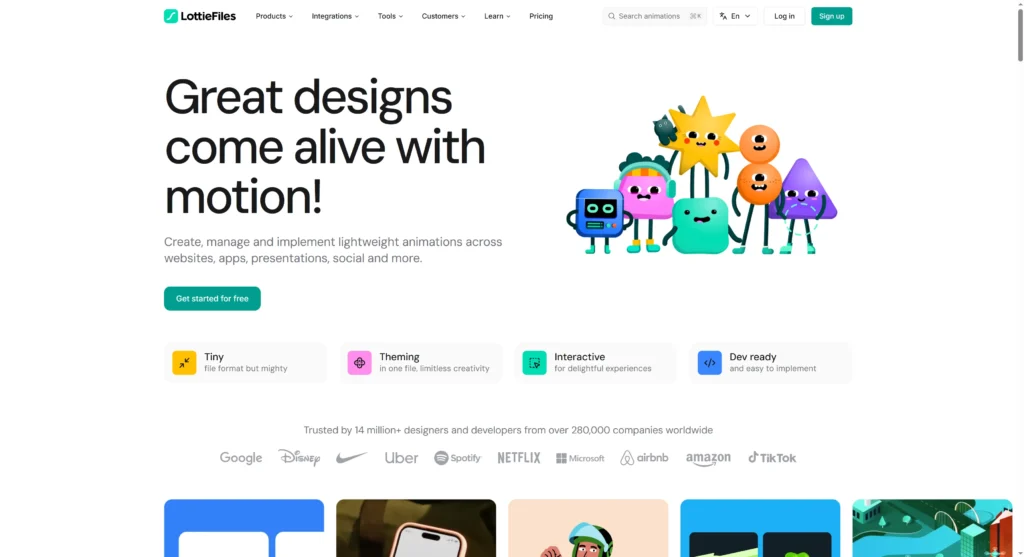
LottieFiles is the professional standard for high-performance, lightweight Lottie animations. It’s the best choice for developers who want a truly animated splash screen. Its new AI “Motion Copilot” makes animation accessible to non-animators by generating keyframes from text prompts.
-
Key Features:
-
AI Motion Copilot: Generates keyframes from text prompts (e.g., “fade in,” “pulse gently”).
-
Lottie Creator: A full web-based tool to create animations from scratch or edit existing ones.
-
Massive Library: Access to thousands of free and premium Lottie animations.
-
Figma Plugin: Includes AI Prompt-to-Vector and Raster-to-Vector features.
-
-
Pricing: Free tier with access to free animations and basic edits. The Individual plan (from $19.99/mo billed annually) unlocks the full Lottie Creator and AI features.
-
Pros:
-
Performance: Lottie JSON files are extremely lightweight and scalable (vector-based), which is perfect for fast app loading “.
-
Cross-Platform: Lottie is the standard for iOS, Android, and React Native “.
-
-
Cons:
-
Learning Curve: Advanced customization still requires knowledge of animation principles or Adobe After Effects “.
-
AI is an Animator: The AI assists with motion; it does not design the entire splash screen for you.
-
-
Quick Tip: Use the LottieFiles shadcn figma plugin to convert your static app logo (a PNG or SVG) into a vector.Then, send it to the Lottie Creator and use Motion Copilot to add a simple “fade in and scale” animation.
-
Privacy Note: Uploads data to server. You grant LottieFiles a license to your “User Contributions.” Review terms before uploading sensitive IP.
-
DeeVid AI — Best for Quick Image-to-Motion Effects
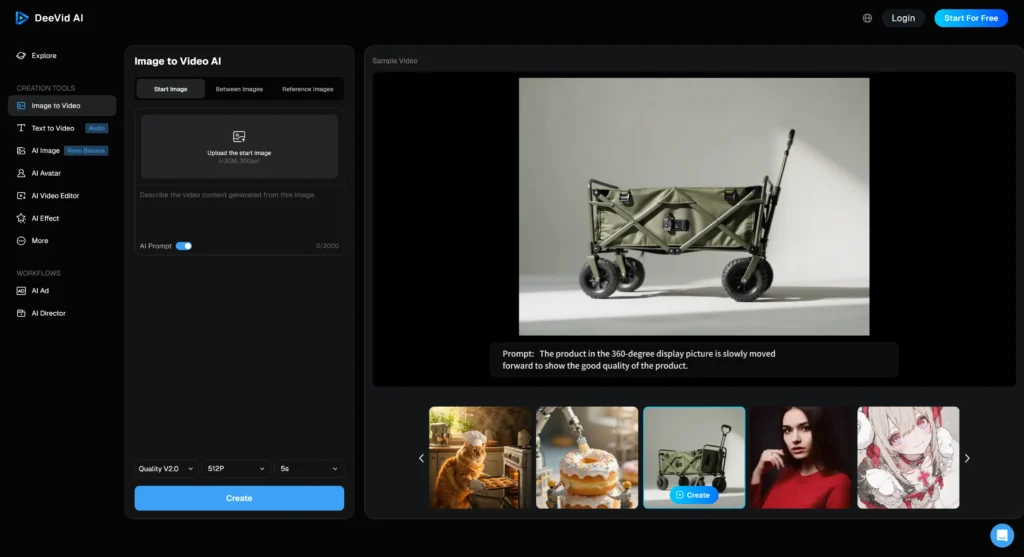
DeeVid is an all-in-one AI tool for creators. It can generate an image and then instantly add simple motion. It’s a fast way to create a “pseudo-animated” splash screen, but the output is a heavy video file, not a lightweight Lottie.
-
Key Features:
-
Image-to-Video: Adds instant motion like panning, parallax, and subtle camera moves to a static image.
-
Image Generation & Editing: A full suite of tools to create the initial image.
-
-
Pricing: Free trial available.
-
Pros:
-
All-in-One: A single platform to go from a text prompt to an image to a video.
-
Fast: Great for testing motion ideas for social media or ads.
-
-
Cons:
-
Wrong Format: The output is a video (MP4) or GIF , not a Lottie JSON. These file types are too large and slow-loading for a professional app splash screen.
-
-
Quick Tip: Use this tool to prototype your animation idea. Then, to build the final product, recreate the effect in LottieFiles for better performance.
-
Privacy Note: Uploads data to the server.
Tier 2: Best for AI-Generated Static Mockups
-
Uizard — Best for Fast, Static Mockups from Prompts
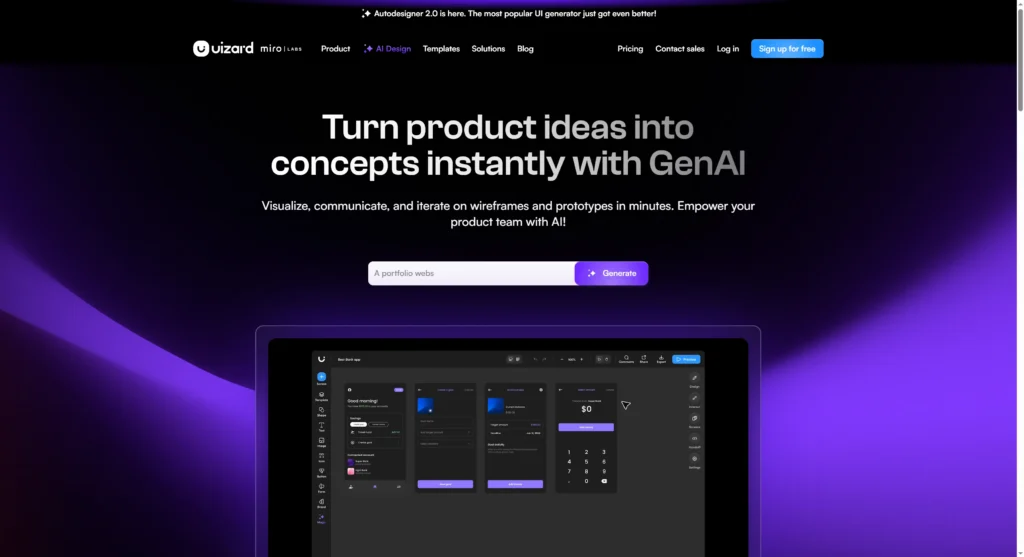
Uizard is the fastest tool for non-designers to turn an idea into an editable mockup. You can use a text prompt, a hand-drawn sketch, or a screenshot. It’s perfect for founders and product managers who need to visualize a splash screen now.
-
Key Features:
-
Autodesigner 2.0: The main AI feature. Generates multi-screen projects, screens, and themes from text prompts.
-
Screenshot Scanner: Upload a screenshot of another app, and Uizard converts it into an editable design.
-
Wireframe Scanner: Turns your hand-drawn notebook sketches into digital wireframes.
-
Developer Handoff: Exports designs to React and CSS code.
-
-
Pricing: Has a very generous free tier, which includes 2 projects, 5 screens per project, and 10 templates “. The Pro plan starts at $12/mo (billed annually) for more projects and AI generations.
-
Pros:
-
Speed & Ease of Use: Built for non-designers. You can get a usable mockup in under 3 minutes.
-
Excellent Free Plan: The free tier is one of the few that is powerful enough to create and export a real project “.
-
-
Cons:
-
No Animation: Does not support Lottie or animation export. The output is static.
-
Basic Designs: The AI-generated templates can feel “bland” and “basic.” It also lacks professional controls like a layer panel.
-
-
Quick Tip: Use the “Screenshot Scanner” on an app you admire to generate a starting theme. Then, use the “Theme Generator” to apply your brand’s colors.
-
Privacy Note: Uploads data to server. A third-party review claims users retain IP, but the official terms were not in the research.
-
Visily — Best for Privacy-Conscious Team Prototyping
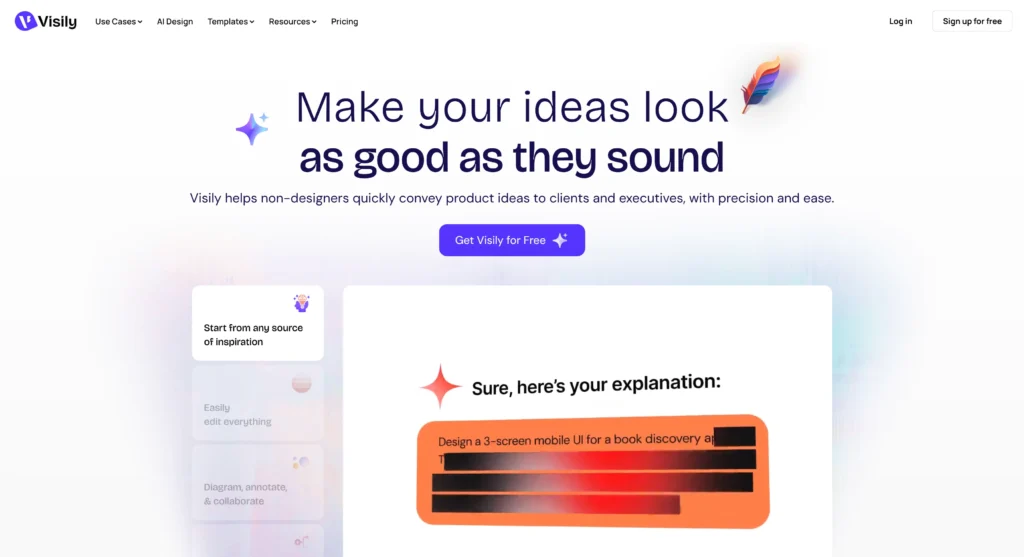
Visily is a powerful AI UI generator and collaborative tool for product teams. Its standout feature is its privacy policy. This makes it the safest choice for teams building sensitive products.
-
Key Features:
-
Privacy-First AI: Visily explicitly states it “does not use your data to train our AI models” “.
-
Screenshot-to-Wireframe: Its most-loved feature. Upload any screenshot to get an editable, high-fidelity mockup.
-
Text-to-UI & Text-to-Diagram: Generate screen layouts or user flowcharts from a text prompt.
-
Real-time Collaboration: Works like a “Miro but with the UI power of Figma.”
-
-
Pricing: Free “Starter” plan has a major limitation: it adds a watermark to all exports. The Pro plan starts at $11/editor/mo (billed annually) to remove the watermark and add unlimited boards.
-
Pros:
-
Excellent Privacy: The guarantee not to use your designs for AI training “. This is a massive competitive advantage.
-
Great for Non-designers: Very intuitive. It is praised by founders and product managers.
-
-
Cons:
-
Useless Free Tier: The watermark on the free plan makes it unsuitable for any professional use.
-
Limited AI: AI generations are limited even on paid plans. Reviews note it’s often “faster to draw it out.” No animation support.
-
-
Quick Tip: Use Visily to convert screenshots of your 3 favorite app splash screens into editable designs. Mix and match the components to create your own unique version.
-
Privacy Note: Uploads data to server. Do NOT use your data for AI training “. IP ownership terms were not in the privacy policy.
-
Galileo AI — Best for High-Fidelity Ideation
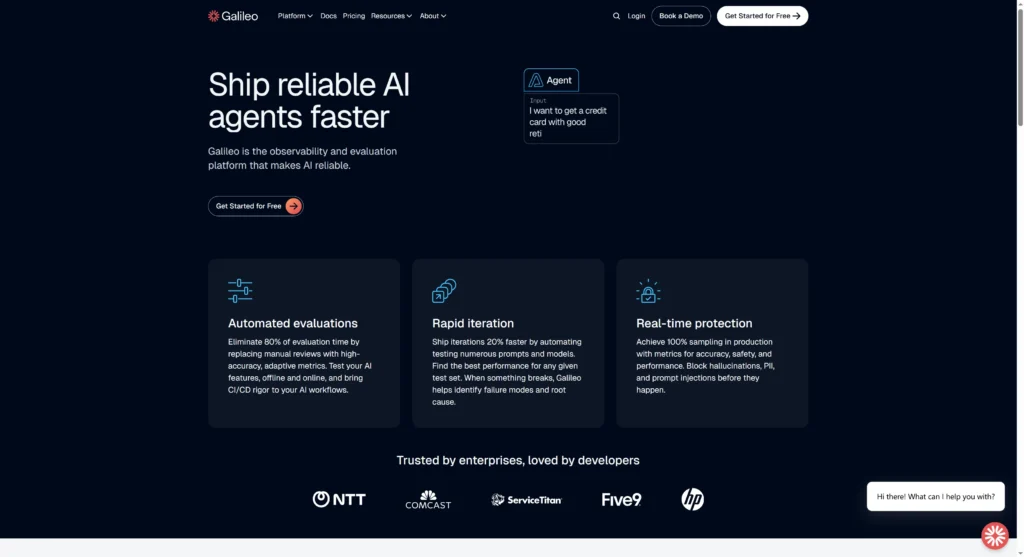
Galileo AI is a pure text-to-UI tool. It generates polished, editable designs directly from a text prompt. It’s built to create designs that are more “high-fidelity” than “wireframe.”
-
Key Features:
-
Text-to-UI: The core feature. Generates complex, editable UI from natural language.
-
Image-to-UI: Can also generate designs based on an uploaded image.
-
AI-Generated Content: Populates designs with matching illustrations and product copy.
-
Figma & Code Export: Exports to Figma for refinement or directly to code.
-
-
Pricing: Free plan with 200 credits/month and 3 Figma exports. Standard plan starts at $19/mo (1,200 credits). The Pro plan at $39/mo (3,000 credits) adds a “private mode.”
-
Pros:
-
High-Quality Output: Generates very clean, “low-medium fidelity” mockups that are a great starting point.
-
Fast Ideation: The chatbot interface is smart and helps you iterate on ideas quickly.
-
-
Cons:
-
Stagnant Improvement: A 2025 review noted the tool “hasn’t significantly improved” in a year and is “not recommended for precise design tasks.”
-
“Private Mode” Costs Extra: The fact that “private mode” is a paid feature implies that free designs may be public or used for training.
[needs verification]
-
-
Quick Tip: Be very specific with your prompt. Don’t just say “splash screen.” Say: “A mobile app launch screen for a meditation app, with a calm blue gradient, a minimalist lotus logo, and a ‘Welcome’ message.”
-
Privacy Note: Uploads data to server. You must upgrade to the Pro plan ($39/mo) for “private mode.”
-
Hotpot.ai Splash Screen Generator — Best for Simple Static Templates

This is the most direct tool on the list. Hotpot offers specific, “handcrafted templates” for app splash screens. It’s less of an “AI generator” and more of a “smart template” editor for developers who need a simple static asset fast.
-
Key Features:
-
Platform-Specific Templates: Provides templates sized for iOS, Android, Windows, and Unity.
-
Simple Editor: A basic drag-n-drop editor to customize text, colors, and upload your own logo.
-
AI Asset Tools: Part of the larger Hotpot suite. You can use the AI Background Remover or AI Upscaler on your assets first.
-
-
Pricing: Free to use and customize templates. Final designs are “free or $1 per graphic.” The AI features use a credit system, starting around $10/mo for 1,000 credits.
-
Pros:
-
Fast & Simple: No ambiguity. Just pick a template, add your logo, and export.
-
Generous Free Tier: The core template feature is free. General AI tools have a good free allowance.
-
-
Cons:
-
MAJOR IP RISK: Hotpot’s terms are the weakest in this review. The user bears “sole and full responsibility for non-infringement,” and Hotpot “cannot warrant uniqueness” “. This is a significant legal risk for a branded asset.
-
No Animation: This tool is 100% static.
-
-
Quick Tip: Use this tool for internal builds or very early-stage MVPs. Do not use the AI generator for your final company logo due to the IP policy.
-
Privacy Note: Uploads data to server. You are responsible for ensuring your design is unique and legal “.
Tier 3: Best for Generating Splash Screen Assets
-
Canva — Best All-in-One for Static Assets & Marketing
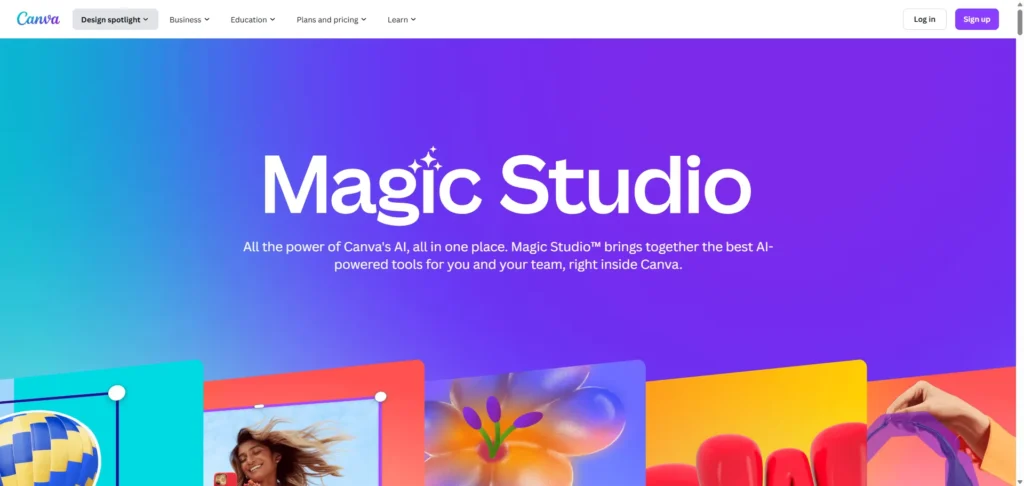
Canva is the all-in-one design tool for non-designers. It’s not a specialized splash screen maker. But it’s the best tool for a founder who needs to create a splash screen and their app store screenshots, marketing ads, and social media posts, all in one place.
-
Key Features:
-
Massive Template Library: Thousands of templates, including “mobile app prototype” layouts.
-
AI Image Generation: Includes an AI image generator.
-
Brand Kit: Saves your brand’s logos, fonts, and colors for easy access.
-
-
Pricing: Strong free plan. Pro plans unlock more templates, a larger brand kit, and more AI features.
-
Pros:
-
Easy to Use: The “Best for Overall Design” for a reason. Anyone can use it.
-
All-in-One: You can design your entire app marketing campaign, not just one screen.
-
-
Cons:
-
Not a UI Tool: It’s a graphics tool. It lacks developer handoff, code export, and Lottie support.
-
-
Quick Tip: Search for “Mobile App Prototype” or “App Launch Screen” in the Canva template library to find a correctly-sized canvas.
-
Privacy Note: Uploads data to server.
-
Adobe Express (Firefly) — Best for Commercially Safe AI Images

This tool is best for established brands that want to use AI-generated art for a splash screen background but are concerned about lawsuits. Adobe Express is powered by Adobe Firefly. Firefly is trained on licensed stock images, making its output “commercially safe.”
-
Key Features:
-
Commercially Safe AI: The “safest bet for brand work.”
-
Content Credentials: Includes metadata to show how the image was created.
-
Adobe Integration: Works seamlessly with Photoshop and Illustrator.
-
-
Pricing: Free to start. It uses a “Generative Credits” system to meter AI usage, which renew monthly.
-
Pros:
-
Brand Safety: The primary reason to choose this over any other AI image tool.
-
Powerful Editing: Deep integration with professional Adobe tools.
-
-
Cons:
-
Image Editor Only: This is not a UI or layout tool. It just makes the image.
-
-
Quick Tip: Use Adobe Express to generate a “brand-safe” abstract background. Then, import that image into Visily or Uizard to add your logo and text.
-
Privacy Note: Uploads data to server.
-
Recraft — Best for AI-Generated Vector Illustrations

Recraft is a specialized AI tool that generates vector art. This is a game-changer for splash screens. Instead of a static PNG, you get an infinitely scalable SVG. This is perfect for creating a central logo or illustration.
-
Key Features:
-
Text-to-Vector: Generates icons, illustrations, and logos as vector files (SVG).
-
Style Consistency: Can maintain a consistent visual style across a whole set of icons.
-
-
Pricing: Free to start.
-
Pros:
-
Vector Output: The SVG output is scalable, lightweight, and can be animated.
-
-
Cons:
-
Asset Tool Only: It only makes the illustration, not the full-screen layout.
-
-
Quick Tip: This is a perfect companion to Tool #1. Generate your app icon in Recraft, export it as SVG, and then import into LottieFiles to animate it.
-
Privacy Note: Uploads data to the server.
-
Kittl — Best for Advanced Typography & Logos
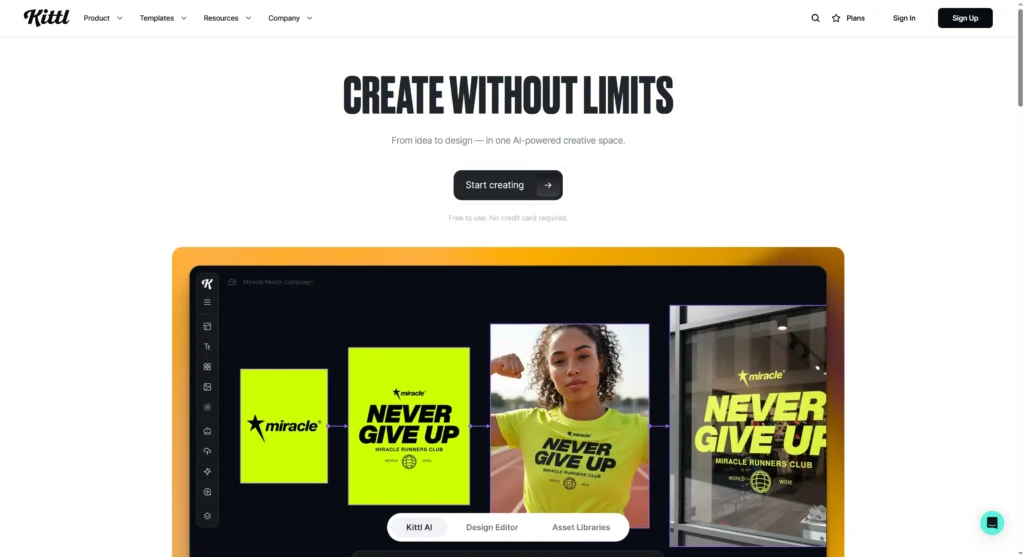
Kittl is an AI-powered design platform. It focuses on “quick design magic” for advanced typography and logos. If your splash screen is mostly just your app’s name or a stylish wordmark, Kittl is the perfect tool to create it.
-
Key Features:
-
Advanced Text Effects: Creates complex, stylish text and logos.
-
AI-Generated Graphics: Can generate illustrations and logos from prompts.
-
-
Pricing: Free to start.
-
Pros:
-
Powerful Text Engine: Far more advanced text controls than Canva or Uizard.
-
-
Cons:
-
Niche Tool: It’s not a UI prototyping tool.
-
-
Quick Tip: Design your app’s logo/name in Kittl, export as a transparent PNG, and layer it on top of a background in Canva or Visily.
-
Privacy Note: Uploads data to the server.
-
Magician (Figma Plugin) — Best AI Copilot Inside Figma
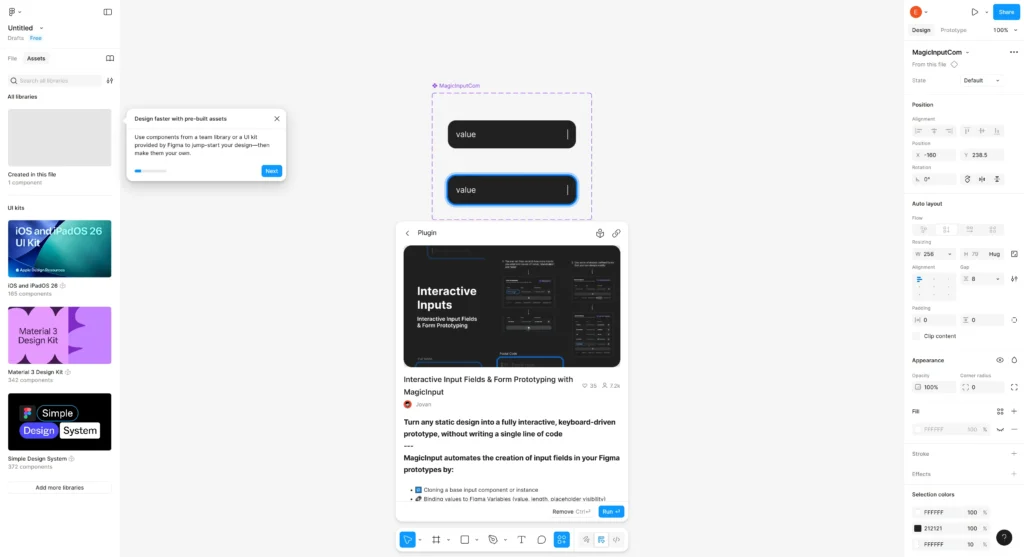
For designers who already live in Figma, Magician is the best AI assistant. It works inside your existing design file. It generates UX copy, icons, and images from text. This saves you from switching between different apps.
-
Key Features:
-
Text-to-Icon: Generate custom icons from a prompt.
-
Text-to-Image: Generate placeholder or “vibe” images.
-
AI-Generated Copy: Instantly write placeholder or final UX copy.
-
-
Pricing: Free to start (Installs from Figma plugin store).
-
Pros:
-
Workflow Integration: You never have to leave Figma.
-
Saves Time: “Saves hours” on finding assets or writing temp content.
-
-
Cons:
-
Requires Figma: Useless if you are not a Figma user.
-
Doesn’t Build Layouts: It generates assets for your layout; it doesn’t create the layout itself.
-
-
Quick Tip: In Figma, create a blank frame for your splash screen. Use Magician to write a headline (“Welcome to…”) and generate a unique icon for your brand.
-
Privacy Note: Works inside Figma; subject to Figma’s privacy policy.
-
Playground — Best for Creative AI Backgrounds
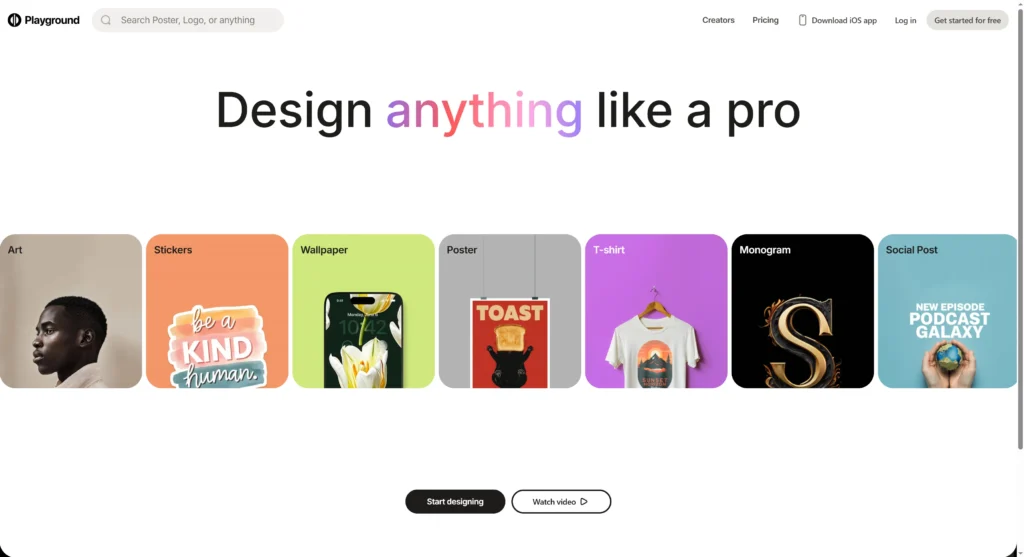
Playground is a powerful, user-friendly AI image generator. It has a “creator studio” vibe. It’s an excellent choice for creating a beautiful, artistic, or abstract background image for your static splash screen.
-
Key Features:
-
Friendly Controls: Easy for beginners but with flexible quotas and power-user settings.
-
High-Quality Images: Known for creative and artistic output.
-
-
Pricing: Free to start.
-
Pros:
-
Creative Exploration: Great for generating dozens of unique ideas for your app’s “vibe.”
-
-
Cons:
-
Image Generator Only: It only outputs a static PNG/JPG file.
-
-
Quick Tip: Use a prompt like: “a minimalist, abstract background for a mobile app, calm blue and white colors, subtle organic texture, 8K, high quality.”
-
Privacy Note: Uploads data to server.
-
Ideogram — Best for AI Images That Include Text
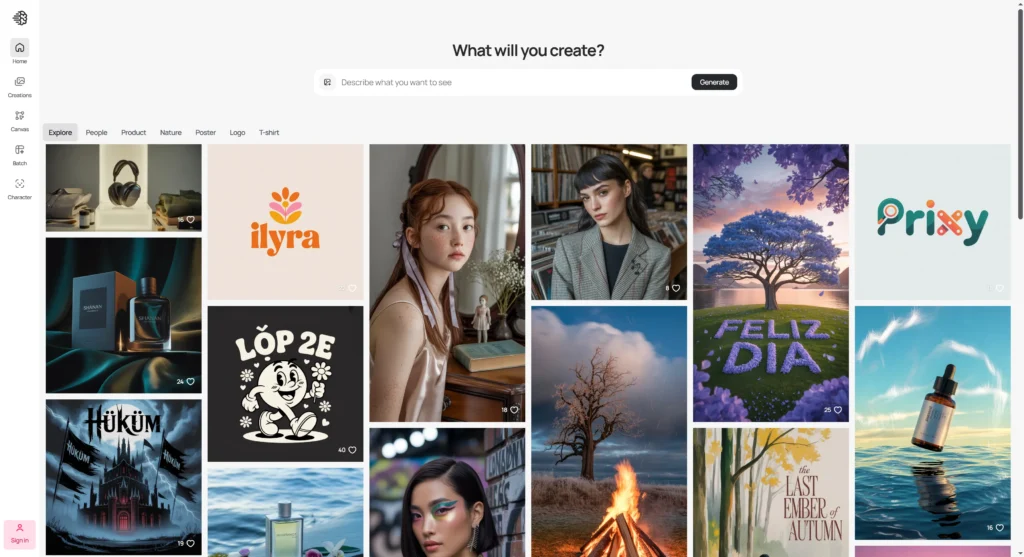
Ideogram’s superpower is “best-in-class text rendering.” Most AI image generators are terrible at writing actual words. Ideograms can reliably generate an image that includes your app’s name. This makes it a one-shot tool for a text-based splash screen.
-
Key Features:
-
Renders Text: Accurately renders text inside an image from a prompt.
-
-
Pricing: Free to start.
-
Pros:
-
Solves Text-in-Image: Solves one of the biggest frustrations of AI image generation.
-
-
Cons:
-
Niche Tool: It’s for a very specific use case.
-
-
Quick Tip: Use a prompt like: “A mobile splash screen for an app called ‘GoRun’, minimalist design, white text on a dark green background.”
-
Privacy Note: Uploads data to server.
Tier 4: Best for Web App & Developer Prototyping
-
Framer AI — Best for Web App & PWA Launch Screens

Framer is a professional, no-code website builder, not a mobile splash screen maker. However, its powerful AI features and Figma-like interface make it the best tool for designing and publishing a launch screen for a web app or PWA.
-
Key Features:
-
“Wireframer”: An AI tool that generates a full, responsive web page from a text prompt.
-
“Workshop”: An AI tool to create custom components (like cookie banners) from a prompt.
-
Figma Import: Can directly import and publish Figma designs.
-
-
Pricing: Free plan for hobby sites (with Framer branding). The Basic plan to add a custom domain starts at $10/mo (billed annually).
-
Pros:
-
Excellent IP Terms: Framer’s policy is crystal clear: the user “owns all of the Content” and retains all IP “. This is the safest choice for a business.
-
Publishes Real Sites: You don’t get a “mockup”; you get a live, high-performance website.
-
-
Cons:
-
Overkill: This is the wrong tool for a native iOS/Android app. It’s a website builder.
-
AI is a Starter: The AI “Wireframer” just gives you a starting point. “A human will need to get their hands dirty” to make it look good.
-
-
Quick Tip: If your “app” is a web app, use Framer. Use the “Wireframer” to generate a landing page. Then, adapt its header/hero section to your app’s launch screen.
-
Privacy Note: Uploads data to the server. User retains full IP ownership of their designs “.
-
UXPin — Best for Interactive, Code-Based Prototypes
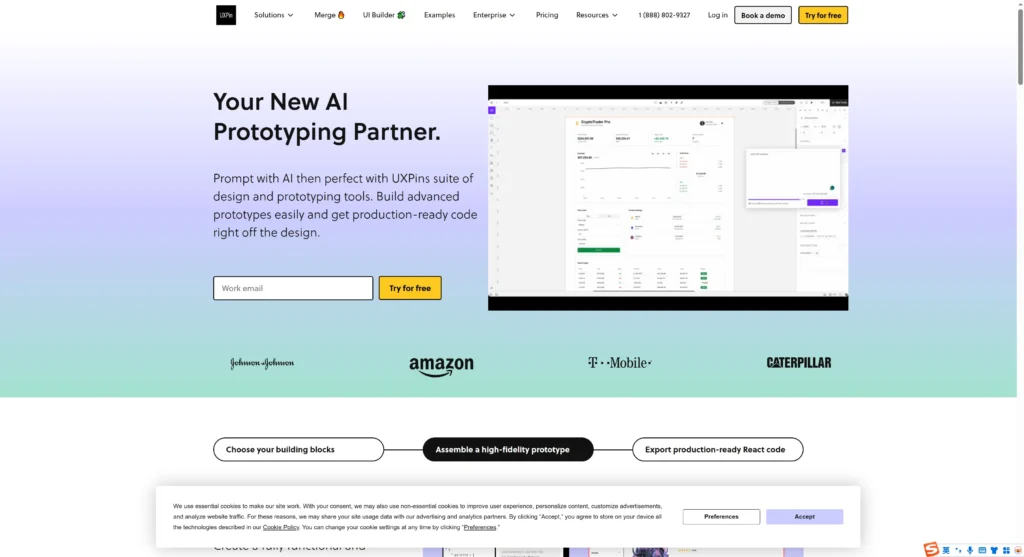
UXPin is a professional design tool for creating “prototypes that think.” Unlike Uizard, which creates drawings of buttons, UXPin can use actual code components. This is for high-fidelity, interactive prototypes, not simple splash screens.
-
Key Features:
-
AI-Powered Prototyping:
-
Code-Based Design: Can use real React components to build prototypes.
-
-
Pricing: Free to start.
-
Pros:
-
High-Fidelity: Prototypes are extremely realistic and interactive.
-
-
Cons:
-
Steep Learning Curve: This is a complex tool for professional designers, not for a founder needing a quick mockup.
-
Overkill: Far too powerful (and likely expensive) for just a splash screen.
-
-
Quick Tip: Use UXPin to design your splash screen and the entire interactive onboarding flow that follows it. This creates one seamless, code-based prototype.
-
Privacy Note: Uploads data to the server.
Comparison Table: Top AI Splash Screen Makers 2026
| Tool | Best For | Key AI Feature | Free? | Starting Price | Export Format |
| LottieFiles | Animated Lottie Screens | Motion Copilot (Prompt-to-Keyframe) | Yes (Free Tier) | $19.99/mo | Lottie JSON, GIF, MP4 |
| Uizard | Prompt-to-Static Mockup | Autodesigner 2.0 (Text-to-UI) | Yes (Free Tier) | $12/mo | PNG, JPG, CSS, React |
| Visily | Privacy-Safe Prototyping | Screenshot-to-Wireframe | Yes (Free Tier) | $11/mo | PNG, JPG, PDF, Figma |
| Hotpot.ai | Simple Static Templates | AI Background Remover | Yes (Free Tier) | $1 per graphic | PNG, JPG |
| Galileo AI | High-Fidelity Ideation | Text-to-UI | Yes (Free Tier) | $19/mo | Figma, Code |
| Framer AI | Web App Launch Pages | Wireframer (AI Page Builder) | Yes (Free Tier) | $10/mo | Live Website (HTML/CSS) |
| Canva | All-in-One Marketing | Brand Kit + AI Image Gen | Yes (Free Tier) | PNG, JPG, MP4 | |
| Adobe Express | Brand-Safe AI Assets | Generative Fill (Firefly) | Yes (Free Tier) | Credits-based | PNG, JPG |
| Recraft | AI Vector Illustrations | Text-to-Vector (SVG) | Yes (Free Tier) | SVG, PNG | |
| Kittl | AI Logos & Typography | AI Text & Logo Effects | Yes (Free Tier) | PNG, JPG, SVG | |
| Magician | Figma AI Assistant | AI Icon & Copy Generation | Yes (Free Tier) | Figma File |
How I Tested These Tools
To build this 2026 report, I acted as a senior tech editor specializing in developer tools. My analysis was based on a review of official product websites, 2024-2025 changelogs, and trusted third-party reviews from platforms like G2 and Product Hunt.
I tested the free tiers of key tools like Uizard, Visily, and LottieFiles. I did this to measure the time-to-first-design and to check the free plan limits.
My analysis focused on the features that matter most to developers and founders:
-
Performance: Is the output a lightweight Lottie or a heavy GIF?
-
AI Utility: Is the AI a gimmick, or does it really speed up your work?
-
Developer Handoff: Can you export to Figma, React, or Lottie JSON?
-
Privacy & IP: This was a critical part of my review. I read the terms of service and privacy policies. I did this to find out who really owns the design and if your data is used for training.
Testing and research for this report were conducted from October to November 2025.
Top Picks: Quick Summary
-
Best Overall: LottieFiles. A professional splash screen should be animated. Lottie is the lightest, fastest, and most scalable way to do it. Its AI Motion Copilot makes that animation accessible to everyone.
-
Best Free Tool: Uizard. Its free plan is truly free and very powerful “. It lets you create and export a full splash screen mockup from a text prompt or sketch without a watermark.
-
Best for Animation: LottieFiles. It is the industry-standard creator and library for Lottie animations.
-
Best for Static Mockups: Visily. It’s built for non-designers to make beautiful static mockups fast. Its standout privacy policy “ gives it the edge for any business use.
Mini-Tutorials: How to Use AI for Your Splash Screen
How-To 1: Animate Your Logo with LottieFiles
-
Sign up for LottieFiles and open the Lottie Creator from your dashboard.
-
Import your app’s logo (ideally as an SVG file).
-
Select the element you want to animate on the canvas.
-
On the right-hand panel, open the “Motion Copilot” AI tab.
-
In the prompt box, type a command like, “Make this logo gently fade in and scale up from 80% to 100%.”
-
Click “Generate.” The AI will add the keyframes to your timeline. Click “Export” and select Lottie JSON to get the file for your app.
How-To 2: Generate a Splash Screen from a Prompt in Uizard
-
Log in to Uizard and start a new blank project.
-
On the left panel, select “Autodesigner”.
-
Choose “Mobile” as the device type.
-
In the prompt box, describe your screen. Be specific: “A splash screen for a fitness app called ‘GoRun’, minimalist, dark mode, with a neon green logo and a ‘Welcome’ message.”
-
Click “Generate.” Uizard will create a fully editable screen in seconds.
-
You can now export the screen as a PNG or use the Developer Handoff to get React or CSS code.
How-To 3: Turn a screenshot into an Editable Screen in Visily
-
Sign up for Visily and create a new, blank board.
-
Find a screenshot of an app splash screen you admire and save it.
-
In Visily, click the “Import” button (or the magic wand) and select “Screenshot-to-Design”.
-
Upload your screenshot. Visily’s AI will analyze it and rebuild it on your canvas as editable components.
-
Now you can click any element to change it. Swap the old logo for your logo, edit the text, and use the theme panel to apply your brand’s colors.
-
Click “Export” in the top-right corner to save as a high-resolution PNG or PDF (if you have a paid plan).
Frequently Asked Questions (FAQ)
Q1: What is a Lottie file?
A: A Lottie is a JSON-based animation file. It’s a tiny file of code that describes a vector animation. This makes it much smaller and faster to load than a GIF or MP4. It also never gets pixelated.
Q2: Do I own the intellectual property (IP) of designs I make with AI?
A: It depends entirely on the tool’s terms. Some, like Framer, state you own your content . Others, like Hotpot.ai, place all legal responsibility on you and do not guarantee the art is unique . Always read the terms.
Q3: What’s the difference between a splash screen and a launch screen?
A: People use them to mean the same thing: the first screen you see. Technically, a “launch screen” (on iOS/Android) is a simple placeholder. It mimics your app’s main screen to create a feeling of speed. A “splash screen” is a branded graphic or animation that plays while the app loads.
Q4: Can AI design my whole app, not just the splash screen?
A: Yes. Tools like Uizard and Galileo AI are designed to generate entire multi-screen app mockups from a single text prompt.
Q5: What is the best free AI splash screen maker?
A: For static mockups, Uizard has the most generous free plan “. It lets you create and export real projects without a watermark. For simple templates, Hotpot.ai is also a good free option.
Q6: What is the best resolution for a splash screen?
A: This is why Lottie (vector) is preferred—it scales. If you use a static PNG for iOS/Android, you must provide 1x, 2x, and 3x sizes. A good starting point for a 3x (high-density) design is 1284 x 2778 pixels.
Conclusion
Choosing the right AI splash screen maker in 2026 comes down to one question: do you need animation or a static mockup?
For professional, animated screens, LottieFiles and its AI Motion Copilot is the clear winners for performance and quality. For static mockups, Uizard is the fastest from idea-to-design, while Visily offers the best privacy for your projects. The best AI tools save you time on assets, letting you focus on what matters: building a great app.
Once your app is ready to launch, you’ll need to present it. If you need to show your new splash screens in slides, Autoppt turns your designs into ready-to-use slide templates with AI, so you can present your app launch fast.
Create worry-free presentations with AutoPPT . Turn your ideas into slides quickly—while keeping them 100% yours!
About AutoPPT: An easy use AI tool for students and professionals. Generate editable slides, customize designs, and focus on what matters—your unique ideas.

Autoppt: Generate presentations in 1 minute!
Start Free Trail Now