


Introduction
In 2026, creating and sending certificates is no longer a manual design task. It has evolved into an intelligent and automated process. Manually editing templates for each employee or student is slow, costly, and leads to errors. Modern organizations now use AI certificate generators to solve this problem.
These tools matter because they save hundreds of hours. They also add security and value to the credentials. The “AI” in these tools offers two main benefits. First, generative AI for design helps create beautiful, unique templates from a simple text prompt. Second, and more importantly, automation AI manages the entire workflow. This includes pulling data from a spreadsheet, issuing thousands of personalized certificates, and tracking them.
This expert report reviews the 15 best AI certificate generators available in 2026. It provides a detailed comparison, highlights pricing traps, and explains how to choose the right tool for any organization, from a small business to a large university.

How We Picked & What to Look For
The tools in this report were selected and verified in June 2026. They were evaluated based on a standard set of criteria essential for professional credentialing.
The selection process prioritized tools with strong AI capabilities, including both AI-assisted design and smart automation for bulk issuance. Template quality and customization were reviewed to ensure the final product looks professional. Export options were tested, with a focus on print-ready, high-resolution PDF output.
Crucially, bulk issuance features (like CSV import and API access) and security (like QR code validation ) were weighted heavily. Finally, the report assesses the overall price and value of each tool’s free and paid plans.
Comparison Table At a Glance
The table below offers a quick comparison of the top 15 tools.
|
Tool |
Free Plan? (2026) |
Starting Price (2026) |
Key AI/Auto Features |
Export Types |
Bulk/API? |
Best For |
|
Certifier |
Yes (250 creds/yr) |
$67/mo (annual) |
AI Designer, Bulk CSV, API |
PDF, PNG |
Yes (API/CSV) |
All-in-One Platform |
|
Canva |
Yes (for single) |
$120/yr (Pro) |
Magic Studio (Design), Bulk Create (Pro) |
PDF, JPG, PNG |
Yes (Pro Only) |
Small Biz Design |
|
Adobe Express |
Yes |
$9.99/mo (Premium) |
Gen AI (Design), Bulk Create |
PDF, JPG, PNG |
Yes (CSV) |
Creatives |
|
Venngage |
Yes (5 designs) |
$10/mo (annual) |
AI Designer, Brand Kit |
PDF, PNG |
Yes (Business) |
HR Teams |
|
RenderForm |
Yes (50 credits) |
$9/mo (250 credits) |
API-first, Bulk CSV |
PDF, PNG |
Yes (API/CSV) |
API Integration |
|
Bannerbear |
Yes (30 API) |
$49/mo (1k credits) |
API-first, Auto-resize |
PDF, JPG |
Yes (API) |
Devs & Marketing |
|
Accredible |
Yes (20 recipients) |
$960/yr (Lite) |
Bulk CSV, API, LMS triggers |
|
Yes (API/CSV) |
Universities/LMS |
|
Sertifier |
Yes (5 recipients) |
$75/mo (50 recipients) |
AI Maker, Bulk, LMS triggers |
|
Yes (API/CSV) |
LMS Integration |
|
CertifyMe |
Yes (50 creds/yr) |
Contact Us (Premium) |
Bulk CSV, QR code |
|
Yes (CSV) |
Startups |
|
SimpleCert |
Yes (50 credits) |
$19/mo (150 credits) |
Bulk CSV, API, Zapier |
|
Yes (API/CSV) |
Small Courses |
|
Hyperstack |
Free tier |
Custom |
Drag-n-drop, Blockchain |
PDF (300 DPI) |
Yes |
High-Security |
|
Visme |
Yes (Basic) |
$10/mo (annual) |
AI Designer, Data Import |
PDF, JPG, PNG |
No (Data only) |
Marketing Teams |
|
Piktochart |
Yes (Basic) |
$14/mo (unlimited) |
AI Designer, Data Import |
PDF, PNG |
No (Data only) |
Nonprofits/Edu |
|
Give My Cert |
Yes (Free plan) |
$8.25/mo (1k/yr) |
Bulk CSV, API, Zapier |
PDF, IMG |
Yes (API/CSV) |
Event Organizers |
|
Certopus |
Yes (250 creds/yr) |
$29.99/mo (Standard) |
AI (Design), Bulk, API |
|
Yes (API/CSV) |
Training Institutes |
Top 15 Tools Short Reviews
Here is a detailed review of the best AI certificate generators for 2026.
1. Certifier

Certifier is a complete, all-in-one digital credential platform. It is built for organizations that need a professional system for issuing, managing, and tracking certificates and badges.
- Features: AI certificate generator, 2,000+ templates, bulk issuance via CSV, and a full REST API.
- Security: Excellent. Includes QR code verification, validation pages, and OpenBadge 3.0 support.
- Export & Bulk: Exports print-ready PDF and PNG files. Bulk issuing is its main feature.
- Pricing (2026): A generous free plan includes 250 credentials per year. Paid plans start at $67/month (billed annually) for 1,000 recipients.
- Best For: All-in-one credential management.
- Strength: A professional, scalable infrastructure. Weakness: More complex than a simple design tool.
Quick Workflow: Upload a CSV file with recipient names and emails. Map these fields to the certificate design. Click “Publish and Send” to email all recipients at once.
2. Canva
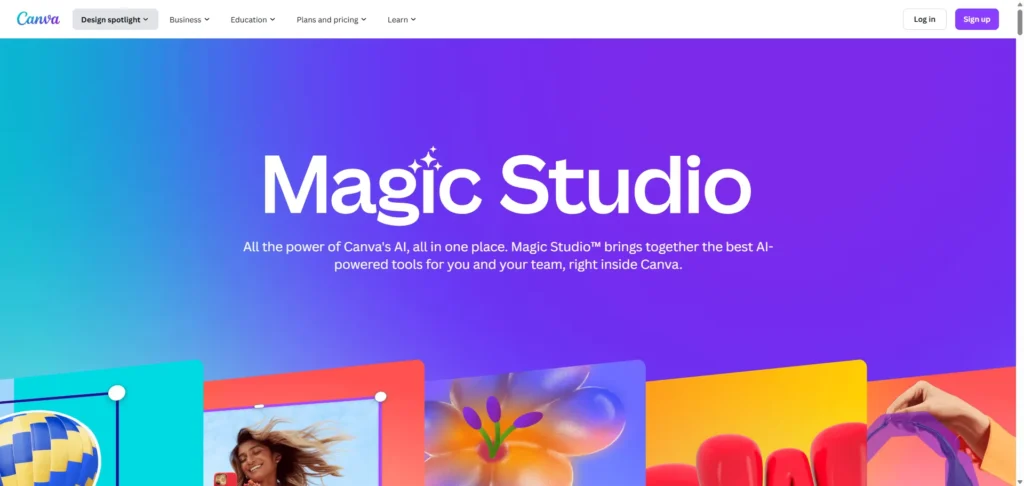
Canva is a world-class design tool perfect for creating beautiful, single certificates. It is best for small businesses, teachers, and one-off events that prioritize visual quality.
- Features: Massive library of 250,000+ templates. “Magic Studio” AI helps with design, not generation.
- Security: None. Canva does not offer a verification system for its certificates.
- Export & Bulk: Exports print-ready PDF, JPG, and PNG. Bulk creation (“Bulk Create”) is a paid feature available only on Pro, Teams, or Education plans.
- Pricing (2026): Free plan is excellent for single designs. Canva Pro (for “Bulk Create”) starts at $120/year.
- Best For: Small business and one-off designs.
- Strength: Unmatched design freedom. Weakness: Bulk creation is paywalled , and there is no security.
Quick Workflow (Pro): Design a template. Open the “Apps” tab and select “Bulk Create”.Upload a CSV, connect data fields, and generate all certificates.
3. Adobe Express

Adobe Express is a powerful Canva competitor with stronger generative AI features. It is ideal for creatives and marketers who want an AI-first design process.
- Features: True generative AI (“Generate Template” from a text prompt). Thousands of professional Adobe Stock templates.
- Security: None. Like Canva, this is a design tool, not a verification platform.
- Export & Bulk: Exports PDF, JPG, and PNG. It includes a “Bulk Create” feature that works with a CSV file. This feature is available on the free plan.
- Pricing (2026): The free plan is very strong, including Bulk Create and generative AI (with monthly credits). Premium starts at $9.99/month.
- Best For: Creatives and small businesses.
- Strength: Best-in-class generative AI for design. Weakness: No certificate verification features.
Quick Workflow: Use the “Bulk Create” add-on. Upload a CSV with names, connect the data to text fields, and generate all designs instantly.
4. Venngage

Venngage is an online design platform for business visuals, now with an AI certificate tool. It is well-suited for HR teams and small businesses that need polished, branded documents.
- Features: “Free AI Certificate Generator”.Users enter a purpose and recipient details, and the AI drafts a layout. Strong “Brand Kit” features.
- Security: None. This is a design tool.
- Export & Bulk: Exports print-ready PDF or images. The AI tool is for single certificates. Bulk generation via data merging is a feature for premium Business plans.
- Pricing (2026): The free plan is limited to 5 designs. Paid plans start at $10/month (annual).
- Best For: HR teams and branded one-offs.
- Strength: Fast, prompt-based AI design. Weakness: Very limited free plan; bulk creation is a high-tier feature.
Quick Workflow (AI): Go to the AI generator. Type a prompt like “Certificate of appreciation for John Doe.” The AI creates the design for download.
5. RenderForm

RenderForm is a developer-focused tool for generating PDFs and images from data. It is the best choice for developers who need to integrate certificate generation directly into an app or website.
- Features: Not an “AI designer” but an “automation engine.” It is API-first. Supports bulk generation from CSV and Airtable.
- Security: None built-in. It generates the file; it does not host or verify it.
- Export & Bulk: Outputs PDF and PNG via a powerful REST API.
- Pricing (2026): The free plan includes 50 credits (1 credit = 1 certificate) but adds a watermark. Paid plans start at $9/month for 250 credits and no watermark.
- Best For: API integration and developers.
- Strength: A powerful, scalable, and affordable API. Weakness: Requires technical skill; the free plan is watermarked.
Quick Workflow (API): Design a template in the RenderForm editor. Send a JSON request to the API. The API returns a URL to the finished PDF.
6. Bannerbear

Bannerbear is a powerful API for auto-generating images and PDFs, similar to RenderForm. It is aimed at developers and marketing automation workflows.
- Features: API-first automation. A key feature is “Auto Resizing” text, which smartly fits long names onto a template.
- Security: None. Bannerbear is an API, not a credentialing platform.
- Export & Bulk: Exports high-res PDF and JPG via API, Zapier, Make, or Airtable. It also has a simple online tool for 5 free downloads per day.
- Pricing (2026): The free trial includes 30 API credits. Paid “Automate” plan starts at $49/month for 1,000 API credits.
- Best For: Developers and marketing automation.
- Strength: Robust and scalable API. Weakness: Expensive, and the main product requires technical setup.
Quick Workflow (Free Tool): Go to the free online generator. Pick a template, enter a name, and download one of 5 free daily PDFs.
7. Accredible

Accredible is an enterprise-level digital credential platform. It is the top choice for universities and large corporations that need deep integration with Learning Management Systems (LMS).
- Features: Dozens of professional templates and a data-driven designer.
- Security: Gold standard. Credentials are secure and verifiable. It features QR code verification and blockchain validation.
- Export & Bulk: Exports PDF. Its main strength is bulk issuance triggered by LMS platforms like Canvas and Moodle.
- Pricing (2026): Very limited free plan (20 recipients). The “Lite” plan starts at $960 per year. This is an enterprise tool.
- Best For: Universities and large enterprises.
- Strength: The best for deep LMS integration and high security. Weakness: Very expensive.
Quick Workflow (LMS): Install the Accredible plugin in Moodle.Set an automation trigger (e.g., “on course completion”). The certificate is issued automatically.
8. Sertifier

Sertifier is a professional credentialing platform and a direct competitor to Accredible and Certifier. It is excellent for educational institutions and corporate training.
- Features: “AI Certificate Maker” for design help. Strong template library.
- Security: Strong. Features blockchain-backed credentials and a validation page.
- Export & Bulk: Exports PDF. Built for bulk issuance via CSV, API, and deep LMS integrations (Moodle, Canvas, Thinkific).
- Pricing (2026): Free plan is very limited (5 recipients). Paid plans start at $75/month for 50 annual recipients.
- Best For: LMS integration and corporate training.
- Strength: Wide range of native LMS integrations. Weakness: Free plan is only a test; per-recipient pricing can be costly.
Quick Workflow (LMS): Install the Sertifier plugin in Moodle or Canvas.Set a trigger (e.g., quiz grade). Certificates are issued automatically.
9. CertifyMe

CertifyMe is a simple, end-to-end credentialing solution. It is a cost-effective choice for startups, small institutions, and HR teams who need core features without high costs.
- Features: Unlimited templates, drag-and-drop designer, and CSV bulk award.
- Security: Good. Issues verifiable credentials with a unique QR code.
- Export & Bulk: Exports as a downloadable PDF. Built for bulk issuance.
- Pricing (2026): A “Free” plan is available for 50 digital credentials per year. The “Premium Plan” pricing is “Contact Us”.
- Best For: Startups and small training programs.
- Strength: Simple, no-nonsense platform. Weakness: Unclear pricing for paid plans.
Quick Workflow: Upload a CSV file of recipients, choose a template, and issue the batch.
10. SimpleCert

SimpleCert is a straightforward certificate generator for small-scale issuers. It is ideal for instructors or small businesses that need an easy “upload and send” workflow.
Features: Template-based designer, API access, and Zapier integration.
- Security: QR Code Authentication is a key feature, but it is only available on paid plans ($29/mo and up).
- Export & Bulk: Exports PDF. Supports bulk issuance via recipient list upload.
- Pricing (2026): Free plan includes 50 introductory credits (50 certificates). Paid plans start at $19/month.
- Best For: Small courses and businesses.
- Strength: Very easy to use. Weakness: Core security (QR code) is a paid-only feature.
Quick Workflow: Design a “Cert Set” (template). Upload a recipient list. The system merges the data and emails the certificates.
11. Hyperstack

Hyperstack is a high-security, modern credentialing platform. It is built for organizations that need tamper-proof, high-resolution printable certificates.
- Features: “Drag-and-drop credential studio”. Integrates with Zapier and LMS platforms.
- Security: Top-tier. Supports multi-chain blockchain verification and Open Badge 3.0.
- Export & Bulk: Exports 300 DPI, print-ready PDFs that remain digitally verifiable. Supports bulk issuance.
- Pricing (2026): A free tier is available. Paid plans are custom/enterprise.
- Best For: High-security and print credentials.
- Strength: The best solution for verifiable print certificates. Weakness: Not for casual users; pricing is not transparent.
Quick Workflow: Design in the Hyperstack Studio, connect data (CSV or API), and issue “smart” certificates that are both printable and verifiable.
12. Visme

Visme is a visual content platform for presentations, infographics, and more. It is best for marketing teams who occasionally need to design a high-quality, single certificate.
- Features: AI Certificate Generator. Advanced design tools, including animations and interactive links.
- Security: None. Not a credentialing platform.
- Export & Bulk: Exports PDF with bleed marks. It does not support bulk certificate generation. It can import data for charts, not for mail-merging pages.
- Pricing (2026): A free Basic plan is available. Paid plans start at $10/month (annual).
- Best For: Marketing teams (single designs).
- Strength: Beautiful templates and interactive design. Weakness: Not a bulk generator.
Quick Workflow (Single): Choose a certificate template. Customize the design. Download as a print-ready PDF.
13. Piktochart

Piktochart is a user-friendly tool for infographics and reports. It is a good choice for education and nonprofits needing a simple, affordable design tool.
- Features: “Pikto AI” for visual design help. All templates are available on the free plan.
- Security: None. It is a design tool.
- Export & Bulk: Exports PNG (free) or PDF (paid). It does not have a bulk create or mail-merge feature for certificates. It only imports data for charts.
- Pricing (2026): Free plan is limited (2 downloads). Pro starts at $14/month (annual) and unlocks PDF export and unlimited downloads.
- Best For: Nonprofits and education (single designs).
- Strength: Very easy to use. Weakness: Not a bulk generator. Free plan is highly limited.
Quick Workflow (Single): Choose a certificate template. Edit the text. Download the design as a PNG.
14. Give My Certificate

Give My Certificate is a flexible and highly cost-effective credentialing platform. It is an excellent choice for event organizers and training providers who need volume and value.
- Features: Drag-and-drop designer, full API, and Canva integration.
- Security: Verifiable certificates with 15+ years validity. Supports custom verification domains.
- Export & Bulk: Exports PDF/Image. Built for bulk issuance via CSV, API, Zapier, Moodle, Canvas, and Zoom.
- Pricing (2026): A free plan is available. The “Basic” plan is an exceptional value, starting at $8.25/month for 1,000 credentials per year.
- Best For: Event organizers and high-volume trainers.
- Strength: Amazing value; very low cost for high-volume issuance. Weakness: Design tools are simpler than Canva’s.
Quick Workflow: Upload a CSV list. Connect to a template (from Canva or their designer). Send in bulk.
15. Certopus

Certopus is a modern digital credentialing platform for training institutes. It offers a good balance of AI design, automation, and detailed analytics.
- Features: “Certopus AI” generates designs from text prompts. 2,000+ templates.
- Security: Tamper-proof detection, branded QR codes, and a white-label verification portal. Open Badges 3.0 compliant.
- Export & Bulk: Exports PDF. Supports mass issuing, API, and 5,000+ integrations (via Zapier).
- Pricing (2026): The free plan includes 250 credentials per year. The “Standard” plan starts at $29.99/month.
- Best For: Training institutes and corporate trainers.
- Strength: Good AI design features 71 and strong analytics. Weakness: Free plan is less generous than Certifier’s.
Quick Workflow: Use Certopus AI to design a badge. Upload a recipient CSV. Mass-issue the credentials and track them on the analytics dashboard.
Use-Case Buckets & Best Picks
Choosing the right tool depends on the job. Here are the best picks for specific needs.
- Best Free Option(s)
- Adobe Express: The best free tool for designing bulk certificates. Its “Bulk Create” feature is free , unlike Canva’s.
- Certifier: The best free platform. The free plan for 250 recipients/year gives access to a full, professional credentialing system (verification, email, analytics).
- Best for Large-Scale Training / Bulk Issuance
- Certifier: The per-recipient model is built for this and is more affordable than enterprise options.
- RenderForm: For developers who need a “headless” API, this credit-based model is built for pure automated scale.
- Best for Printed Certificates (High-Res/Bleed Support)
- Hyperstack: This platform is explicitly built to create 300 DPI, verifiable print documents, which is a rare and valuable feature.
- Best for Universities / LMS Integration
- Accredible: This is the clear market leader for education. Its deep, native integrations with Canvas and Moodle are its core selling point.
- Sertifier: A strong, slightly more affordable alternative with similar deep LMS integrations.
- Best for Event Organizers & Small Teams
- Give My Certificate: The value is unbeatable. The $8.25/month plan for 1,000 credentials/year is perfect for events. Its Zoom and Zapier integrations are also ideal for this use case.
Three Quick Workflows Make a Certificate Fast
Here are three common tasks and the fastest way to complete them in 2026.
Workflow A: Single Printable Certificate
Tool: Adobe Express
- Open Adobe Express and select “Certificate” as the project type.
- Use the generative AI prompt. Type: “modern certificate of completion for a Python course, corporate blue, minimalist”.
- Select a design, edit the recipient’s name, and click “Download.” Choose “PDF (Best for printing)” to get a high-resolution file.
Workflow B: Bulk Issuance for 1,000 Learners
Tool: Certifier + CSV
- Create a spreadsheet (e.g., Google Sheets) with two columns: Name and Email.
- In Certifier, design a template. Drag a “dynamic attribute” onto the certificate design and link it to the Name column.
- Upload the spreadsheet. Certifier maps the columns. Click “Publish and Send” to email a unique, personalized certificate to all 1,000 learners.
Workflow C: Certificate + Verification Link + Embed in LMS
Tool: Accredible + Moodle
- An admin installs the Accredible plugin from the Moodle plugin directory.
- In the Moodle plugin settings, the admin connects to Accredible using the account’s API key.
- In a Moodle course, the instructor adds an “Accredible Credential” activity. They set the “Trigger” to “On course completion”.
- When a student completes the course, Moodle automatically tells Accredible to issue the permanent, verifiable certificate. No further action is needed.
Pricing Notes & Hidden Costs to Watch
The price on the website is rarely the final price. Beware of these common pricing traps in 2026.
- Watermarks & Low-Res Exports: This is the most common “freemium” trap. A tool is advertised as free, but the free download is a low-quality PNG or a PDF with a large watermark (e.g., RenderForm’s free plan ). Always test the free export before designing.
- The “Per-Seat” vs. “Per-Recipient” Trap: This is the most important factor.
- Per-Seat (e.g., Canva ): The cost is based on how many admins use the software. This is cheap for a solo user but very expensive for a large team.
- Per-Recipient (e.g., Accredible, Sertifier ): The cost is based on how many students receive a certificate. This is the enterprise model and is very expensive for mass-issuance.
- Per-Credit (e.g., Bannerbear, SimpleCert ): The cost is based on how many certificates are issued. This is best for automated, pay-as-you-go systems.
- “Free” Bulk Generation Is Not Free: Many design tools (like Canva and Venngage ) advertise free certificate makers. However, the “Bulk Create” or mail-merge feature is locked behind a paid Pro plan.
- Security Is an Upsell: Do not assume a certificate is verifiable. Many tools (like SimpleCert ) charge extra for the QR code verification feature.
Trends in 2026: AI + Certificate Design
The field of digital credentials is evolving quickly. These are the top trends for 2026.
- Hyper-Personalization at Scale: The most significant trend is moving beyond merging just a name. AI is beginning to analyze a learner’s data to generate unique certificate text, such as “For completing 15 modules and mastering 3 projects”.
- Autonomous Issuance: The next step is “agentic AI”. Instead of an admin clicking “send,” an AI agent will monitor systems. When an employee passes a test in an LMS or a salesperson hits a quota in a CRM , the AI agent will autonomously issue the credential.
- AI-Driven Learning Analytics: Platforms are using AI to track who shares their badge and correlate that to business goals. This proves the ROI of a certification program (e.g., “This badge generated 50 new course signups via LinkedIn”).
Design Tips Make Certificates Look Professional
A certificate’s design reflects the value of the achievement. A poor design devalues the course.
- Keep It Simple: A clean, uncluttered layout is best. Focus on hierarchy. The recipient’s name should be the largest, most prominent text.
- Use Professional Typography: Choose readable, professional fonts. Avoid complex script fonts for the recipient’s name if it becomes hard to read.
- Use a QR Code: Always include a verifiable QR code. Place it in a corner with a “quiet zone” (empty space) around it so it is easy to scan.
- Export for Print: If the certificate will be printed, export it as a 300 DPI PDF. A standard 72 DPI web image will look blurry. Use high-quality vector logos (SVG) in the design to ensure they print sharply.
Security & Verification: What Matters
A simple PDF file is easy to fake. A verifiable credential is not. This is the most important difference between a design tool (like Canva) and a credentialing platform (like Certifier).
- How QR Code Verification Works: This is the industry standard and the 99% solution.
- The platform generates a unique, unguessable webpage for every single certificate.
- It places a QR code on the PDF that links to this unique webpage.
- An employer can scan the QR code to see the official certificate on the platform’s server.
- If the official certificate matches the PDF, it is valid. If the PDF was tampered with, it will not match. This process is fast, cheap, and effective.
- What About Blockchain? Some platforms (like Accredible and Hyperstack ) use a blockchain. This stores a hash (a digital fingerprint) of the certificate on a public, decentralized ledger. This proves the certificate is real and was not tampered with. While this is a powerful technology, it is often slower and more complex than a simple validation page. For most corporate training and course completions, QR code verification is the perfect solution.
Conclusion & Recommendation
In 2026, the best AI certificate generator is not just one tool. The market has split into three clear categories.
- For Designers (Single/Small-Batch): Use Adobe Express. Its generative AI is powerful, and its free bulk-create feature gives it the edge over Canva for small-batch projects.
- For Administrators (Platforms): Start with Certifier. Its free plan is the most generous, offering a complete, professional, and verifiable system for 250 recipients. For university-level needs, Accredible is the enterprise standard.
- For Developers (API): Use RenderForm. Its API-first, credit-based model is built for automated, “headless” certificate generation at scale.
The best next step is to test these tools. Sign up for a free plan from Certifier or Adobe Express. Create one template, upload a test CSV, and issue a certificate. Seeing the automated, verifiable result in an inbox is the fastest way to understand the power of modern credentialing.

Autoppt: Generate presentations in 1 minute!
Start Free Trail Now