


Michael Anderson
Former journalist turned tech writer with a passion for helping professionals enhance productivity through AI.
Part 1: The Cognitive and Strategic Foundations of Emotional Design in Presentations
This report provides a comprehensive analysis of emotional design as a strategic discipline for creating more effective, engaging, and memorable presentations. It moves beyond surface-level aesthetic advice to establish a foundational understanding of the psychological and neurological principles that govern audience engagement. By deconstructing why and how emotion influences perception, attention, and memory, this document provides a strategic framework and a practical toolkit for leveraging emotional design to achieve specific communication objectives.
Deconstructing Emotional Design: Beyond Aesthetics
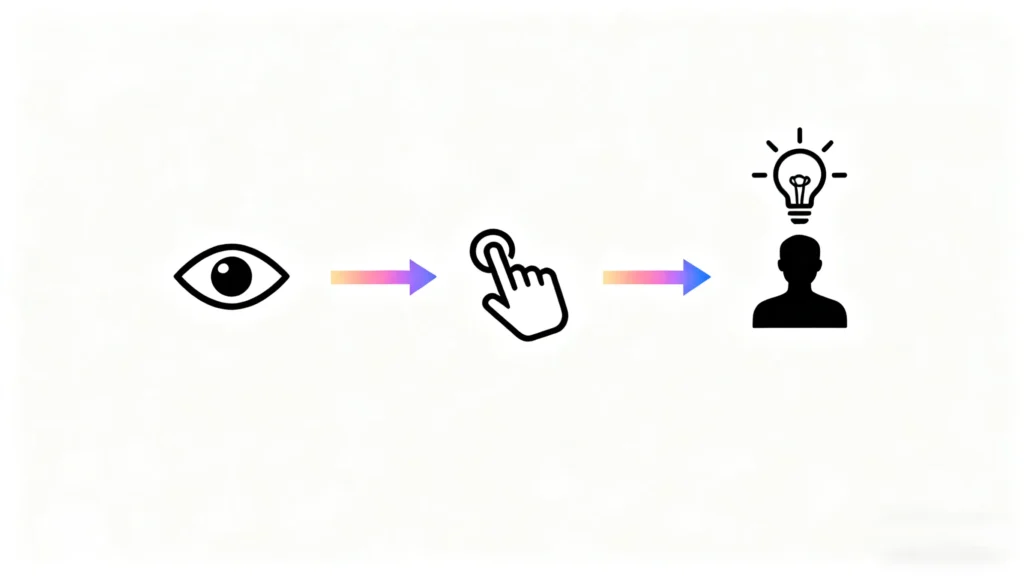
The term “emotional design” is often misconstrued as merely adding decorative or aesthetically pleasing elements to an object or interface. However, its true application, particularly in the context of presentations, is far more strategic. Emotional design is the practice of creating presentations that intentionally evoke specific emotions to foster a positive and effective audience experience. It is not about making slides “pretty” for the sake of it; it is about engineering a cognitive and emotional journey that leads to a deeper connection with the message and the presenter.
The foundational theory for this approach was pioneered by cognitive scientist Don Norman, who argues that our emotional system processes experiences on three distinct, interconnected levels: visceral, behavioral, and reflective. Understanding these levels is critical for any presenter who wishes to move beyond simple information delivery to create a lasting impact.
The Visceral Level: The Power of First Impressions
The visceral level of design concerns itself with immediate, instinctual, gut-level reactions. It is pre-conscious and rooted in the part of the brain that makes rapid judgments about what is good, bad, safe, or dangerous. In a presentation context, this is the audience’s first impression of the slides. Before they have read a single word of content, they have already made a visceral judgment based on the colors, fonts, layout, and overall aesthetic quality.
A clean, professionally designed template, for example, triggers a positive visceral response. It signals competence, care, and clarity, creating a “halo effect” that predisposes the audience to be more receptive to the message that follows. This aligns with Norman’s central finding that “attractive things work better”. This is not a subjective preference; positive affect, induced by good visceral design, has been shown to make people think more creatively and become better at solving problems. Therefore, an audience that feels good about the appearance of a presentation is cognitively better equipped to understand its content.
The Behavioral Level: The Experience of Usability
The behavioral level relates to the practical and functional aspects of the presentation—its usability. This level is largely subconscious and involves the audience’s evaluation of how effectively and easily the presentation helps them understand the information. A presentation that succeeds on the behavioral level feels effortless to follow. The structure is logical, the hierarchy of information is clear, and each slide communicates its point without causing confusion or cognitive strain.
When a presentation is well-designed from a behavioral standpoint—using clear headlines, minimal text, and a logical flow—the audience feels a sense of control and satisfaction. They are not struggling to figure out what is important; the design guides their attention seamlessly. This feeling of mastery and ease is a positive emotional experience in itself.
The Reflective Level: The Formation of Lasting Meaning
The reflective level is the highest and most conscious level of cognitive processing. It is here that the audience interprets the presentation’s message, considers its long-term implications, and connects it to their personal values, experiences, and self-image. While the visceral level is about appearance and the behavioral level is about use, the reflective level is about meaning and memory.
A positive reflective experience is what turns a good presentation into a memorable and influential one. It is the feeling an audience member has after the presentation is over, when they think, “That was a brilliant talk; I trust that speaker and their message.” This level is where brand loyalty, trust, and long-term relationships are forged. A successful presentation leaves the audience with a feeling of satisfaction and a sense that their time was well spent, making them advocate for the idea presented.
These three levels are not independent silos; they function as a causal chain that builds a complete emotional experience. A positive visceral reaction to a beautiful design creates an open and forgiving mindset in the audience. This initial positive feeling enhances their perception of the behavioral usability, making the content feel easier to follow and more logical. The seamless combination of aesthetic pleasure and functional clarity then culminates in a powerful reflective memory, where the message is not just understood but felt to be valuable and trustworthy. Therefore, investing in high-quality design is not a superficial act of decoration; it is a direct and strategic investment in the cognitive and emotional receptiveness of the audience.
The Neurological Case for Emotion: Why the Brain Pays Attention
The strategic importance of emotional design is directly supported by our understanding of human neuroscience. Emotion is not a distraction from rational thought; it is a fundamental component of our cognitive architecture that governs what we pay attention to, what we learn, and what we remember. For a presenter, understanding this relationship is key to cutting through the noise and making a message stick.
In any given presentation, the audience’s attention is an incredibly scarce resource. Recent studies show that the average attention span on a single point on a screen is now less than a minute, and in a typical presentation setting, at least one-third of the audience admits to multitasking. The human brain is constantly filtering an overwhelming amount of sensory input, and emotion acts as its primary gatekeeper. Emotional stimuli have been shown to consume significantly more attentional resources than neutral stimuli, effectively flagging the information as important and worthy of focus.
This “attentional capture” is intimately linked to memory formation. Strong emotional events trigger a simultaneous activation of the amygdala (the brain’s emotion-processing center) and the hippocampus (which is crucial for encoding long-term memories). This dual activation essentially “tags” the memory as significant, making it more vivid, resilient, and easier to retrieve later. This neurological process is why we are, according to some research, up to 22 times more likely to remember information when it is embedded within a story, as narratives are a primary vehicle for emotional content.
This does not mean a presentation should be a constant barrage of high emotion, which would be cognitively exhausting for the audience. Rather, emotion should be used as a strategic highlighter. A presenter can’t make every data point emotionally resonant, but they can—and should—use emotional anchors at the most critical junctures of their presentation. By strategically placing a powerful story, an evocative image paired with a surprising statistic, or a moment of shared empathy, a presenter can direct the audience’s limited attentional resources to the key takeaways. This ensures that those specific points are prioritized by the brain for encoding into long-term memory. In essence, the presenter designs emotional “containers” for their most important messages, dramatically increasing the likelihood that those messages will be remembered and acted upon long after the presentation has concluded.
Part 2: The Four Core Methods: Deep Dive and Practical Application
Translating the theory of emotional design into practice requires a toolkit of specific, actionable methods. This section provides a detailed analysis of four core techniques: storytelling, the use of visuals, the management of motion and pacing, and the cultivation of audience empathy. For each method, this report will break down the underlying psychological principles and provide a rich library of examples and templates applicable to diverse presentation contexts.
Method 1: The Architecture of Story: Tell a Story, Not Just Facts
Storytelling is arguably the most powerful and ancient technology for packaging information in an emotionally resonant and memorable format. While presentations are often built on a foundation of facts, data, and logical arguments, it is the narrative structure that transforms this raw information into something that an audience can connect with, understand, and retain.
The Cognitive Science of Narrative
Our brains are fundamentally wired for narrative. Stories provide a framework for making sense of the world, organizing events into a coherent cause-and-effect sequence. When we hear a story, our brains do not process it as abstract data. Instead, neural activity increases in the brain’s sensory and motor cortices, as if we were experiencing the events ourselves. This “neural coupling” allows the listener’s brain to synchronize with the storyteller’s. Furthermore, character-driven stories can trigger the release of oxytocin, a neurochemical associated with empathy, trust, and social bonding, making the audience more receptive to the message and more inclined toward cooperation. This is why a well-told story can bridge the divide between the brain’s logical left hemisphere and its emotional right hemisphere, making facts not only more compelling but significantly more memorable.
Structuring a Presentation Story
The most effective stories, whether in a blockbuster film or a boardroom presentation, follow a simple yet powerful three-act structure. This structure creates a “story arc” that builds tension and leads to a satisfying resolution.
-
The Setup (The Beginning): This is where the context is established. The presenter introduces a relatable character or a familiar situation. The goal is to create a common ground with the audience, establishing a protagonist they can identify with. This protagonist is often a stand-in for the audience themselves.
-
The Conflict (The Middle): This is the core of the story, where a challenge, problem, or obstacle is introduced. The conflict creates tension and raises the stakes, making the audience emotionally invested in the outcome. The pain point described should mirror the challenges the audience faces, making the narrative deeply relevant.
-
The Resolution (The End): This is the payoff. The presenter reveals how the conflict was overcome, often through the introduction of a new idea, tool, or approach (i.e., the presenter’s core message). The resolution should provide a sense of closure and deliver a clear takeaway or transformation.
This structure is the foundation of many classic narrative frameworks, including the “Hero’s Journey.” In a presentation context, this framework positions the audience or customer as the “hero” who is facing a challenge. The presenter’s product, service, or idea is not the hero of the story but rather the “wise guide” or “magical tool” that empowers the hero to succeed. This reframing is a fundamental shift in the persuasion dynamic. Instead of being “sold to,” the audience sees the presenter’s solution as a means of achieving their own heroic transformation. This lowers cognitive defenses and fosters a collaborative, rather than adversarial, relationship.
Storytelling Examples and Templates
The application of this structure can be adapted for various contexts:
-
For a Sales Pitch: The goal is to make the customer the hero.
-
-
Instead of: “Our new CRM software integrates with 15 platforms and uses an advanced algorithm to optimize lead scoring.”
-
Try This Story Opener:
-
-
“I want you to meet Alex, a sales director at a mid-sized tech company, probably a lot like yours. Alex was a great leader, but the team was struggling. They were spending more time logging data across three different systems than they were talking to customers, and morale was at an all-time low. The worst part? A huge, promising lead fell through the cracks simply because a follow-up was missed between a spreadsheet and an email.”
-
Why it Works: It starts with a relatable protagonist (“Alex”) and a specific, emotionally resonant pain point (frustration, low morale, a lost deal) before ever mentioning the product.
-
-
For a Classroom or Training Session: The goal is to frame learning as a journey of discovery.
-
-
Instead of: “Today we will learn about the principles of aerodynamics.”
-
Try This Story Opener:
-
-
“For thousands of years, humans looked to the sky and saw birds soaring effortlessly on the wind, and they asked a simple question: ‘Why can’t we do that?’ They tried strapping feathers to their arms and jumping off cliffs—with disastrous results. They believed flight was a magic reserved for the gods. But a few persistent thinkers believed it wasn’t magic, but a secret—a set of rules that governed the air. Today, we’re going to uncover those secrets.”
-
Why it Works: It transforms a technical topic into a historical quest filled with conflict (humanity’s struggle), mystery (“a secret”), and the promise of a powerful resolution (understanding).
-
-
For a Nonprofit or Fundraising Presentation: The goal is to connect donors to an individual’s transformation.
-
-
Instead of: “Our organization provided educational services to 500 children last year, resulting in a 15% increase in literacy rates.”
-
Try This Story Opener:
-
-
“This is Maria. When she first came to our after-school program, she was 8 years old and couldn’t read her own name. At school, she would hide in the back of the class, hoping the teacher wouldn’t call on her. She told her mom she had a ‘tummy ache’ every morning. The problem wasn’t that Maria wasn’t smart; it was that no one had ever had the time to sit with her and unlock the world of words. That’s where we started.”
-
Why it Works: It replaces an abstract statistic with a single, empathetic character (“Maria”) and a tangible, emotional struggle (shame, fear), making the organization’s impact feel personal and profound.
-
-
For an Internal Project Update: The goal is to frame progress in the context of a shared challenge and mission.
-
-
Instead of: “This is the Q3 status report for Project Phoenix. We have completed 75% of the development milestones and are currently 5% over budget.”
-
Try This Story Opener:
-
-
“Three months ago, we kicked off Project Phoenix with a clear challenge: our customer support team was spending 20 hours a week manually resolving a single, frustrating bug. They were burned out, and our customers were getting angry. Our mission was to build a permanent fix. Today, I want to walk you through the journey of how we tackled that challenge—the obstacles we hit, the breakthrough we had last month, and what it means for our team and our customers going forward.”
-
Why it Works: It reminds the team of the “why” behind the project, framing the work as a heroic mission to solve a real human problem rather than just a list of tasks and metrics.
-
Method 2: The Visual Language of Mood: Use Color, Imagery, and Metaphor
While storytelling provides the narrative architecture for a presentation, its visual design delivers the immediate emotional impact. The brain processes images significantly faster than text, meaning the visual language of a presentation—its colors, images, and metaphors—sets the emotional tone and enhances comprehension long before the spoken words are fully processed. This is the visceral level of design in action.
The Psychology of Color
Color is a powerful, non-verbal communication tool that can instantly influence mood and perception. While color associations can have cultural variations, there are broad psychological patterns that presenters can leverage.
-
Warm Colors (Reds, Oranges, Yellows): These colors are generally associated with energy, passion, excitement, and urgency. Red can be highly effective for drawing attention to a critical data point or a call-to-action, but it can also feel aggressive or overwhelming if overused. Yellow evokes optimism and warmth but can cause eye fatigue in large quantities.
-
Cool Colors (Blues, Greens, Purples): These colors tend to have a calming and stabilizing effect. Blue is overwhelmingly associated with trust, security, and professionalism, making it a staple for corporate and financial presentations. Green symbolizes nature, growth, and harmony, often used in contexts related to health, wellness, or the environment.
A practical framework for applying color effectively is the 60-30-10 rule. This interior design principle, adapted for presentations, suggests a balanced palette where 60% of the visual space is a dominant, often neutral color; 30% is a secondary color that provides contrast; and 10% is an accent color used sparingly to highlight key information (e.g., on a call-to-action button or a key statistic). This prevents visual chaos and creates a professional, cohesive feel.
The following table provides a practical guide for presenters to select and apply colors strategically to achieve specific emotional and communicative goals.
| Color | Common Emotional Associations | Best Used For (Presentation Context) | Accessibility & Design Notes |
| Blue | Trust, Calmness, Stability, Professionalism | Corporate reports, financial projections, technology pitches, healthcare presentations. | A versatile and safe choice. Ensure high contrast between dark blue text and light backgrounds for readability. |
| Green | Growth, Harmony, Nature, Health, Renewal | Environmental proposals, wellness initiatives, financial growth charts, educational topics. | Evokes positive feelings of balance. Avoid muted, olive greens that can have negative connotations. |
| Red | Energy, Passion, Urgency, Excitement, Danger | Highlighting critical problems, call-to-action buttons, emphasizing losses or risks, sales promotions. | Use sparingly as an accent. Overuse can induce anxiety. Ensure it passes color contrast tests, especially against green. |
| Yellow | Optimism, Happiness, Warmth, Creativity | Brainstorming sessions, creative pitches, presentations aimed at inspiring innovation. | Highly visible, but can be hard to read. Best used as a background accent or for highlighting, not for primary text. |
| Orange | Enthusiasm, Friendliness, Confidence | Calls-to-action, team-building presentations, consumer brand pitches. | Less aggressive than red but still energetic. Balances professionalism with a playful tone. |
| Purple | Sophistication, Wisdom, Luxury, Creativity | Presenting premium products, visionary ideas, or in contexts requiring a touch of elegance. | Can appear regal and thoughtful. Lighter shades like lavender are calming. |
| Black | Power, Elegance, Formality, Sophistication | High-end product launches, formal proposals, creating a dramatic or serious tone. | Use as a dominant color for a sleek, modern look, but ensure text is white or a very light color for high contrast. |
| White/Gray | Simplicity, Cleanliness, Neutrality, Professionalism | The foundation for most presentations. Used for backgrounds to ensure clarity and focus on content. | Provides a clean canvas. Light gray is often easier on the eyes than stark white for extended viewing. |
The Impact of Imagery and Visual Metaphors
A single, well-chosen image can convey more emotion and meaning than a dozen bullet points. When selecting images, the goal is to move beyond generic, cliché stock photos which can signal a lack of authenticity and undermine trust. Instead, presenters should seek out high-quality, relatable images, particularly those featuring expressive human faces, as our brains are hardwired to notice and respond to them.
An even more powerful technique is the use of visual metaphors. A visual metaphor explains a complex idea by relating it to a familiar object or concept, creating an instant cognitive and emotional shortcut for the audience. This technique effectively offloads the cognitive work from the audience to the visual itself. For instance, instead of explaining the complex stages of a project with a Gantt chart, a presenter could use an image of a mountain climb, with base camp representing the project kickoff, various camps along the route as key milestones, and the summit as the successful completion. The audience instantly understands the concepts of journey, struggle, and achievement without needing to decode a complex diagram. The metaphor does the heavy lifting, freeing up their mental bandwidth to absorb the specific details.
-
Example of an Emotional Image + Headline Pairing:
-
Context: A presentation on the mental health crisis among students.
-
Weak Slide: A bulleted list of statistics on student anxiety and depression.
-
Strong Slide: A single, high-quality, black-and-white photo of a young person sitting alone in a crowded hallway, looking down at their phone. The headline above reads: “More Connected, But More Alone Than Ever.”
-
Why it Works: The image evokes immediate feelings of isolation and sadness, creating an empathetic connection before any data is presented. The headline frames the problem in a powerful, paradoxical way.
-
Finally, it is crucial to design with accessibility in mind. This means ensuring high color contrast between text and backgrounds for readability and using descriptive alt text for all meaningful images. This ensures that the emotional and informational content is available to every member of the audience.
Method 3: The Rhythm of Revelation: Add Motion and Reveals to Build Curiosity
The way information is revealed on a slide is just as important as the information itself. A static slide, filled with text and data, presents itself as a monologue; the presenter simply talks at the audience. By contrast, using subtle motion and sequential reveals, a presenter can create an emotional and cognitive rhythm that transforms the experience into a dialogue, building curiosity and making the content far more digestible.
The Principle of Progressive Disclosure
This technique is borrowed from the field of user experience (UX) design, where progressive disclosure is used to manage complexity and reduce cognitive overload. The principle is simple: show only the information that is necessary at that moment, and provide a way for the user (or audience member) to access more detail if they wish.
In a presentation, this translates to abandoning the “wall of text” slide. Instead of presenting all five bullet points at once, the presenter reveals them one by one with a simple click. This has two profound effects:
-
It Controls Focus: The audience can only read what is currently on the screen, ensuring their attention is perfectly synchronized with what the presenter is saying. They are not reading ahead and tuning out the speaker.
-
It Reduces Overload: By presenting information in manageable chunks, the presenter makes the content easier to process and remember. Each new point is a small, digestible piece of information rather than part of an overwhelming list.
Micro-interactions and the Power of Feedback
Subtle, purposeful animations—often called micro-interactions—can further enhance this experience. These are not the distracting, bouncing animations of early PowerPoint; they are small, functional cues that provide feedback and create a sense of satisfaction. For example, when a key milestone is mentioned, a checkmark icon might smoothly animate into view. When a poll result is shown, the bars might quickly and cleanly grow to their final size.
These small moments matter because they make the presentation feel more responsive and alive. They provide instant visual confirmation of the points being made and can even tap into the brain’s reward circuitry, providing a small dopamine hit with each successful reveal of information.
This sequential approach turns a presentation into a series of “open and close” loops that mimic the natural rhythm of a conversation. The presenter poses a question, either explicitly on the slide or implicitly through a headline. This creates an open loop and a sense of curiosity in the audience’s mind (“What’s the answer?”). With a click, the answer appears, closing the loop and providing a feeling of resolution. This cadence keeps the audience psychologically leaning in, transforming them from passive observers into active participants in a structured reveal.
A Practical Example of a 3-Step Reveal
-
Context: An internal presentation on improving product adoption.
-
Slide 1 (Initial State): A clean slide with a single, large question in the center.
-
Click 1 (The Problem is Revealed): A simple icon (e.g., a confusing map) appears, followed by the core problem.
-
Click 2 (The Data is Revealed): A single, impactful statistic appears to validate the point.
-
Why it Works: The sequence builds suspense. The initial question creates a knowledge gap. The first reveal provides a conceptual answer, and the final reveal delivers the hard data that makes the problem undeniable. Each step is a logical and emotional beat in a mini-story.
When Not to Use Motion
It is critical to use animation with restraint. Motion should always be purposeful—to clarify, guide focus, or provide feedback. It should never be purely decorative. Overly complex, slow, or jarring animations are distracting, unprofessional, and can create accessibility issues for individuals with motion sensitivities or vestibular disorders. The best animations are quick, subtle, and feel natural, like a simple “appear” or “fade in.”
Method 4: The Empathy Engine: Empathize and Invite Participation
The final and perhaps most crucial method of emotional design is to make the audience feel seen, understood, and valued. Before an audience can be persuaded by logic or data, they must feel an emotional connection to the presenter. Empathy is the engine that builds this connection. It is a cognitive gateway; by first demonstrating a genuine understanding of the audience’s world, a presenter can lower their natural skepticism and make them far more receptive to the core message.
Using Audience-Centric Language
The simplest way to demonstrate empathy is through language. This involves a conscious shift in perspective and pronouns, moving away from a presenter-centric (“I will show you,” “We believe”) to an audience-centric (“You’ve probably experienced,” “What this means for your team is…”) point of view.
By framing features as benefits that solve their specific problems, the presenter shows they have done the work of considering the audience’s context. Using phrases like, “You might be wondering how this applies to a small business budget,” or “I know everyone in this room is juggling multiple priorities,” explicitly acknowledges the audience’s reality and validates their concerns. This signals that the presenter is an ally, not just a vendor or a lecturer.
Inviting Active Participation
Breaking the fourth wall and inviting the audience to participate, even in small ways, can dramatically increase engagement. Passive listening leads to mind-wandering, but active participation re-focuses attention.
-
Polls and a Show of Hands: Simple questions can create a sense of shared experience. A presenter could ask, “Quick show of hands: who has been in a meeting that could have been an email?” This creates a moment of shared, humorous frustration and builds instant rapport.
-
Rhetorical Questions: Posing a question directly to the audience, even if an answer is not expected, prompts them to reflect and engage mentally. For example, “What if you could get back the five hours a week you spend on manual reporting?”
-
“Think-Pair-Share”: In a workshop or training setting, asking the audience to turn to a neighbor for 30 seconds to discuss a specific question can re-energize a room and generate valuable insights.
Example Scripts for Building Empathy
-
Empathetic Opener (for a technical presentation):
-
Empathetic Framing of a Pain Point:
-
Interactive Poll Question (for a sales pitch):
By consistently demonstrating an understanding of the audience’s challenges, speaking their language, and inviting them into the conversation, a presenter can build a powerful foundation of trust. This empathetic connection ensures that when the core message is delivered, it is received not with skepticism, but with an open and willing mind.
Part 3: Synthesis and Implementation Guide for AutoPPT Blog
This final part of the report distills the preceding analysis into practical, publication-ready content and strategic guidance for the AutoPPT blog. It provides a concise checklist for users, specific copy for integrating AutoPPT’s features into the narrative, and the complete, final blog post written in Markdown as per the user query.
Quick Design Checklist
This checklist synthesizes the core principles of effective emotional presentation design into a simple, scannable format. It is designed to be a practical takeaway for readers of the blog post.
-
One Idea Per Slide: Focus your audience’s attention and prevent cognitive overload. If you have three points to make, use three slides.
-
Headline as the Takeaway: Write your headline as a full, clear sentence that summarizes the slide’s main point. This makes your presentation scannable and memorable.
-
Visuals Over Text: Whenever possible, use a powerful image, a simple icon, or a clear chart to communicate your idea instead of relying on bullet points.
-
Use an Emotion-Appropriate Palette: Choose colors that align with the tone of your message. Use calm blues for trust, or energetic oranges for a call to action.
-
Check for High Contrast: Ensure your text is easily readable against its background. This is a fundamental rule of both good design and accessibility.
-
Include One Clear Call-to-Action (CTA): End your presentation by telling your audience exactly what you want them to do next, whether it’s to ask questions, visit a website, or approve a project.
How AutoPPT Helps You Build Emotional Slides Faster
This section provides the specific, helpful, and non-salesy copy for the AutoPPT mention within the blog post. The language is designed to position the tool as a useful assistant for implementing the emotional design techniques discussed.
-
For Setting the Mood with Templates (Method 2):
-
For Prototyping Stories and Reveals with AI (Methods 1 & 3):
-
Example AI Prompt for the Blog Post:
-
For Maintaining Professional Consistency (Visceral Impact):
Ready to Connect?
Using emotional design isn’t about being dramatic—it’s about being effective. When you combine a clear message with the right emotion, you create a presentation that people will not only understand but also remember and act on.
Pick one of these four methods for your next presentation. Try telling a short story or revealing your points one by one. And if you want to prototype your ideas quickly, try starting with one of AutoPPT’s templates or using the AI draft feature. You might be surprised at the connection you build.
Create worry-free presentations with AutoPPT . Turn your ideas into slides quickly—while keeping them 100% yours!
About AutoPPT: An easy use AI tool for students and professionals. Generate editable slides, customize designs, and focus on what matters—your unique ideas.

Autoppt: Generate presentations in 1 minute!
Start Free Trail Now